Snap faster, hear better and do more with your Pixel
One of the sweet things about being a Pixel user is that your phone continues to get a boost of helpfulness with Feature Drops. Whether you want to quickly tap to access Snapchat from your Pixel lock screen or control the bass levels on your Pixel Buds A-Series, we’ve got an update you’ll love.
This latest Feature Drop will roll out to users over the next few weeks, starting today with relevant updates coming to Pixel 3a through Pixel 5a (5G) devices – see g.co/pixel/updates for details. Pixel 6 and Pixel 6 Pro devices will begin receiving their updates next week.
Snapchat, digital car key and ultra-wideband help Pixel do more
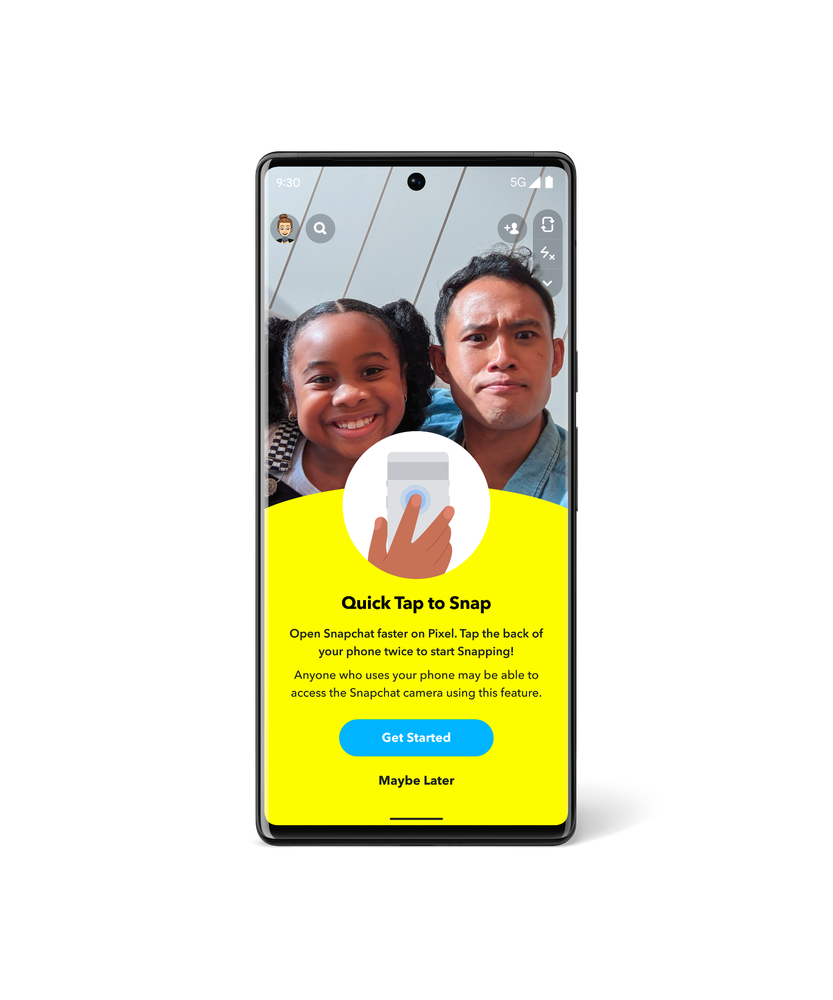
You can already customize the actions your Pixel takes when you use Quick Tap, from taking a screenshot to playing music. With Quick Tap to Snap, you can access Snapchat directly from your lock screen, making Pixel the fastest phone to make a Snap. Quick Tap to Snap is available to all Pixel 4a with 5G or newer Pixel phones. Plus, starting this month, you’ll be able to add a new Pixel-exclusive Lens – Pixel Face – to your Snaps. Look out for more Pixel-exclusive Lenses in future Feature Drops.
As you saw from our friends at Android, we’ve partnered with BMW to enable digital car key for Pixel 6 and Pixel 6 Pro. On select 2020-2022 BMW models in certain countries, you can now unlock and lock your car by tapping your phone on the door handle, and you can start your car by placing your Pixel on the interior key reader and pressing the engine start button.
And ultra-wideband is now enabled on Pixel 6 Pro. This technology improves Nearby Share so you can quickly and securely send files, videos, map locations and more to other ultra-wideband devices nearby.
Personalize your devices
Conversation mode, an early-stage accessibility feature in the Sound Amplifier app, is now available in beta first on Pixel. This feature uses on-device machine learning to help anyone better hear conversations in loud environments by tuning into their conversation partner and tuning out competing noise. While Google Research continues to work on conversation mode you can get a sneak peek as an early tester and help make it better for everyone.

Have you ever heard a catchy new track, but have no idea what it is? We’ve updated the Now Playing experience on Pixel to help you find your next favorite song. As always, Now Playing’s automatic recognition is done entirely on-device. If Now Playing hasn’t automatically identified a song playing nearby, turn on the new search button and tap to let Pixel find it for you (available on Pixel 4 or newer Pixel phones). And if you’re really digging it, smash that music note icon next to the track’s recognition on your lock screen to save it as a favorite.
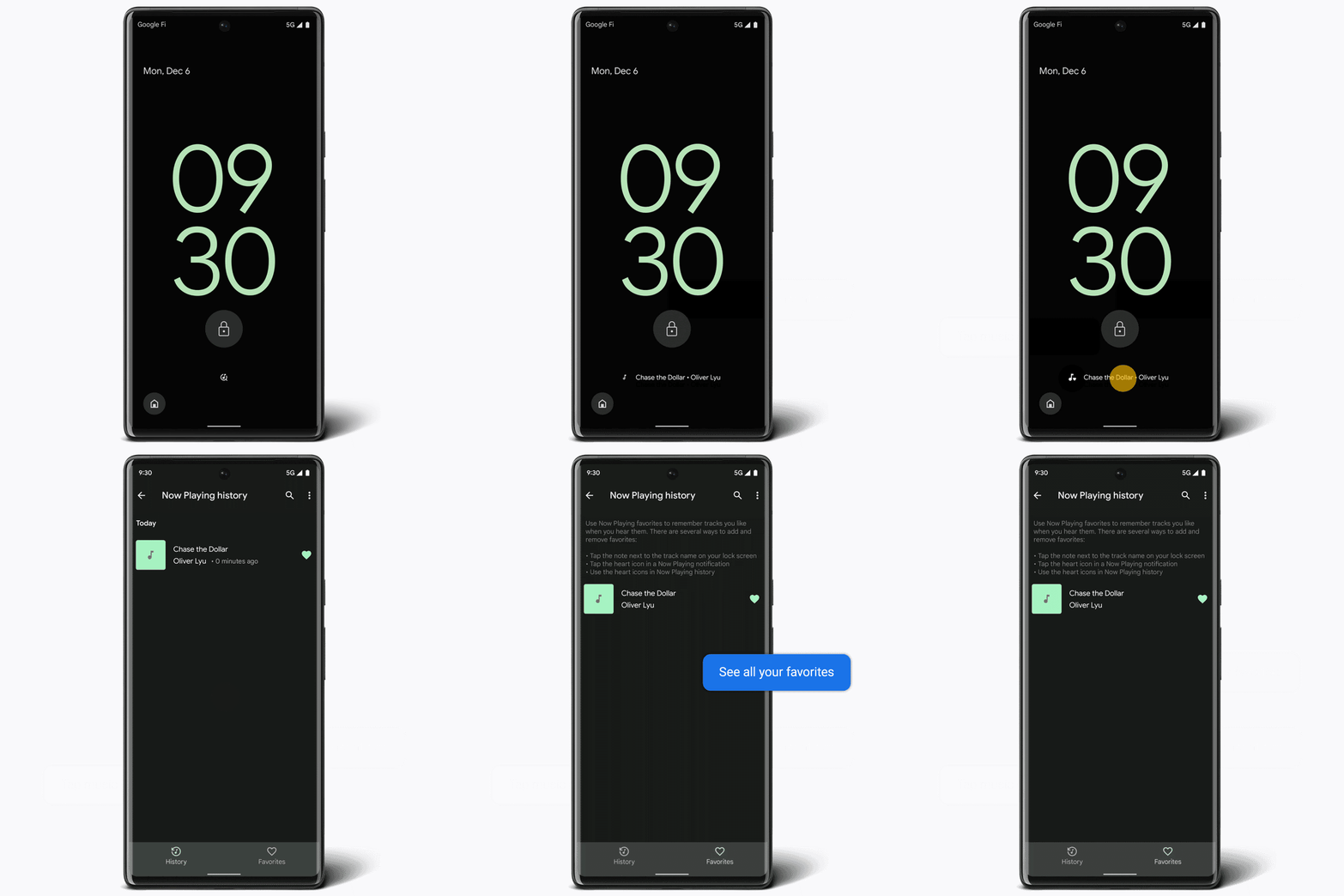
On-screen experience is simulated for illustrative purposes. Now Playing may not recognize every song.
Speaking of music: We’re also introducing improved bass-level control for the Pixel Buds A-Series. With any Android 6.0+ device, you can now open the Pixel Buds app and use a slider to adjust bass from -1 to +4, giving you twice the bass range you currently have.
We’ve also added to our wallpapers. In celebration of International Day of Persons with Disabilities, we collaborated with Dana Kearly, a disabled multidisciplinary artist from Vancouver B.C., to create three beautiful new wallpapers for the Curated Culture collection.
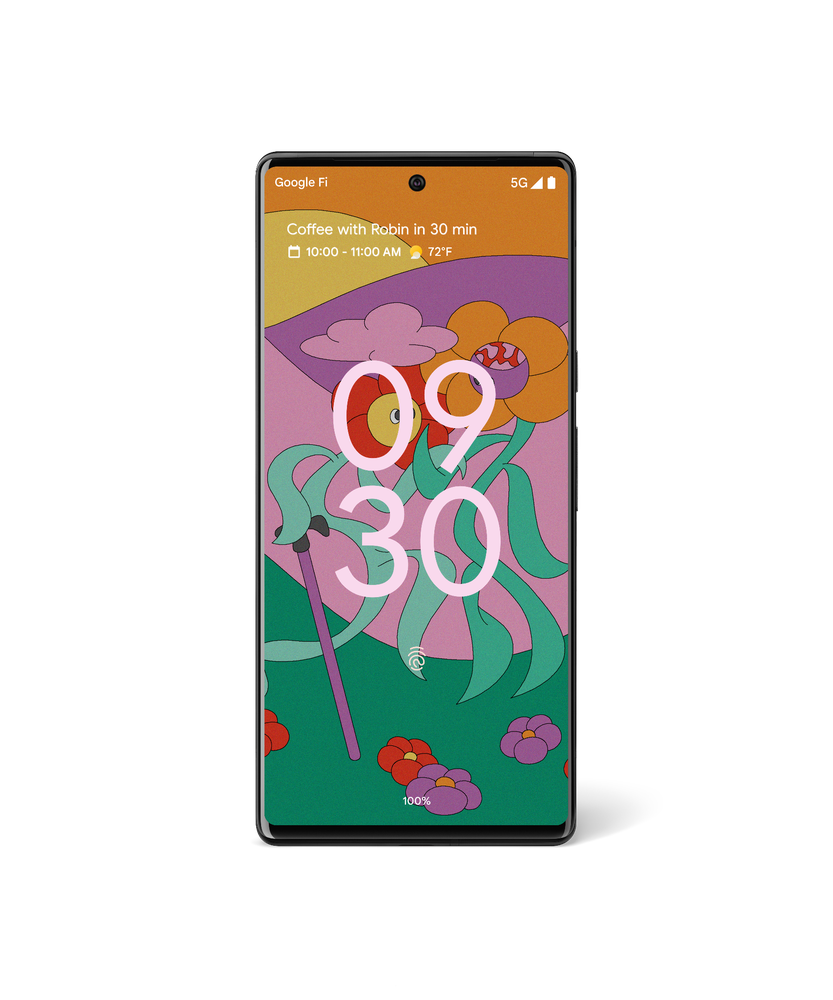
Wallpaper by Dana Kearly.
Car crash detection and Recorder
Car crash detection is now supported in Taiwan, Italy and France, in addition to Spain, Ireland, Japan, the U.K., Australia, Singapore and the U.S. When car crash detection is turned on in the Personal Safety app, your Pixel 3, Pixel 4 or newer Pixel phone can help detect if you’ve been in a severe car accident. If a crash is detected, your phone will check in with you to see if you’re OK. If there’s no response, Pixel can share your location and other relevant details with emergency responders. (This feature is dependent upon network connectivity and other factors and may not be reliable for emergency communications or available in all areas.)
And while car crash detection is expanding to new countries, we’re also enabling new languages for transcription in the Recorder app. These include Japanese, French and German on Pixel 3 and newer Pixel phones.
If you want to learn more about these updates visit our Pixel forum. Otherwise, that’s all for now — until our next Feature Drop!

7 apps we couldn’t live without in 2021
As 2021 draws to a close, our Chromebook Apps team is taking the time to reflect on all the ways Chromebooks have helped us tackle another year of doing just about everything from home. This year, we’re starting a new tradition: sharing a few of the many apps we couldn’t live without, from our team to you.
Designing holiday cards
Pixlr. ‘Tis the season to create memories that bring smiles to friends and family. But capturing a photo of my family of five, including toddlers, is no small feat. Pixlr lets you edit photos and create great designs right in your browser. I combined a few photos into one to give the appearance of a calm and serene group, while giving the background a perfect blur. – Maria Lundahl Schmidt, Chrome OS Apps Partnerships
Maria’s family holiday card created with Pixlr
Staying entertained with Cloud gaming
Stadia. Gaming played a crucial role in keeping me entertained (and sane!) in 2021. This year I have been all about cloud-gaming and Celeste is the first game that sold me. Latency was my main hesitation with cloud gaming, so I put it to the test with a pixel-perfect platformer. I had played Celeste locally, so I knew that any delay in responsiveness would render one of my favorite indie games unplayable. To my delight, I didn’t notice any lag when playing on Stadia. –Sam Richard, Chrome OS Developer Advocate
Nvidia GeForce NOW. And for those looking for a new game that can show off the graphical capabilities of cloud-gaming, be sure to check out Marvel’s Guardians of the Galaxy on NVIDIA GeForce NOW. RTX support means it can be played with beautifully ray traced graphics (available on Chromebooks that support 4K), turning your Chromebook into the ultimate high-fidelity gaming rig! – Greg Nemeth, Chrome OS Games Partnerships
Painting with my kids during shelter in place
Krita. Sheltering in place in a cabin outside of Sweden has given my family some extra time to embrace our creative side. Krita – which is in beta – has been an amazing tool for us, and we have been able to create a plethora of princesses, unicorns and cat-like creatures. Krita is designed primarily for digital painting and 2D animation; it is open source and completely free of charge. The name “Krita” is inspired by the Swedish words krita, meaning “crayon,” and rita, which means “to draw,” so it made perfect sense for us to use this wonderful tool for digital artists. – Maria Lundahl Schmidt, Chrome OS Apps Partnerships
Connecting virtually with family and friends
Rave. When my kids are asleep, I use Rave, a watch party app, with my friends to text and voice message while binging Netflix and watching YouTube videos together. We even hosted a few karaoke nights with our friends who live outside of California. It became the weekend highlight for us. – Sanj Nathwani, Chrome OS Product Manager
Zoom. Making sure my 2 and 4-year-olds and I can spend virtual time with our loved ones has been important for my family. Zoom’s new progressive web app (PWA) for Chromebooks makes it incredibly easy to join any call with a single click. It works in Chrome browser on any operating system — so I never need to worry about whether my friends or family will be able to access a group meeting. – James Wagner, Chrome OS Apps Program Manager
Unleashing my creative side
Sumo. One of my resolutions this year was to get into painting again. When I started using the web-based app Sumopaint, it was impossible to miss the other tools they have — like making music, 3D modeling, coding or editing photos and videos. My favorite part: how easy everything was to learn, and how you can share assets between apps in the suite through a common asset library. – Neel Kshetramade, Chrome OS Apps Program Manager
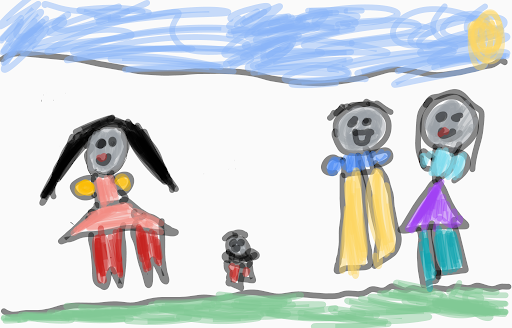
Painting by Neel’s daughter, created using Sumopaint
Hopefully you’ll have some down-time over the holidays. Some of the ways my team plans to spend that time is watching their favorite holiday movies — like Home Alone or The Nightmare Before Christmas on Disney+, or learning to code as a family with Piper Make, or making music with Cubasis 3’s custom Chromebooks app.
We hope you and your family enjoy these apps as much as we do. Give them a spin during the holidays. Be sure to check out the Perks page to find special offers on some great apps — created exclusively for Chromebooks.

Covid-19, oggi scatta il Super Green Pass: ecco cosa cambia

Amazon regala 10 euro per Prime Prova Prima, Paga Poi: 7 giorni per provare gratis gli abiti

Echo Show 5 e Show 8 in offerta fino al 47%. Perché acquistarli?

Wikipedia, all’asta la prima homepage online come opera NFT

10 idee per buoni regalo di Natale da fare in 5 minuti senza uscire di casa

Amazon e CRI lanciano l’iniziativa “Dona un giocattolo”

Netflix, serie TV e film tra il 6 e il 12 dicembre 2021

Tutte le mascherine FFP2 in sconto per il Natale di Amazon

Google Korea’s volunteering spirit runs deep
I grew up in a challenging environment, but I always felt fortunate to be surrounded by people who would always lend a helping hand when I needed it. Even at the young age of 10, their actions motivated me to extend help to people I interact with and that brought me joy. Thanks to the generosity of the people around me, I was able to complete my studies and build a career. Someone once told me that the best way to repay kindness was to pay it forward, and I made it a part of who I am today.
Since joining Google seven years ago, I’ve seen how Google has built a vibrant volunteering culture. Every year, we see Googlers around the world come together to participate in community service projects through GoogleServe — our annual volunteering event. I’ve led GoogleServe in Korea several times, encouraging Googlers to dedicate their time to volunteering. It’s incredibly motivating to hear positive comments from Googlers who have volunteered for the first time — and to see them return the following year to do more for their community.
I also became the local ambassador for Google.org, our philanthropic arm, helping Googlers understand how we can make a bigger impact by connecting our corporate grants with donations and volunteering activities. I truly believe that when we’re able to get everyone involved in doing good, we’re able to be a keep volunteering an integral part of our culture.
As a Google.org ambassador, I had the opportunity to meet Jacquelline Fuller, President of Google.org while she was visiting the Seoul office
As we commemorate International Volunteer Day, I’d like to highlight other Googlers from our Korea office who share the same passion for giving back.
Narae Jeon
Site Administrative Business Partner

What was your most memorable experience through GoogleServe?
I decided to take care of abandoned dogs as part of my volunteering experience. A long time ago, a dog I’d been raising died in an accident, and I felt guilty for not responding in the right way. I started deepening my knowledge of topics like animal protection and breeding, and looked for opportunities to get involved in the community. I started volunteering with an animal protection center, where I helped rescue an abandoned dog that resembled the dog I had raised before — and made snacks for other abandoned dogs. I also created a Google group named ‘Doglers’ for Googlers looking to get involved with animal shelters, and ran a donation drive to raise awareness among Googlers.
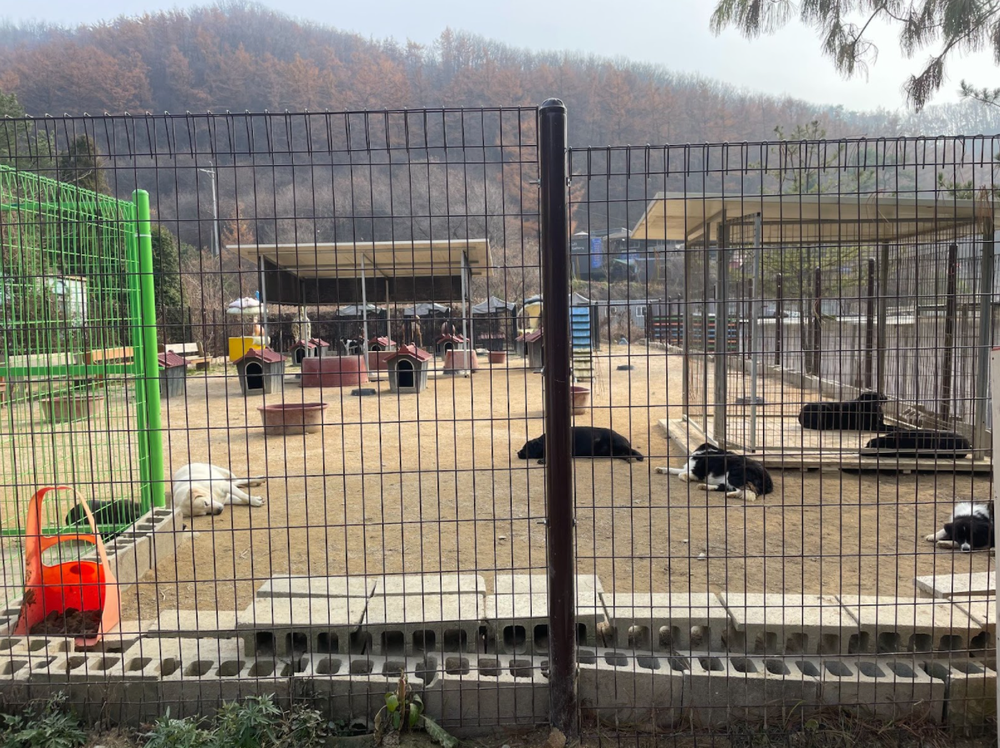
Abandoned animal shelter in the Gyeonggi province where our ‘Doglers’ go to on a regular basis

I rescued the dog on the right in this photo from the highway.
What is one takeaway you’d like to share with others from your volunteering experience?
Take the first step. You can always start by going to a volunteering site and observing how others are helping the community. You’ll be surprised how being on-site can inspire you to take action. Once you experience giving back, you’ll realize what a rewarding experience volunteering can be.
Jaey Park
Strategy and Insights Manager, Korea

What was your most memorable experience through GoogleServe?
This year, I had the opportunity to mentor college students preparing for employment. I was able to share my experiences and knowledge in data analytics. We often think that we don’t have much insightful knowledge to pass onto others, but I was surprised that what I shared with these students was valuable. From this experience, I decided to continue volunteering in this space.
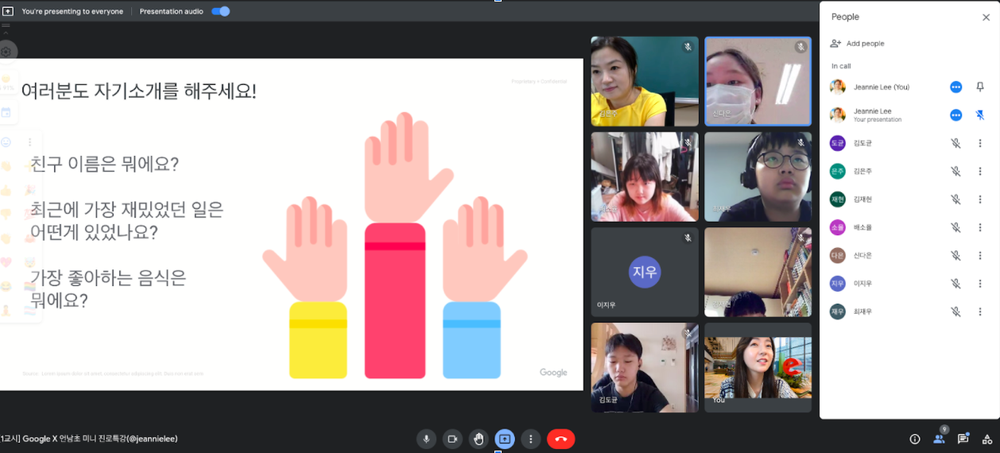
Group mentoring session with other Googlers as part of GoogleServe 2021
What is one takeaway you’d like to share with others from your volunteering experience?
Once you start volunteering, you’ll realize how you’re impacting not only others but yourself too. It helps you feel more connected, and it creates a sense of belonging and purpose. I truly believe when we come together to do good, we’re able to make a bigger contribution to the community we live in.

Annunciate le date delle Finali Europee di Rainbow Six Siege
TIM nega accesso ai tabulati a cliente: sanzione dal Garante
Cricut, il brand americano per creativi arriva in Italia