New tools to create more engaging ads
Today’s consumer has much higher expectations for the platforms they engage with online. They expect content that’s rich, visual, and allows for quick access to what they’re looking for – and that applies to the ads they see, too. Ad extensions such as sitelinks and image extensions have been key to meeting this expectation quickly and at scale. Powered by Google’s machine learning, they make it easier for you to automatically give consumers more relevant and engaging ways to interact with your business.
We’ve seen that this works: on average, advertisers see a 20% increase in clickthrough rate when 4 sitelinks show with their Search ads,
Our goal is to make it easy for you to deliver more engaging ads and provide you with helpful, actionable information about their performance. That’s why we’re rolling out new workflows and reports that bring ad extensions and assets together. As a result of this change, ad extensions will now be called assets to better align with this evolved identity.
Streamline how you manage ads
Previously, managing ads and assets like sitelinks were done in separate steps of the campaign creation process. Now, you’ll find them in the same step when you create a Search or Performance Max campaign – making it easy to set your ads up for success from the start.
Apply assets like sitelinks as you create a responsive search ad
As you create assets and apply them to your campaign, the preview tool will automatically update so you can see them in the context of your ad. In addition, Google Ads will now recommend assets based on your chosen campaign goal. For example, if you’ve selected “Leads” as your campaign objective, we’ll automatically recommend that you add a lead form asset. Any assets you create as part of this new workflow will also be available when you work on other campaigns and ad groups. This update will be rolling out in the coming weeks.
The new assets workflow makes it easier for us to create and manage sitelinks and other assets in our Performance Max campaigns. In addition, we can now view and customize the holistic messaging of our ad.
Get helpful, actionable information about your creative
In the new “Ads & assets” menu, the “Assets” page will provide reporting for all of the assets across your account. You’ll see headlines and descriptions in the “Asset” table view, while the “Association” table view will show assets like images and prices. As you review associations, you’ll be able to see how your creative assets perform at the account, campaign and ad group levels. To make it easier to understand performance, you can quickly filter reports by clicking an asset type at the top of the page.
Unified performance reporting for assets
When you review the combinations report, you’ll be able to see assets like sitelinks, callouts, and images alongside your headlines and descriptions. With this view, it will be easier to review and make informed decisions about your creative as a whole.
Combinations report showing assets
Unified reporting in the “Assets” page will roll out over the coming weeks for all campaign types that previously supported ad extensions and the updated combinations report will roll out in the next few months. Any existing ad extensions will automatically transition to assets while maintaining their associations at the account, campaign and ad group levels. Learn more about this update in the Google Ads Help Center and check out our best practices guide for more ways to create effective assets.

I asked Gmail experts to rewrite my emails
You may think that, as a writer at Google, I would be an accomplished emailer — but the truth is that my emailing skills and inbox management could use some help. I often feel like I’m sending emails that disappear into the void, go unanswered (or partially answered) for too long or that require more follow up than I’d like. There’s got to be a better way!
Luckily for me, I work with no shortage of email experts. So I asked a few of them to critique some of my recent emails, and to give me pointers about what I could have done instead.
Turns out the secret to strong, effective emails is a mix of clear writing and helpful tools. See for yourself below with these before and after examples straight from my sent messages folder.
In the “before” emails, I’ve used bolded copy and superscripts to make it clear what exactly the email pros identified as missteps. The superscript numbers match up to the mistake and solution feedback (so, superscript 2 matches up to mistake and solution #2, superscript 3 with #3, and so on). And then you can see the revised email (the “after”), with bolded copy and superscripts to indicate the changes I made based on that feedback.
Let’s get to it.

The email:
Date: August 26, 2022, 6:46 PM1
Subject: Happy Friday2
Hi everyone! Wanted to recap everything we went over in the meeting earlier this week. The whole team is going to divide and conquer, so why don’t you let me know3 what piece you’d like to work on? Or… thoughts on how best to go about that?3 Also, we still need to figure out if we want to bring in other teams to help out with this or if we think it would be best to do our part first and then look for outside help… thoughts?3 OK I think that’s it, have a great weekend! And if you could get back to me on this asap4 that would be great because then I can solidify the recap notes and send them along.
Thanks!
Molly
The feedback:
Mistake #1: I sent an email — with action items — at the end of the day on a Friday!
The solution: Use Gmail’s schedule send feature. “Sending people an email on a Friday afternoon makes it really difficult to get feedback,” says Maalika Manoharan, a Gmail product manager. “Schedule it for Monday morning,” she says, when people are more focused on work and better able to respond. “Or better yet, Tuesday morning — people can be slammed trying to catch up from the weekend on Monday, and it could get lost.”
Mistake #2: The subject line doesn’t indicate what the email is about.
The solution: I should have started with a much more specific subject line, says Sergio Civetta, who works in Strategy and Operations and has helped with email courses for Googlers. People are busy, and getting to the point helps them manage their inboxes and figure out what needs their attention.
Mistake #3: For such a short note, I asked for fairly broad feedback.
The solution: “If you want email replies on specific topics, break them out clearly and be as direct as possible,” Sergio says. He notes that depending on who I’m sending this out to, I should use my own judgment to determine if this is going to lead to a messy string of replies. If so, it might be better to jump into a meeting or email people separately — or ask for feedback in a central location, like a Google Sheet or a Doc.
Mistake #4: I wasn’t clear about when I needed their responses.
The solution: Be clear and specific if you need a response. “In this case, I’d suggest telling them multiple times they have action items, and anchoring a specific date for responses before closing your email,” Sergio says.
The revise:
Date: August 29, 2022, 9:30 AM1
Subject: [Response requested] Project kick-off meeting action items2
Hi everyone!
Thanks all for attending our kick-off on Friday. There are a few items still in need of your input3:
Workstream ownership3
We agreed to divide and conquer. I’ve attached a Google Sheet that lists the various project workstreams; please indicate in the Sheet3 which ones you’d like to own.
Involvement of other teams3
We still need to figure out if we want to involve other teams right now or if we’re better off getting this started on our own and making a call later. Please reply to this thread3 with your thoughts on that question.
I’d appreciate your answers by Tuesday4 so we can finalize recap notes and next steps.
Thank you!
-Molly
The email:
Date: August 24, 2022, 2:39 PM
Subject: (no subject)1
Hey, I had a few questions about the trip:
Do you know when it is? Also, I’m supposed to be helping with some of the planning…but I need a few more details before getting started – something you could help with? What do you think everyone will want to do? What’s the consensus?
I have a million more questions2 so let me know what you think when you can!
-Molly
The feedback:
Mistake #1: I didn’t include a subject line at all.
The solution: Use Gmail’s Smart Compose. Maalika wisely points out that one huge problem with this email is that it doesn’t have a subject line. “You can just let Gmail write the subject line for you,” she says. “Most people probably think of Smart Compose as filling in responses, but it can also help fill in subject lines.” You’ll see Gmail make a subject line suggestion once the email is drafted, and hitting tab will fill it in — so long as you’ve written something in the body of the email for the tool to pull from. (Gmail will also ask if the suggestion isn’t what you need, and you can help this feature get smarter with a response.)
Mistake #2: I asked rapid-fire questions without options for answering.
The solution: With this many questions, some which could require extensive answers, Google productivity expert Laura Mae Martin advises that I could have offered other methods for responding, like a Google Meet call or via Google Chat, or even a Google Form so I could get decisions right away. This way it doesn’t devolve into half-answered questions or never-ending email chains chasing answers. “Or I would have used bullets with spaces between and asked folks to insert their answers inline,” she says.
The revise:
Date: August 24, 2022, 2:39 PM
Subject: [Response requested] Questions about the upcoming trip1
Hey there, I have some questions about the upcoming trip! If you could reply with answers inline2, that would be great.
1. What is the main focus going to be?
2. Do you know when it is?
3. I’m going to help with planning — thoughts on what folks would like to do? We have three afternoon slots for activities.
Those are my main questions, so feel free to respond here or we can talk via Google Chat2 and go from there — I’d like to have everything set by Tuesday. Thanks!
-Molly
The email:
Date: August 12, 2022, 11:34 AM
Subject: RE: Project Assignments [Confidential]1
Apologies, the previous email was not meant for Team C. Those details were confidential for Teams A and B only.
August 12, 2022, 11:29 AM Molly McHugh-Johnson wrote:
As discussed, here are all of the details from the product meeting earlier today for Teams A and B. Please do not forward this email! Only reply with your additions2 to the notes before we send up the line.
The feedback:
Mistake #1: I sent a sensitive email to the wrong people!
The solution(s): I should have sent this in confidential mode, or unsent it when I realized my slip-up. With confidential mode, “the content can expire on a certain date and people can’t download it, or forward it,” says Gmail product marketing manager Stephanie Chang. And there’s also a solution in case you send something that you shouldn’t, like I did here: undo send. “We hear people say they wish they could unsend an email,” Maalika says. “And you can!” A little notification pops up in the bottom of the screen where you can undo a send.
“And if you’re particularly nervous about sending something you want to get back, you can customize the settings of how long you can click undo send,” Stephanie says. You can change how long your own undo send timing lasts for — it can be up to 30 seconds. Another delay-related idea from Maalika is to schedule the send for an hour later. “That way, if I have second thoughts, I can revise and reschedule.”
Mistake #2: This email is begging to become a never-ending thread.
The solution: When an email requires multiple people for input, Stephanie says I could draft it in a Google Doc and ask everyone who needed to help write it assist me there. Using Google Docs to first draft the copy means you’ll be able to keep all the formatting the same, in addition to the language. “Then when it’s ready, you can just hit File, Email and Email draft,” she says.
The revise:
Date: August 12, 2022, 11:34 AM
Subject: Project Assignments [Confidential]1
As discussed, here are all of the details from the product meeting earlier today for Teams A and B. Please do not respond to this email with notes — instead, add your input to this Google Doc in suggested mode2. Thank you!
[This email was sent in confidential mode.]1
The email:
Date: August 11, 2022 9:50 am
Subject: Re: VIP read now! Need your input1
Hey, I’m so so so so sorry2, I totally missed this email — it got swallowed up this week. I promise I will look at this first thing Monday!3
The feedback:
Mistake #1: I missed an important email that required my feedback.
The solution: Stephanie suggests I use the snooze function on future important emails, so that I can’t forget about them. “Or you can look out for nudges — they’re sort of saying ‘hey, you received this email a few days ago, do you want to reply?’” You can also solve this email issue with some inbox organization, like Stephanie does. “I personally love using tasks,” she says. “I have a task list so I’ll add emails that need to be replied to and then I know, say Monday morning, I have that on my list.” Another option, Maalika says, is to simply star your emails and then hit your starred folder — or color code your stars so they indicate items to address today, tomorrow, next week, etc. Or, Laura says, using labels could have prevented me from missing the email in the first place. “I have a list of color-coded labels that I use — for example if an email comes from someone with an @google.com email address, it gets coded a certain way,” she says.
Mistake #2: I apologized maybe a bit more than was necessary.
The solution: “No need to repeatedly apologize!” Laura says. “I think one thing you could have done better, which I’m a big proponent of, is not answering every email right away, but acknowledging emails right away.”
Mistake #3: I set an overly ambitious deadline for myself.
“I’d reply saying ‘by no later than Tuesday morning,’ so you have all day Monday to get to it,” Laura says. Sergio also says one option would be to simply wait until Monday to reply at all. “Sometimes it’s best to save the person an email that just tells them there’s another one coming.” But should I feel compelled to send one immediately, here’s a new and improved version:
The revise:
Date: August 11, 2022 9:50 am
Subject: Re: VIP read now! Need your input
Hi!
Thanks for sending this – I have it on my radar2. I had a lot going on this week so I will be sure to review and complete comments no later than Tuesday morning3.
Thanks and I look forward to reviewing!
-Molly
Quali caratteristiche dovrebbe offrire un servizio cloud
Cambio SHIMANO, motore da 250W, questa BOMBA di E-bike è da avere ORA
New ways to make vertical video ads on YouTube
People are streaming across different screens, video lengths and channels, and they’re coming to YouTube to watch it all.
Today, Gen Z viewers watch an almost even mix of long and short-form video content. And 59% of Gen Z consumers surveyed watch longer versions of videos that they discover on short-form video apps. Marketers have an opportunity to adapt their ad content and strategies to these evolving behaviors.
YouTube Shorts is an entirely mobile and vertical experience with over 30 billion daily views and 1.5 billion monthly logged-in users. By adding vertical video assets to Video action, App and Performance Max campaigns, which automatically scale to Shorts, marketers can participate directly in the Shorts environment and drive better results. In fact, we found that when advertisers added a vertical creative asset to their Video action campaigns, they delivered 10-20% more conversions per dollar on YouTube Shorts than campaigns that used landscape assets alone.
Take MercadoLibre, which hosts the largest online commerce and payments marketplace in Latin America. In August 2022, their vertical video assets drove 12% higher click-through rates and 9% higher view-through rates on mobile phones compared to landscape video ads in the same campaign.
So today, we’re introducing new solutions and creative guidelines to help advertisers of all sizes make effective vertical video ads.
Instantly flipped video ads
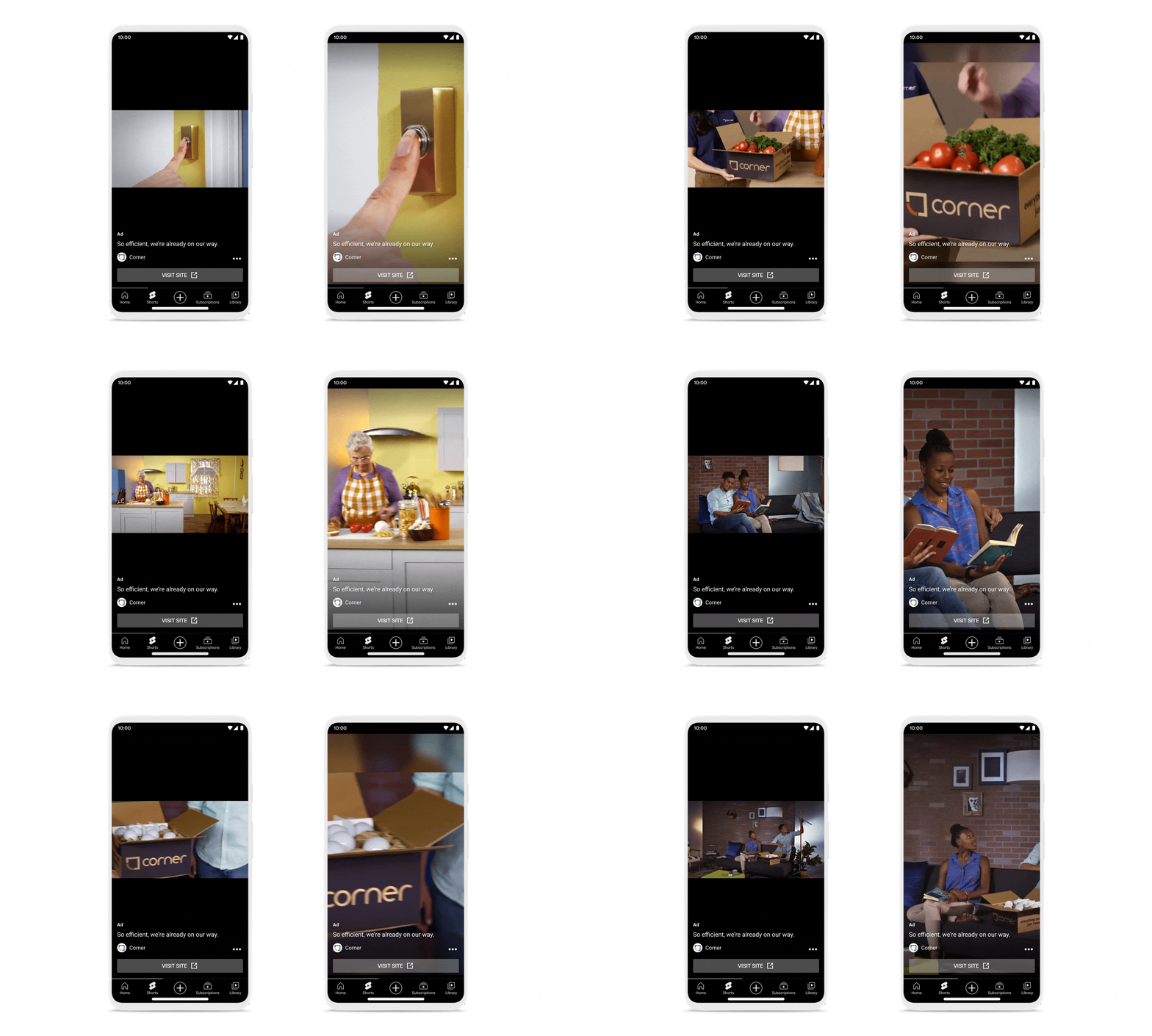
We’re experimenting with a new machine learning technology that reformats landscape video ads into square or vertical formats based on how someone is watching YouTube. The machine learning model detects important elements in the landscape ad — such as faces, key objects, logos, text and motion — and breaks the video into distinct “scenes.” This ensures that important elements show up properly — centered, for example — in the reformatted video.
Businesses who may not have dedicated resources to create multiple assets can easily benefit from this technology, which automatically adapts their existing assets for several different formats. It’s currently available for App campaigns, and coming soon to Video action and Performance Max campaigns.
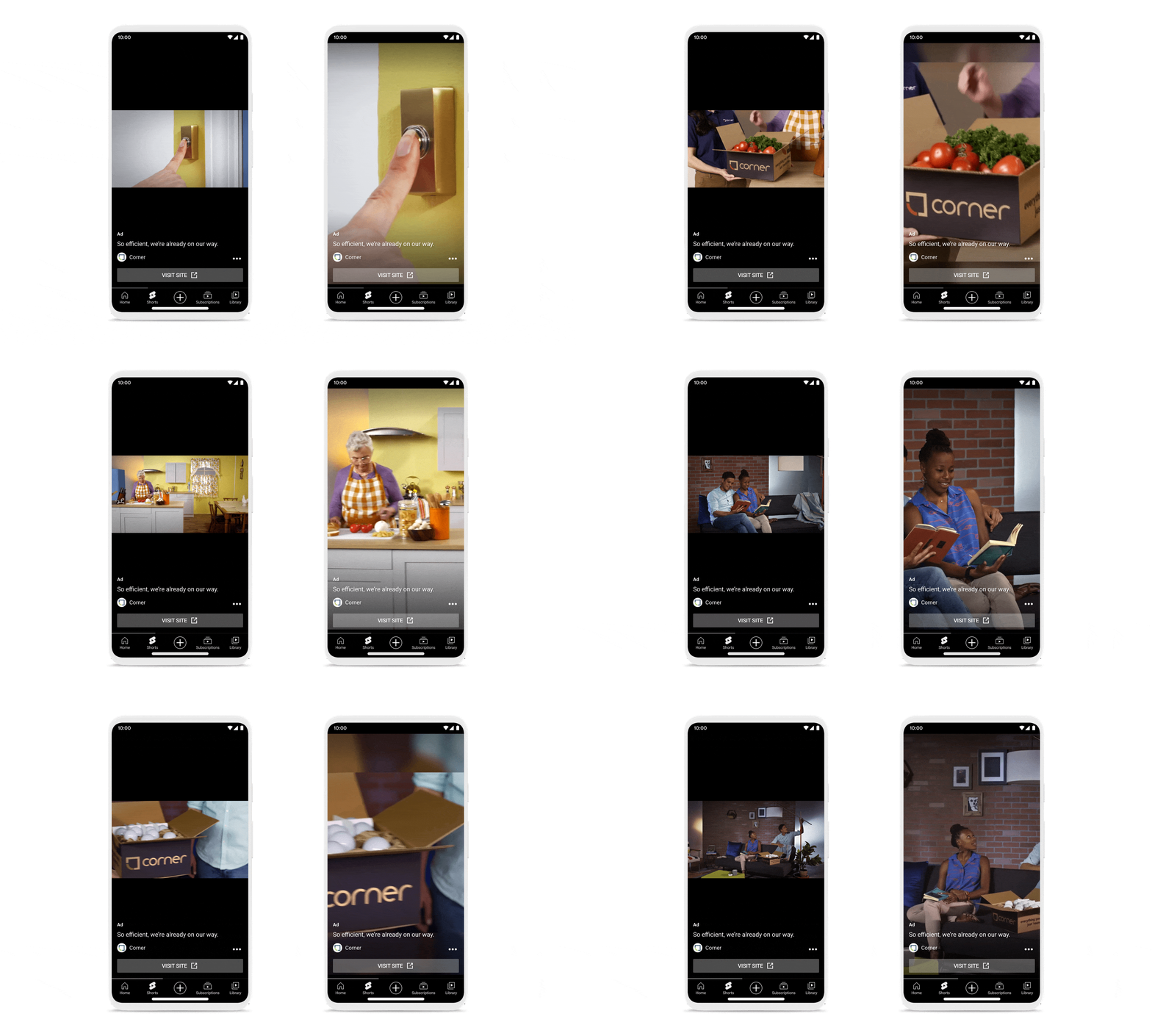
The reformatting solution allows advertisers to get the most out of their creative in a short amount of time.
Easy templates to plug into
Four new, customizable vertical video ad templates and one square template are now available in the video creation tool in Google Ads, located in the Asset Library. With just a few images and text, you can customize these templates to create a vertical or square ad for your brand in minutes.
These new templates follow creative best practices for YouTube and are built with specific considerations for a vertical viewing environment, with pacing, music tracks and transitions designed to make an impact. Check out this example.
We’ve also added a new set of vertical video ad templates to our auto-generated video offering, which creates vertical videos based on inputs you provide for a campaign, like text and images. This offering, which is available for App and Performance Max campaigns, ensures your campaigns are best positioned to benefit from the reach and improved performance of vertical video assets, even if you don’t have the time or resources to make a custom video.
Creative tips for vertical ads
For brands with the resources to shoot vertical video ads, there are a few creative considerations to keep in mind, in addition to our ABCD guidelines for creating effective YouTube ads. Google Creative Works, the team responsible for creative effectiveness research and guidelines, reviewed 2,000 global ads that ran on Shorts via Video action and App campaigns and uncovered three of the most successful strategies:
- Match vertical ads with vertical platforms: It might sound obvious, but vertical ads feel more natural and perform better in vertical environments like Shorts. Once you match your ad to the vertical format on Shorts, consider how you can also match the vibe with bold visuals, unique editing or popular audio.
- Make it quick: With only 10 to 60 seconds of available ad time, and keeping the fast pace of Shorts in mind, there’s no need to set up a premise or establish a storyline with lots of extra context. Jump into the action quickly and your audience is more likely to stick around.
- Embrace emotion: People watching Shorts expect moments of joy, drama or laughter — so bring some emotion into your pitch!
Support for any screen
YouTube’s evolution from desktop to mobile to connected TV (CTV) allows us to reach a young and diverse audience you can’t find anywhere else. And for brands that want to develop content that resonates with all audiences — whether long-form videos on CTV or short-form content on mobile — YouTube remains uniquely positioned to meet their needs.
Solo su Amazon il Motorola Moto G42 (Atlantic Green) costa POCHISSIMO
Windows 11: arriva l’Insider Preview Build 25201, ecco le novità
Microsoft ha rilasciato Windows 11 Insider Preview Build 25201 nel canale Dev per gli Insider, sono state aggiunte novità per i widget.
Leggi Windows 11: arriva l’Insider Preview Build 25201, ecco le novità
Caricatore auto due porte USB, COLPACCIO del giorno su Amazon: a 5€ è da provare
Microsoft: il Patch Tuesday di settembre risolve più di 60 bug
Con il Patch Tuesday per Windows di settembre 2022 sono stati corretti 63 bug, di cui due vulnerabilità che venivano sfruttate attivamente.
Leggi Microsoft: il Patch Tuesday di settembre risolve più di 60 bug
Questo supporto per auto è una FIGATA GALATTICA: a 9€ merita un’occasione

Aggiornamenti importanti per Apple, QNAP sotto attacco

Il 12 settembre scorso Apple ha rilasciato la nuova versione, la 16, dei suoi sistemi operativi per smartphone, smartwatch e Apple TV, con molte novità significative, come la nuova schermata di blocco, e alcuni aggiornamenti di sicurezza. Ma la particolarità più interessante è che ha rilasciato gli stessi update di sicurezza anche per le versioni meno recenti di questi sistemi operativi, cosa che non capita spesso.
Sono stati infatti messi a disposizione degli aggiornamenti per gli iPhone e iPad meno recenti, che li portano alla versione 15.7 di iOS e iPadOS, e per i Mac vecchiotti, che li portano alla versione Monterey 12.6 oppure alla Big Sur 11.7.
In questo modo chi usa ancora dispositivi che hanno qualche anno sulle spalle e non sono più aggiornabili alle nuove versioni di punta di iOS e iPadOS, come l’iPhone 6S e 7, può restare comunque protetto. La stessa protezione è offerta anche a chi ha dispositivi ancora aggiornabili ma per qualunque ragione, per esempio la compatibilità con app aziendali, non può o non vuole passare ai nuovi sistemi operativi con tutte le loro novità.
Le falle di sicurezza corrette da questi aggiornamenti sono piuttosto pesanti, tanto da spingere appunto Apple a distribuire aggiornamenti anche per le vecchie versioni dei suoi sistemi operativi perché almeno una di queste falle viene già usata dai criminali informatici per compiere attacchi, per cui è essenziale andare appena possibile nelle impostazioni del dispositivo e avviare la procedura di aggiornamento.
Gli smartphone e tablet Apple che non possono più ricevere aggiornamenti di nessun genere non dovrebbero essere usati per navigare nel Web, mandare mail o per qualunque altra attività che richieda un collegamento a Internet.
—

Ci sono aggiornamenti indispensabili e urgenti anche per i possessori di dispositivi di archiviazione di rete della QNAP, i cosiddetti NAS o Network Attached Storage.
La casa produttrice ha diffuso un annuncio nel quale segnala che sta circolando un ransomware, denominato Deadbolt (che inglese vuol dire “catenaccio”), che cifra tutti i dati presenti sui NAS collegati direttamente a Internet e agisce sfruttando una falla nell’app di gestione delle immagini di questi dispositivi, chiamata Photo Station.
Molti utenti che comprano questi dischi di rete li usano per archiviare le foto di famiglia e li rendono accessibili via Internet per consentire di condividere le immagini con parenti e amici e per poterle consultare da remoto. Un attacco ransomware a questi dispositivi diventa quindi un disastro per le vittime, perché nessuno è disposto a perdere tutte le foto di famiglia e quindi il pagamento del riscatto per riaverle è quasi certo.
QNAP sollecita urgentemente tutti gli utenti di NAS ad aggiornare Photo Station alla versione più recente, oppure a passare a QuMagie, che è un’alternativa a Photo Station. La casa produttrice è altrettanto perentoria nel raccomandare di non collegare direttamente a Internet i propri prodotti, ma di farlo tramite la funzione cloud apposita oppure tramite VPN.
Molti utenti di questi dispositivi si sentono al sicuro perché pensano che sia impossibile per gli aggressori scoprire che hanno un NAS affacciato a Internet, ma in realtà è facilissimo farlo grazie agli appositi motori di ricerca come Shodan.io.

Attacchi di questo genere sono estremamente diffusi e quindi non vanno sottovalutati: Censys ha contato oltre 20.000 dispositivi infetti, e l’Italia, con oltre 4400 infezioni, è al terzo posto fra i paesi maggiormente colpiti, dopo Stati Uniti (8.500) e Germania (5.700). La Svizzera si piazza comunque abbastanza in alto in questa classifica, con oltre 1600 NAS colpiti. La raffica di attacchi in Svizzera mi è stata confermata direttamente anche da colleghi.
La spavalderia dei criminali, fra l’altro, non conosce limiti: i gestori del ransomware Deadbolt includono nelle loro schermate di avviso un’offerta rivolta alla casa produttrice, proponendole di acquistare da loro la chiave di sblocco universale del ransomware, che QNAP potrebbe poi dare agli utenti colpiti dall’attacco. Finora non risulta che l’azienda abbia ceduto al ricatto.
Se avete uno di questi dispositivi, insomma, seguite appena possibile le istruzioni del fabbricante, proteggeteli e aggiornateli.
Fonti aggiuntive: Ars Technica, Intego, Ars Technica, Graham Cluley.