iPhone 14: perché faresti meglio a preordinarlo subito
Sonos presenta Sub Mini il subwoofer compatto dai bassi super potenti
Samsung Galaxy Watch4, lo smartwatch che non ha rivali: sconto CHAMPIONS su Amazon
Disney+, 5 cose da non perdere a settembre 2022
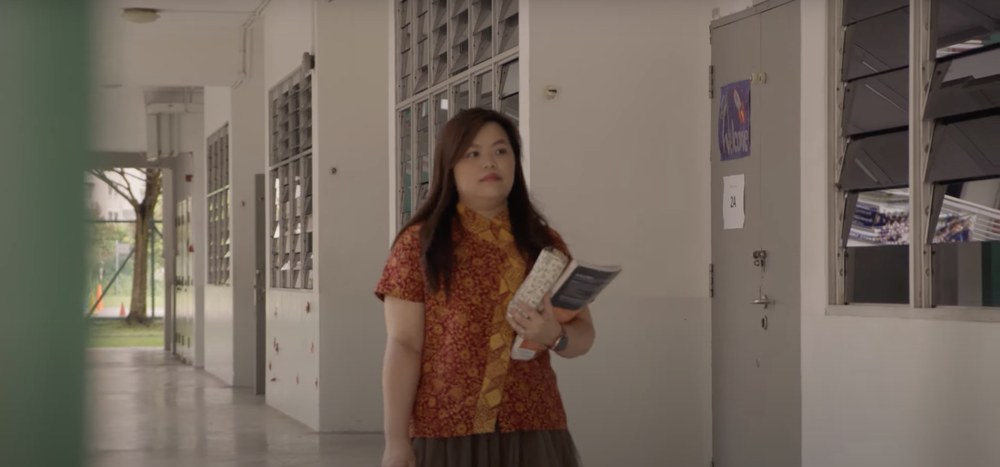
Meet three Asia-Pacific schools evolving digital education
Access to education is one of the most important enablers for a child’s future success. School resources can often be limited, especially with the sudden shift to remote learning during COVID. Our team works on creating digital solutions for schools to provide a great learning experience for students, whether it’s collaborating across countries or keeping track of academic records.
Increasingly, we’re seeing schools around the world adopt tools like Chromebooks and Google Workspace for Education, transforming the ways teachers deliver lessons, and students learn. And, Asia-Pacific is home to some of the largest user bases for these tools. Let’s meet three teachers from Thailand, Japan, and Australia who have adopted Google for Education tools.
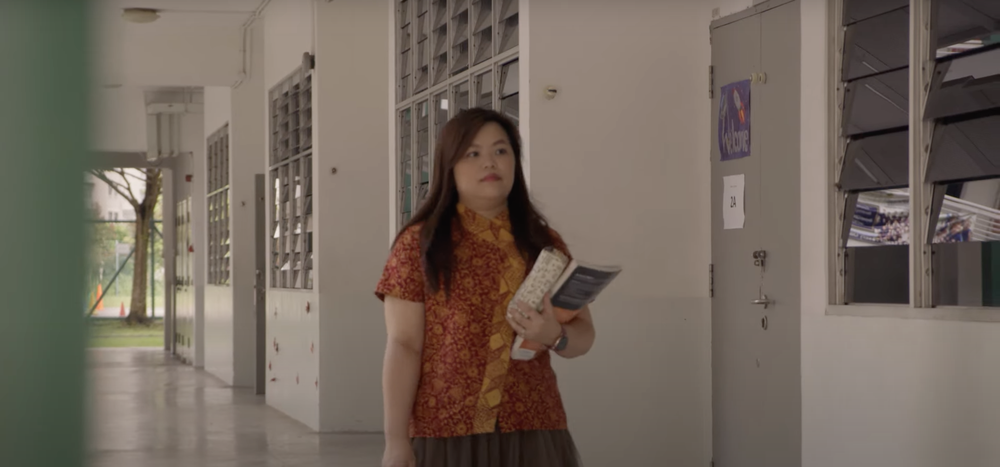
Tell us about your school, and its mission.
Pradchayakorn Hodmalee, Deputy Director, Princess Chulabhorn Science High School Loei: We’re a science-focused school in Thailand where students collaborate on projects with peers from affiliate schools across Thailand and Japan. We create our own standardized curriculum, for which our teachers regularly travel from different regions to meet and jointly design syllabuses and exams. We also take pride in organizing overseas immersion trips to Japan for our students.
Emil Zankov, Leader of Innovation and Enterprise, Pedare Christian College: We’re located in Golden Grove, South Australia. We focus on ‘bringing industry to the classroom’ – and work hard to build an environment where teamwork, friendly competition, and the messy play of learning are at the forefront. These are things that happen out in the real world, and are what the industry looks at when it comes to hiring.
Shinsuke Nakamura, English teacher, Kochi Prefectural Sakawa High School: We’re located in Kochi prefecture, in a small sunny town on Japan’s Shikoku island. Kochi recognizes that students have different motivations and ambitions. So our vision is to create a personalized journey of learning for every student throughout their lifelong education, even as they leave our school and start at a new one.
Why did you start using Google for Education tools?
Emil: What Google for Education tools allow teachers to do is really focus on what they want their students to learn, while the technology sits in the background. We chose Workspace and Chromebooks because of their simplicity and reliability. Knowing that they are going to work time and time again is critical as teachers have very little patience when it comes to technology. In addition, Google’s cloud solutions allow students to easily share their work, which helps them focus on creating content rather than dealing with tech difficulties.
Pradchayakorn: With the pandemic’s travel restrictions, in-person meetings among teachers and student trips to Japan had to be canceled. So we quickly rolled out Workspace to enable teachers to continue communicating and working closely with their peers through tools like Google Meet, Drive and Forms. It’s actually more efficient, as teachers no longer have to commute to another province for meetings. To replace the immersion trip to Japan, we used Workspace tools to organize a four-month-long collaborative project with an affiliate school in Japan. We wanted to ensure our students still have the opportunity to work with peers from overseas and learn from others who may not be similar to them.
Shinsuke: Our vision of seamless, personalized learning meant that we needed to keep digital records of our students’ daily learnings through their elementary, junior high and high schools, so that teachers can continuously track their progress and help them work towards their personal goals. To help with that, the Kochi Prefectural Board of Education gives a Chromebook to every student in its public schools, which are sturdy, secure and easy to use. We also deploy Google Workspace for Education Plus and Cloud solutions in our school to help teachers easily access their students’ records and tailor their teaching methods for each student.
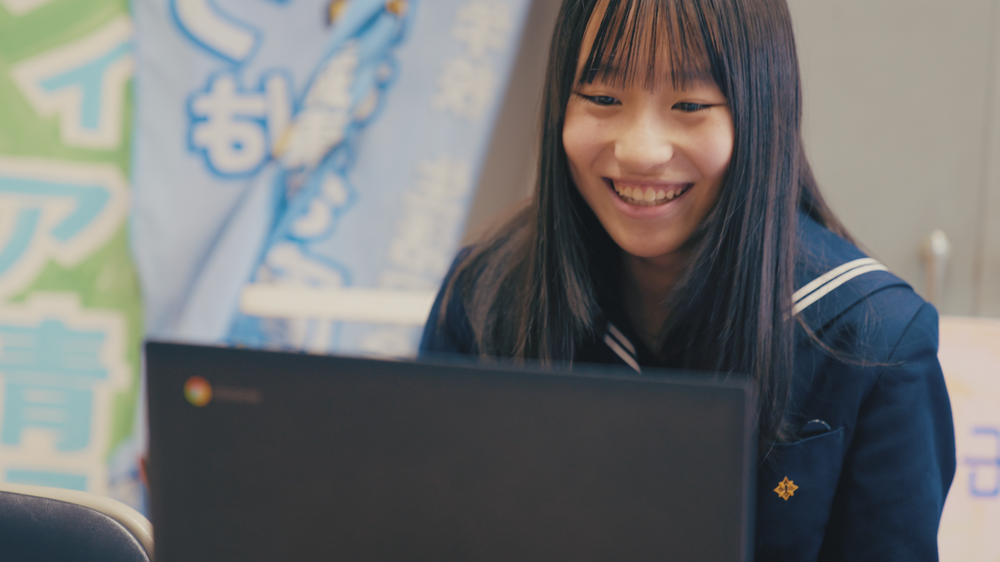
In one sentence, what does the future of education look like for you?
Shinsuke: If high schools could see what these students have learned (in elementary and junior high) and the achievements they’ve made each year, we can create a seamless journey of learning.
Pradchayakorn: Schools will be less and less about learning in a fixed physical setting, and classrooms will no longer have restrictions on how many students can attend.
Emil: It’s having the industry and students collaborate on real-world problems, breaking the notion that the real world is only outside of school.

Generatori di immagini, la rivoluzione continua. Ora sono installabili facilmente sui normali computer
Qui accanto, un’immagine generata con le istruzioni “A beautiful portrait of scarlett johansson as a mermaid in a river of the amazon, ayahuasca, fantasy art, highly detailed, matte painting, visionary art” e pubblicata su Lexica.art.
Ho già raccontato in una puntata molto recente di questo podcast, quella del 26 agosto scorso, gli incredibili e rapidissimi progressi dei programmi di intelligenza artificiale dedicati alla generazione di immagini, come Midjourney, DALL-E o Stable Diffusion, ma torno sull’argomento perché in queste ultime settimane quei progressi sono stati davvero straordinari, con novità su moltissimi fronti.
Se siete artisti digitali, o il vostro lavoro è legato in qualche modo alle immagini, comprese quelle fotografiche e in movimento, è decisamente il momento di informarsi e riflettere seriamente su dove ci stia portando la tecnologia.
La prima novità è che è già crollata una delle più importanti barriere di accesso che citavo nel podcast solo tre settimane fa, ossia la difficoltà di installazione, che richiedeva computer potenti e spingeva molti utenti a rivolgersi a servizi online a pagamento o a rinunciare a sperimentare questi software. È uscito infatti Diffusion Bee, reperibile gratuitamente presso Diffusionbee.com, che è una versione di Stable Diffusion che si scarica e si installa con pochi clic su qualunque Mac dotato di processore M1 o M2.
Questo significa che moltissime persone possono cominciare a provare questi generatori, che creano immagini estremamente realistiche e artistiche partendo da un prompt, ossia da una semplice descrizione testuale in inglese del soggetto che si desidera, e lo possono fare gratuitamente e privatamente. Diffusion Bee richiede molta memoria libera (16 GB sono consigliati), rallenta parecchio il computer e richiede tempo per generare un’immagine sintetica, ma funziona e offre totale libertà creativa.
Inevitabilmente, questa libertà comporta delle conseguenze controverse. La più ovvia è che un’installazione sul proprio computer può essere facilmente modificata per togliere le restrizioni che impediscono, nei generatori accessibili online, di generare contenuti estremamente violenti o immagini fotorealistiche di celebrità o di minori in qualunque posa o situazione, soprattutto di natura intima, e per rimuovere i watermark o indicatori invisibili che rivelano che si tratta di immagini artificiali.
Se temevate che i deepfake fossero un problema, non avete ancora visto cosa può fare un generatore di immagini quando gli vengono tolti i freni inibitori. Per esempio, c’è chi si indigna perché la Sirenetta nel prossimo film omonimo della Disney è di colore e quindi propone di usare questi software per creare una versione alternativa tutta bianca del film, indistinguibile da quella autentica.

Un’altra conseguenza controversa è che diventa possibile praticamente per chiunque creare dei falsi fotografici difficilmente distinguibili dalla realtà. In sostanza, non potremo più fidarci di un’immagine se non abbiamo una garanzia robusta della sua provenienza e autenticità.
Per esempio, in occasione dell’anniversario degli attentati alle Torri Gemelle e al Pentagono dell’11 settembre 2001 sono state diffuse su Twitter delle fotografie false, create da uno di questi generatori basati sull’intelligenza artificiale, di pompieri sorridenti che si fanno dei selfie davanti agli edifici in fiamme.
Lenny’s tweet is perhaps a joke, but the images are interesting. They are AI generated probably with Stable Diffusion.
There are several artifacts that are present in AI pics. I’m worried about the day when those signs are no longer visible. H/t @Valdevia_Art & @PicPedant pic.twitter.com/rrqwj4k5md— HoaxEye (@hoaxeye) September 14, 2022
Per un osservatore non esperto, queste fotografie sintetiche di dubbio gusto sono indistinguibili da quelle reali. Per un complottista sono la conferma inoppugnabile delle sue teorie.
—
Senza arrivare a questi livelli di sovvertimento della realtà, le comunità degli artisti digitali sono agitatissime. In Colorado, un’immagine generata da Midjourney ha vinto il primo premio in un concorso d’arte, nella categoria degli artisti digitali emergenti. Molti artisti in carne e ossa si sono infuriati, ma Jason Allen, il creatore delle istruzioni testuali che hanno prodotto l’immagine vincente, ha risposto semplicemente che “È finita. L’intelligenza artificiale ha vinto. Gli umani hanno perso. L’arte è morta” (BBC).

Il fiume di immagini sintetiche generate da questi programmi ha spinto numerose comunità online di arte digitale a bandirle completamente; DeviantArt e ArtStation per ora resistono, ma sono invase da immagini generate. Il problema, obiettano queste comunità, è che le intelligenze artificiali campionano il lavoro di altri artisti (umani) per creare le proprie immagini, e ne possono anche imitare lo stile. In alcuni casi ne imitano anche le firme.

Ma ci sono anche aspetti positivi in questa esplosione di immagini automatiche: diventa possibile una sorta di democratizzazione dell’arte, dove non è necessario saper disegnare o dipingere per fare arte o addirittura un intero album a fumetti in tre giorni, ma è sufficiente saper comporre i prompt, ossia le istruzioni che guidano la generazione delle immagini. L’intelligenza artificiale sarebbe quindi una sorta di assistente, un po’ come i normali programmi di grafica rendono facile produrre zone uniformemente colorate o sfumate.
Va detto che comporre questi prompt non è proprio facile e richiede una certa competenza e cultura, come hanno scoperto i primi aspiranti fumettisti che si sono lanciati nell’impresa: per dare buoni risultati, i prompt devono essere frasi complesse e articolate, nelle quali la scelta di un singolo aggettivo può cambiare completamente il risultato che si ottiene. Sono cose come questa:
Beautiful crying! female mechanical android!, half portrait, intricate detailed environment, photorealistic!, intricate, elegant, highly detailed, digital painting, artstation, concept art, smooth, sharp focus, illustration, art by artgerm and greg rutkowski and alphonse mucha
Se volete farvene un’idea, visitate Lexica.art, che è un grandissimo archivio di immagini sintetiche accompagnate dai prompt corrispondenti.
Se si riesce a padroneggiare queste istruzioni si ottengono risultati notevolissimi.
Ma non è finita. Le applicazioni della generazione di immagini continuano ad aumentare. Per esempio, è stato proposto di usare questi generatori per assistere gli stilisti nella creazione di capi di abbigliamento. Una demo realizzata con il software DALL-E mostra un video di una modella che nella realtà indossa solo pantaloncini e una canotta di colore uniforme mentre si mette in posa, ma nell’elaborazione digitale indossa vestiti che cambiano in continuazione, seguendo i suoi movimenti e i cambiamenti dell’inquadratura.
Oltre a essere un ausilio per la creatività degli stilisti, generando centinaia di varianti in pochi minuti, questo software permetterebbe di ridurre i tempi di lavoro delle modelle per i video promozionali, visto che non avrebbero più bisogno di svestirsi e rivestirsi e sfilare per ogni capo: sfilerebbero una volta sola e poi ci penserebbe l’intelligenza artificiale a fare tutto il resto.
AI fashion show using dall-e to generate hundreds of outfits of the day after tomorrow. An interesting way to brainstorm costume and fashion design ideas.
Collab with @shyamagolden @OpenAI #dalle2 #dalle #aiart pic.twitter.com/Fewhk529r7
— Paul Trillo (@paultrillo) August 23, 2022
E c’è un passo ancora più sofisticato. È uscito da poco Runway, un software che promette di creare intere scene animate o video fotorealistici partendo da semplici descrizioni testuali. Lo stesso fa anche Stable Diffusion. Voi scriverete il copione e l’intelligenza artificiale genererà tutto il film, con gli attori e le musiche che volete voi.
Make any idea real. Just write it.
Text to video, coming soon to Runway.
Sign up for early access: https://t.co/ekldoIshdw pic.twitter.com/DCwXcmRcuK
— Runway (@runwayml) September 9, 2022
In un modo o nell’altro, insomma, nei prossimi anni verranno sovvertiti e rivoluzionati moltissimi settori della produzione artistica, e bisognerà inventarsi nuovi modelli commerciali e di copyright e nuovi sistemi di autenticazione per distinguere le immagini vere da quelle sintetiche. Tutti potranno diventare, potenzialmente, creatori di quantità infinite di arte. Oppure di ciarpame pseudoartistico senza originalità.
Fonti aggiuntive: Ars Technica, Ars Technica.
The Court’s decision to dismiss much of the Texas AG’s antitrust case
Today, a United States District Court struck down large parts of Texas Attorney General Paxton’s case as being “not plausible.”
Importantly, the Court dismissed the allegations about our Open Bidding agreement with Meta — the centerpiece of AG Paxton’s case. Despite his allegations, this has always been a well-publicized, pro-competitive agreement.
The Court also agreed that many of AG Paxton’s claims relating to our technology innovations and practices — like Open Bidding and Accelerated Mobile Pages — are not plausible violations of antitrust law. The Court dismissed his claims about Privacy Sandbox too.
Today’s decision underscores how AG Paxton’s case is deeply flawed. As we’ve long said, advertising technology is a fiercely competitive industry — and our products increase choice for publishers, advertisers and consumers while enabling small businesses to affordably find new customers. We look forward to setting the record straight about the remaining claims.
Paramount+ sbarca ufficialmente in Italia con tanti contenuti originali: prezzi, film e serie tv
Le 5 truffe più comuni che puoi trovare su LinkedIn
Experience brand commerce: di cosa si tratta?

La strana storia dell’utente HME2 di Arpanet
È il 26 marzo 1976. Presso la sede del Royal Signals and Radar Establishment, un istituto di ricerca scientifica del Ministero della Difesa britannico situato a Malvern, nel Regno Unito e specializzato in telecomunicazioni, una donna si avvicina a un terminale connesso ad Arpanet, il precursore di Internet, e invia una mail con il seguente testo:
“This message to all ARPANET users announces the availability on ARPANET of the Coral 66 compiler provided by the GEC 4080 computer at the Royal Signals and Radar Establishment, Malvern, England. Coral 66 is the standard real-time high level language adopted by the Ministry of Defence.”
La donna, in altre parole, sta annunciando a tutti gli utenti di ARPANET che il compilatore per Coral 66, il linguaggio di programmazione realtime di alto livello standard adottato dal Ministero della Difesa del Regno Unito per i suoi computer, è disponibile online ed è fornito dal computer GEC 4080 presso l’istituto di ricerca stesso.
Un annuncio molto tecnico, insomma, che la donna firma usando il proprio nome utente: HME2. È l’acronimo di Her Majesty Elizabeth II, perché quel messaggio viene inviato appunto dalla regina Elisabetta II. Si tratta di una delle primissime mail mandate da un capo di stato.
Intendiamoci, quel giorno la regina Elisabetta non ha rivelato di essere segretamente una hackeressa smanettona d’informatica: l’account e il messaggio sono stati preparati per lei da Peter Kirstein, l’uomo che era riuscito nell’impresa tecnica e politica non banale di collegare il Regno Unito, e specificamente l’Università di Londra, alla nascente rete informatica internazionale ARPANET nel 1973.
Kirstein sarà poi uno dei principali artefici dell’adozione, una decina di anni più tardi, dei protocolli TCP/IP che permetteranno a computer di marche differenti di parlarsi usando una serie di regole condivise (un protocollo, appunto) e renderanno possibile Internet come la conosciamo oggi. La sua vicenda è raccontata in dettaglio in un articolo di Wired del 2012, che include questa foto della prima mail della regina Elisabetta.

Non sarà l’unico incontro della regina con la tecnologia: nel 1997 inaugurerà la prima versione del sito Web della famiglia reale (www.royal.uk), anticipando di vari anni persino molti giornali nazionali; nel 2007 lancerà il canale Youtube della famiglia (Youtube.com/c/TheRoyalFamilyChannel); nel 2010 arriverà su Facebook e nel 2014 manderà il suo primo tweet dall’account @RoyalFamily.
It is a pleasure to open the Information Age exhibition today at the @ScienceMuseum and I hope people will enjoy visiting. Elizabeth R.
— The Royal Family (@RoyalFamily) October 24, 2014
A marzo 2019 manderà il suo primo post su Instagram, dedicandolo al pioniere dell’informatica Charles Babbage.
Durante la pandemia da Covid-19, a giugno 2020 sarà la prima monarca del Regno Unito ad adottare le videoconferenze.
—
Per dare un’idea di quanto sia cambiato il mondo nei suoi lunghi anni di regno, quando fu incoronata, a giugno del 1953, non esisteva la TV via satellite (anzi, non esistevano proprio i satelliti, visto che lo Sputnik fu lanciato nel 1957) e i segnali televisivi britannici non erano ricevibili nel continente americano se non in rare occasioni di riflessione della ionosfera e comunque con qualità scarsissima.
Per far vedere alla TV americana e canadese la cerimonia della sua incoronazione con il minimo ritardo possibile, fu necessario realizzare una staffetta tecnica senza precedenti: le immagini televisive, rigorosamente in bianco e nero, furono riprese con una cinepresa, su pellicola 35 mm (perché all’epoca non esistevano i videoregistratori su nastro), e le pellicole furono caricate man mano su bombardieri militari Canberra della RAF. Le pellicole furono sviluppate durante il volo transatlantico e poi proiettate davanti a una telecamera per diffonderle ai telespettatori d’oltreoceano qualche ora dopo l’evento.

Oggi abbiamo non solo la TV via satellite ma anche lo streaming in tempo reale, a colori e in alta definizione, via Internet.
Può sembrare strano con gli occhi ipermediatici di oggi, ma all’epoca la trasmissione televisiva dell’incoronazione fu accompagnata da alcune polemiche, perché si riteneva poco dignitoso aprire al pubblico questo momento così rituale della monarchia. Alcuni membri del Parlamento e della famiglia reale britannica si opposero a questa presunta mancanza di rispetto e all’idea che qualche suddito potesse, per dirla con le parole di un membro del Parlamento, “assistere a questa Cerimonia solenne e significativa tenendo al gomito una tazza di tè” (Science Museum). Ma la regina in persona insistette per fare la diretta TV.
Mica male, per il fantomatico utente HME2.
Fonti aggiuntive: CBC, Pro Video Coalition, Bamagz, BBC, TV Insider.

Photos gets a new look for Memories and a collage editor
When Google Photos launched Memories three years ago (almost to the day), it was the beginning of an ongoing evolution from an app where you store photos and videos to a place where you can reflect on meaningful moments. Since then, Memories has become one of Photos’ most beloved features, with more than 3.5 billion Memories viewed each month.
To make looking back on and sharing important moments easier, we’re rolling out the biggest update to Memories since its launch and giving you a new collage editor so you can easily make shareable creations.
Immerse yourself in your Memories
The redesigned Memories experience transports you back in time. With the update that starts rolling out today, you’ll see more videos — including the best snippets from your longer videos that Photos will automatically select and trim so you can relive the most meaningful moments. Even your still photos will feel more dynamic thanks to a subtle zoom that brings movement to your memories. And to bring it all together, next month we’ll start adding instrumental music to some Memories. It’s amazing how the combination of movement, video and music immerses you in your memories. I often catch myself rewatching these new Memories multiple times — especially those of my kids.
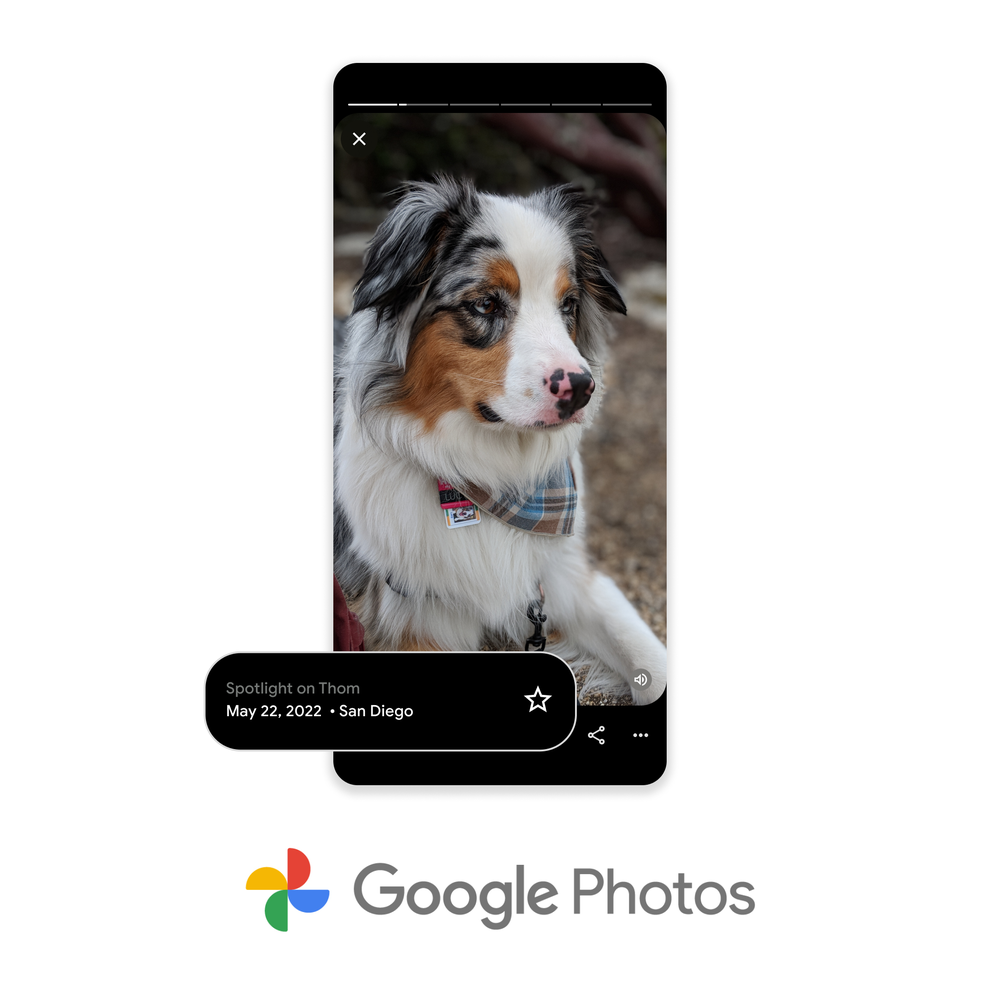
As always, you have the control to hide photos of certain people or time periods from showing up in Memories so you can relive the moments you want to.
See your Memories brought to life
When you have hundreds of photos, it’s hard to manually scroll through your library to relive important moments. That’s my favorite thing about Memories — Google Photos does the work of resurfacing those moments so you can reminisce. I love seeing my old photos in a new light with creative edits like animations, Cinematic photos and collages.
Cinematic photos — the vibrant, moving, 3D representations of your photos shown in Memories — have quickly become one of our most-saved visual effects since they launched in 2020. Soon, you’ll begin to see full Cinematic Memories that transform multiple still photos into an end-to-end cinematic experience, taking you back to that moment in time. Cinematic Memories will also have music, making your photos feel a little more like a movie.
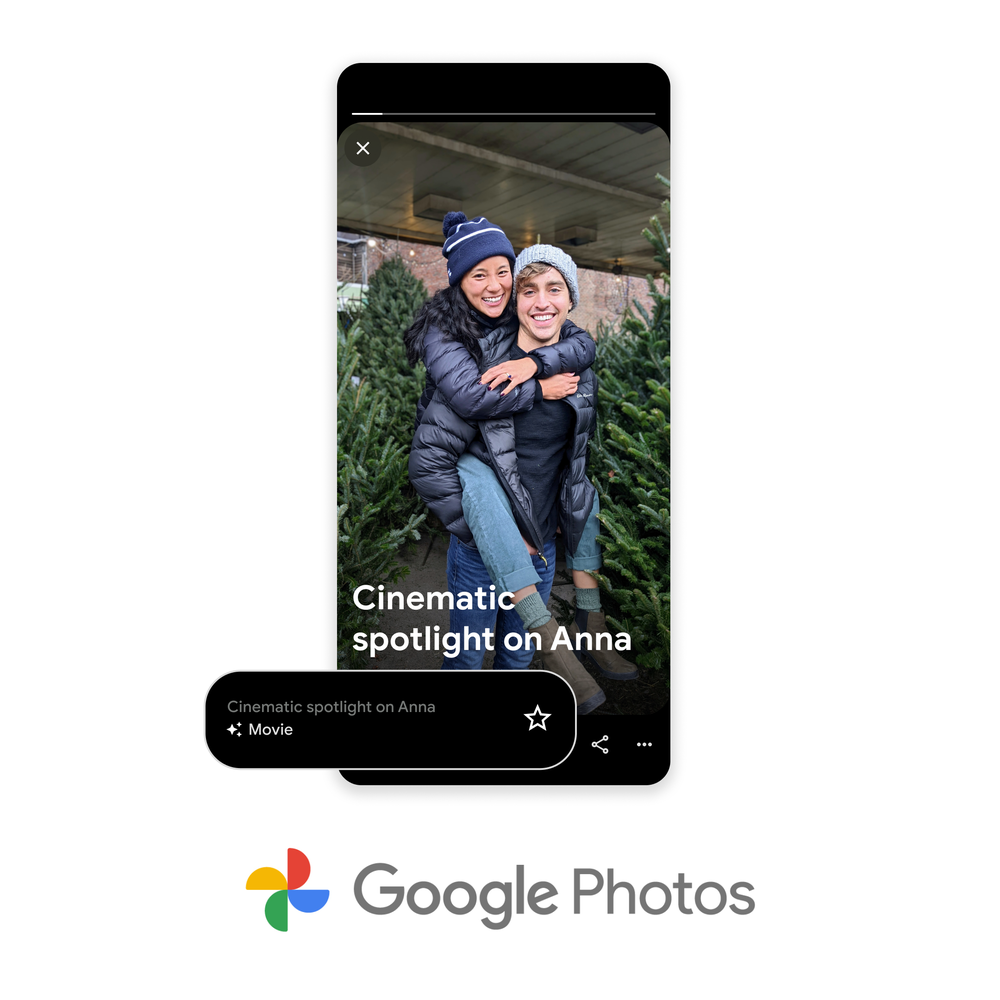
Drawing inspiration from old scrapbooks, we’re also rolling out a new feature called Styles where graphic art is automatically added to your memories to make them pop. There will be several designs at launch, including limited-time styles from featured artists Shantell Martin and Lisa Congdon made just for Google Photos.

Share your Memories
Your Memories in Google Photos are only visible to you, but we know there are times when you may want to share them with family and friends. In fact, this has been the number one requested feature. I’m always eager to share Memories of a trip I took with friends or of my twins doing something cute. Today, we’re starting to roll out the ability to share entire Memories with your friends and family in just a few taps on Android (with iOS and Web coming soon), so they can view them right from Google Photos on any device.

Get creative with easy editing tools
Want to express your creativity and add your personal touch? Easy-to-use editing features, like smart suggestions and Real Tone filters, are a few of the ways you can do just that. And now, we’re adding a new collage editor (that starts rolling out today on Android and iOS).

With the new collage editor, you can easily create shareable collages. Pick your photos, select your design (including styles from featured artists) and easily rearrange the layout with simple drag-and-drop controls. You can even edit the photos right from the collage editor — adjust brightness or contrast, apply filters and more. Google One members and Pixel users can also use additional editing features like Portrait Light or HDR within their collages and access more than 30 additional designs.
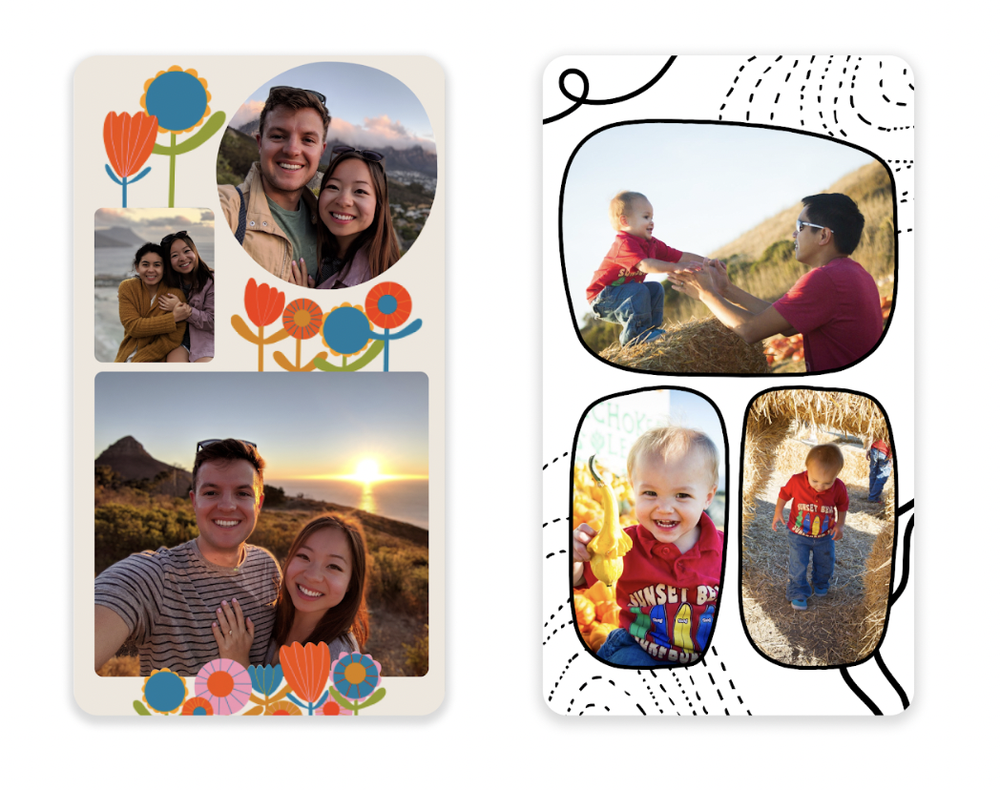
Pick from unique styles, including ones from Lisa Congdon (left) and Shantell Martin (right).
Next time you’re feeling nostalgic or have a creative itch, just remember: Google Photos has easy ways to look back, share and edit your important moments in just a few taps.
Echo Dot di 4ª generazione prezzo IMBATTIBILE, quasi al minimo storico
2TB di spazio in più: l’Hard Disk esterno che stavi cercando (-42%)
Echo Dot di 4ª generazione, lo smart speaker con Alexa in offerta WOW (-58%)
Echo Dot di Quarta generazione disponibile ORA con il 58% di sconto su Amazon: prezzo IMBATTIBILE, quasi al minimo storico.
Leggi Echo Dot di 4ª generazione, lo smart speaker con Alexa in offerta WOW (-58%)