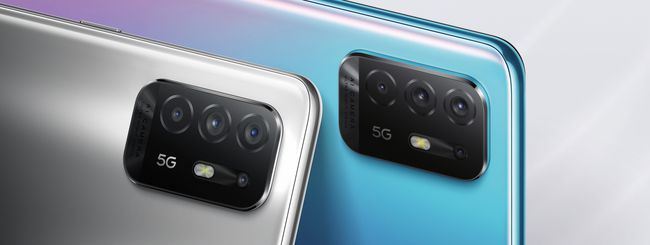
La nuova Serie A 5G di OPPO arriva in Italia
Il 5G in Italia è sempre più economico e questo anche grazie ad OPPO. Dopo aver tirato fuori dalla manica un tris di assi come la serie di smartphone FIND X3, il colosso cinese ha lanciato oggi nel nostro Paese i nuovi smartphone della famiglia Serie A, la lineup middle level del brand, che include tre modelli: OPPO A94 5G, OPPO A74 5G e OPPO A54 5G.

Brave New World: The Model for B2B Marketing Success, Post-Pandemic
“The new normal.”
I believe that’s what we would call the opposite of a compelling lede. Nobody wants to hear that phrase anymore, I know it. While that may be the case, it’s an unavoidable truth that our world does, and will, look different in many ways following a globally disruptive pandemic.
Savvy business and marketing leaders are already planning proactively for what lies ahead. They’re assessing what’s changed in the past year, analyzing trends and indicators, and optimizing their strategies to thrive within an altered economic and social environment.
We’re here to help. Read on for research and recommendations that will help you equip your B2B organization for maximum success going forward.
5 Keys to Success in a Brave New World of B2B Marketing
If the last year has taught us anything, it is to expect the unexpected. But that doesn’t mean marketers can’t plan intelligently. While we may still be in a period of flux, the reshaped business environment is coming into focus.
Core fundamentals remain the same: Build awareness, build trust, build loyalty. Be the best answer. Deliver customer experiences that differentiate.
The way we go about accomplishing these things, however, will not be the same. Here are a few key areas I recommend prioritizing and aiming to optimize.
1 — Rethink Marketing Events and Experiences
In-person events will gradually return in some capacity, but even if you value the networking and promotional opportunities these occasions provide, the smart move is not to wait.
Rethink how you deliver experiences, and double down on digital engagement. Collaborate and orchestrate with friendly parties in the same way as partnering organizations do in bringing physical events to life. Bring influencers to your audiences in new ways, turning them into your keynote speakers.
With hybrid workplaces likely to be a permanent reality, much attention is being paid to creating equity and shared experiences for employees both remote and on-site. We should be thinking about audiences and business prospects under this same paradigm, because traveling for meetings or industry events will be substantially less common for a long while – if not forever.
2 — Focus on Doing a Few Things Extremely Well
No business has limitless resources. Spreading your chips too thinly will lead to sub par returns across the board. Instead, decide where you want to truly excel, and channel your full energy into it.
Recently our Joshua Nite wrote about how to create a podcast that rises above the noise. He rightfully points out that, while there is an enormous appetite for the format, there is also a staggering abundance of options. The stakes are high for breaking through.
Joshua’s recommended set of steps is not overly complicated, but does require real investment – of time, budget, and creativity. At TopRank Marketing, we’ve seen our clients and plenty of other B2B brands achieve stellar results through podcasting, but it takes an aligned vision and full buy-in.
The same goes for influencer marketing, building communities, shooting video/live-streams, or creating any content resource for your audience.
If you’re not going to do it right, why bother?
3 — Executive Thought Leadership: The Face of the Franchise
In sports, the “face of the franchise” refers to a superstar player, broadly associated with their team by fans at large. They sell jerseys and tickets. Marketers for these teams wisely play up these magnetic attractions in promo materials.
I’m not saying your CEO is Mike Trout. But company leaders get to where they’re at for a reason, and many brands can benefit from elevating these respected executive voices.
Executive thought leadership is a fast-rising strategic emphasis, and with good reason. According to LinkedIn*:
- 86% of people say they expect CEOs to publicly speak out about societal challenges
- 56% of professionals say a business executive’s presence on social media positively influences their purchase decision?
- 66% say they would be more likely to recommend a company or brand if they followed a company executive on social media
We’ve said it before, we’ll say it again: people do business with other people, not with brand logos. When executives are active and outspoken with their perspectives and industry commentary, it helps put a human face behind the company’s values and expertise. This mattered to customers before the pandemic, and it will surely matter even more in the aftermath.
“The pandemic has forced everyone to rethink how they do business, from doctors to data centers,” Ken Brown, Director of Corporate Communications at Nvidia, told VentureBeat. “After a year of fear and uncertainty, people will look to those who clearly understand how technology can fuel the recovery and deliver exciting new capabilities. Thought leadership is all the more important during these transitional times, to show the way forward.”
Our CEO and co-founder Lee Odden shared his insights on the why and how of effective thought leadership on a recent episode of LinkedIn’s Live with Marketers, and also compiled a list of 20 ways to build executive credibility and thought leadership here on the blog.
4 — Bring More Context to Your Content Marketing
People have grown progressively less and less patient with sales and marketing messages that don’t speak to them directly, or don’t pertain to their situations. Now, after enduring an endless barrage of “unprecedented times” jargon, the need to break through with a clear, meaningful, relevant message is more vital than ever.
Leadspace recently provided a primer on contextual marketing on their blog, where Jim Hopkins describes the approach as “taking segmentation and personalization and putting it on steroids.” It’s a shift from pitching products and services —even in a personalized way — to solving very specific problems for different segments of your audience. Making this practical requires sophisticated analysis and application of customer data, as well as a strategic commitment to quality-over-quantity when it comes to reaching business prospects. (Much like when it comes to marketing tactics, via tip #2.)
Not every business needs to adopt a full-on ABM strategy, but it’s getting harder and harder to succeed in B2B through broad, blanket messaging.
5 — Empower Marketing as the Central Driver of Growth
In March, Janet Balis published a great article at Harvard Business Review highlighting 10 truths about marketing after the pandemic. They’re all insightful and on-point (and several support the recommendations above), but this final one strikes me most:
Old truth: Marketing is important for growth.
New truth: Marketing is at the center of the growth agenda for the full C-suite.
“Covid-19 has created a leadership culture of immediate collaboration focused on the urgent need for resilience,” Balis writes. “Marketing now has the opportunity to seize an ongoing central role in that dialogue, thereby driving the organization’s broader growth and innovation agenda.”
Don’t let this opportunity slip away. Now is the time for marketing to take the lead and drive the business forward on a foundation of strong customer intel and a central emphasis on customer experiences.
If you’re eager to put your own marketing growth and innovation agenda into action, and looking for some help taking things to the next level, we can help. Reach out to TopRank Marketing and let’s chat.
* Disclosure: LinkedIn Marketing Solutions is a TopRank Marketing client
The post Brave New World: The Model for B2B Marketing Success, Post-Pandemic appeared first on B2B Marketing Blog – TopRank®.
Gli album su Spotify si scaricano anche da desktop
L’ultimo aggiornamento dell’app ufficiale di Spotify per desktop è in fase di rollout e tra le novità che gli utenti apprezzeranno di sicuro ci sarà la possibilità di scaricare interi album musicali e ascoltarli anche in assenza di connessione internet, ovunque ci si trovi.
Come riscattare un mese gratis su DAZN
Il blackout di domenica scorsa che ha colpito la piattaforma DAZN proprio mentre erano in corso le partite di Serie A Inter-Cagliari e Verona-Lazio è ancora ben stampato nelle menti dei tifosi, soprattutto alla luce del fatto che la piattaforma di streaming prenderà il posto di Sky come principale broadcaster del campionato italiano fino al 2024.
Il tempo vola con Timelapse in Google Earth
 |
| Abbiamo analizzato 20 milioni di immagini satellitari dal 1984 al 2020, identificato e rimosso artefatti nelle immagini. Abbiamo quindi calcolato un unico pixel rappresentativo per ogni posizione del pianeta, 37 volte di più, per produrre la nostra esperienza Timelapse su tutto il mondo, priva di nuvole. |
Come userete Timelapse?
Timelapse per il prossimo decennio
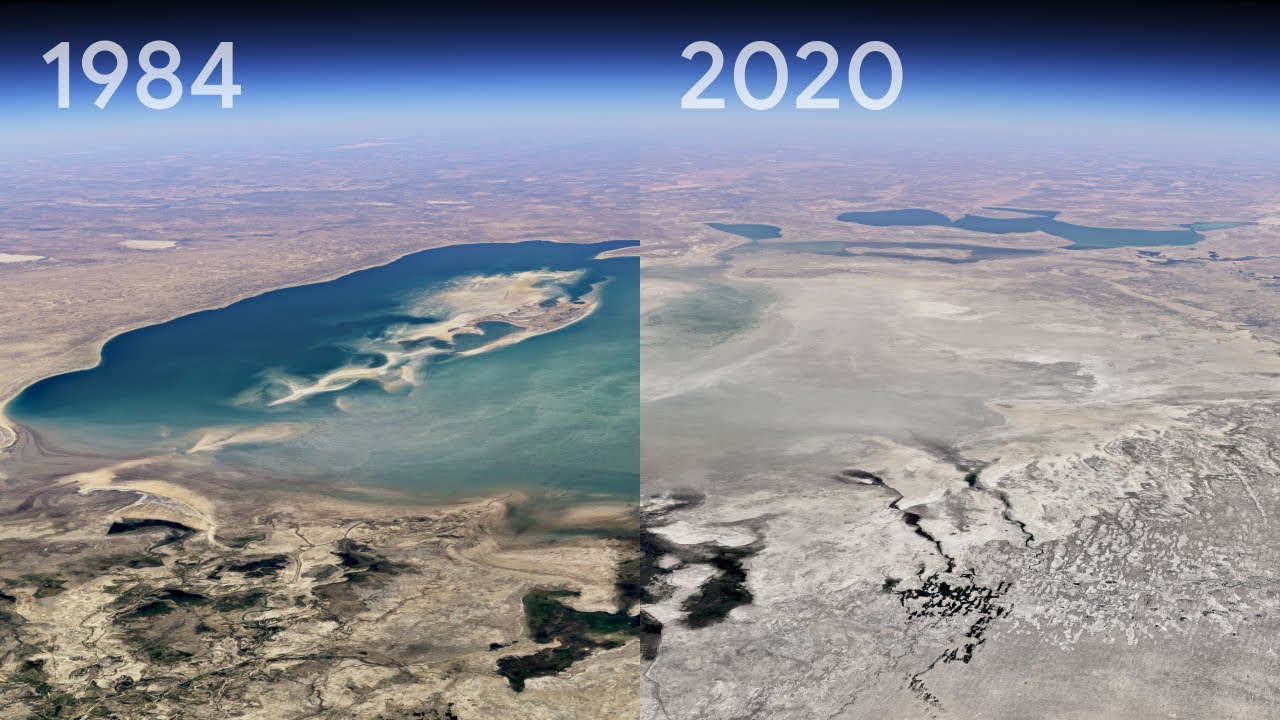
Time flies in Google Earth’s biggest update in years
For the past 15 years, billions of people have turned to Google Earth to explore our planet from endless vantage points. You might have peeked at Mount Everest or flown through your hometown. Since launching Google Earth, we’ve focused on creating a 3D replica of the world that reflects our planet in magnificent detail with features that both entertain and empower everyone to create positive change.
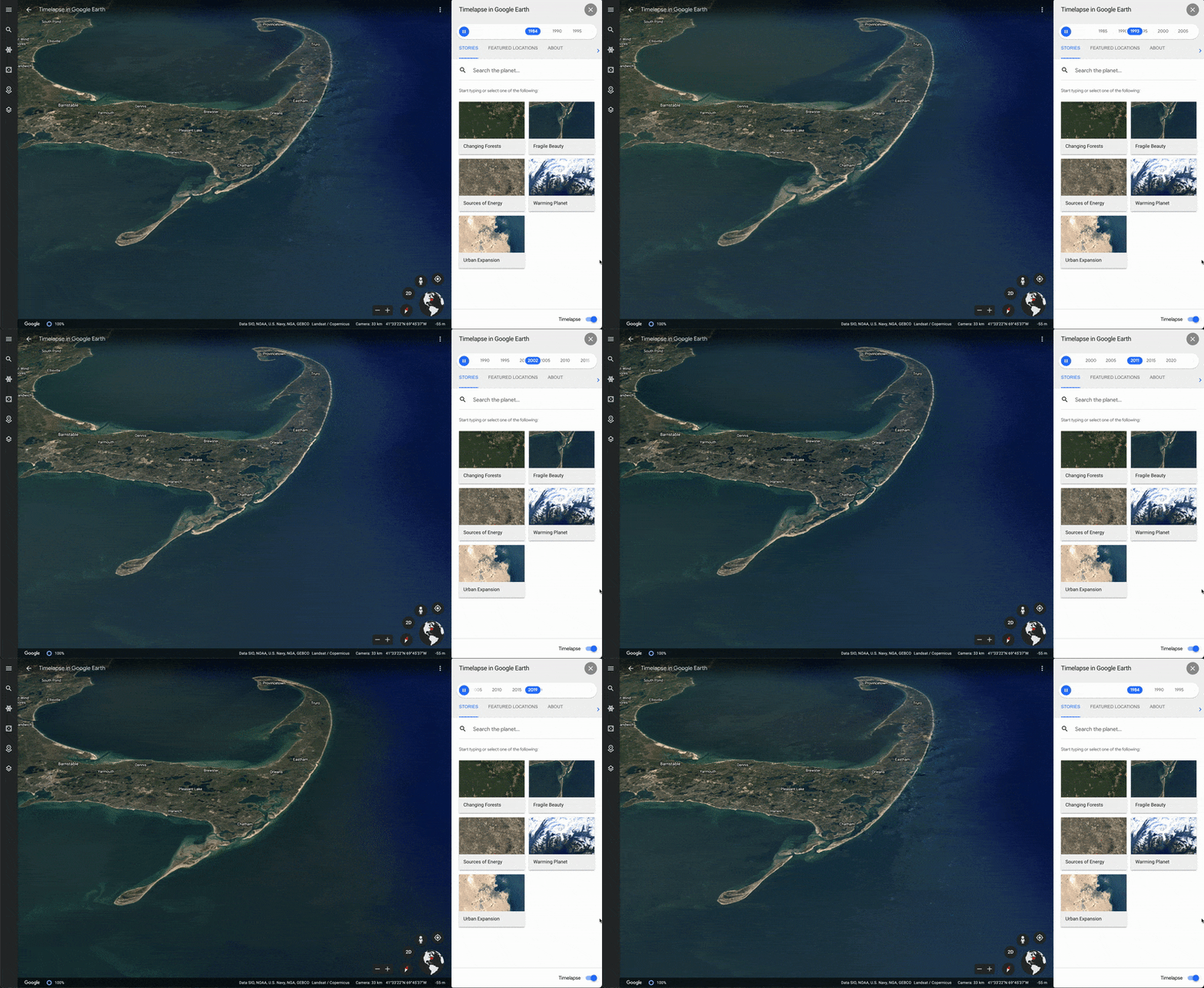
In the biggest update to Google Earth since 2017, you can now see our planet in an entirely new dimension — time. With Timelapse in Google Earth, 24 million satellite photos from the past 37 years have been compiled into an interactive 4D experience. Now anyone can watch time unfold and witness nearly four decades of planetary change.
Our planet has seen rapid environmental change in the past half-century — more than any other point in human history. Many of us have experienced these changes in our own communities; I myself was among the thousands of Californians evacuated from their homes during the state’s wildfires last year. For other people, the effects of climate change feel abstract and far away, like melting ice caps and receding glaciers. With Timelapse in Google Earth, we have a clearer picture of our changing planet right at our fingertips — one that shows not just problems but also solutions, as well as mesmerizingly beautiful natural phenomena that unfold over decades.
To explore Timelapse in Google Earth, go to g.co/Timelapse — you can use the handy search bar to choose any place on the planet where you want to see time in motion.
Or open Google Earth and click on the ship’s wheel to find Timelapse in our storytelling platform, Voyager, to see interactive guided tours. We’ve also uploaded more than 800 Timelapse videos in both 2D and 3D for public use at g.co/TimelapseVideos. You can select any video you want as a ready-to-use MP4 video or sit back and watch the videos on YouTube. From governments and researchers to publishers, teachers and advocates, we’re excited to see how people will use Timelapse in Google Earth to shine a light on our planet.
Understand the causes of Earth’s change
We worked with experts at Carnegie Mellon University’s CREATE Lab to create the technology behind Timelapse, and we worked with them again to make sense of what we were seeing.
As we looked at what was happening, five themes emerged: forest change, urban growth, warming temperatures, sources of energy, and our world’s fragile beauty. Google Earth takes you on a guided tour of each topic to better understand them.
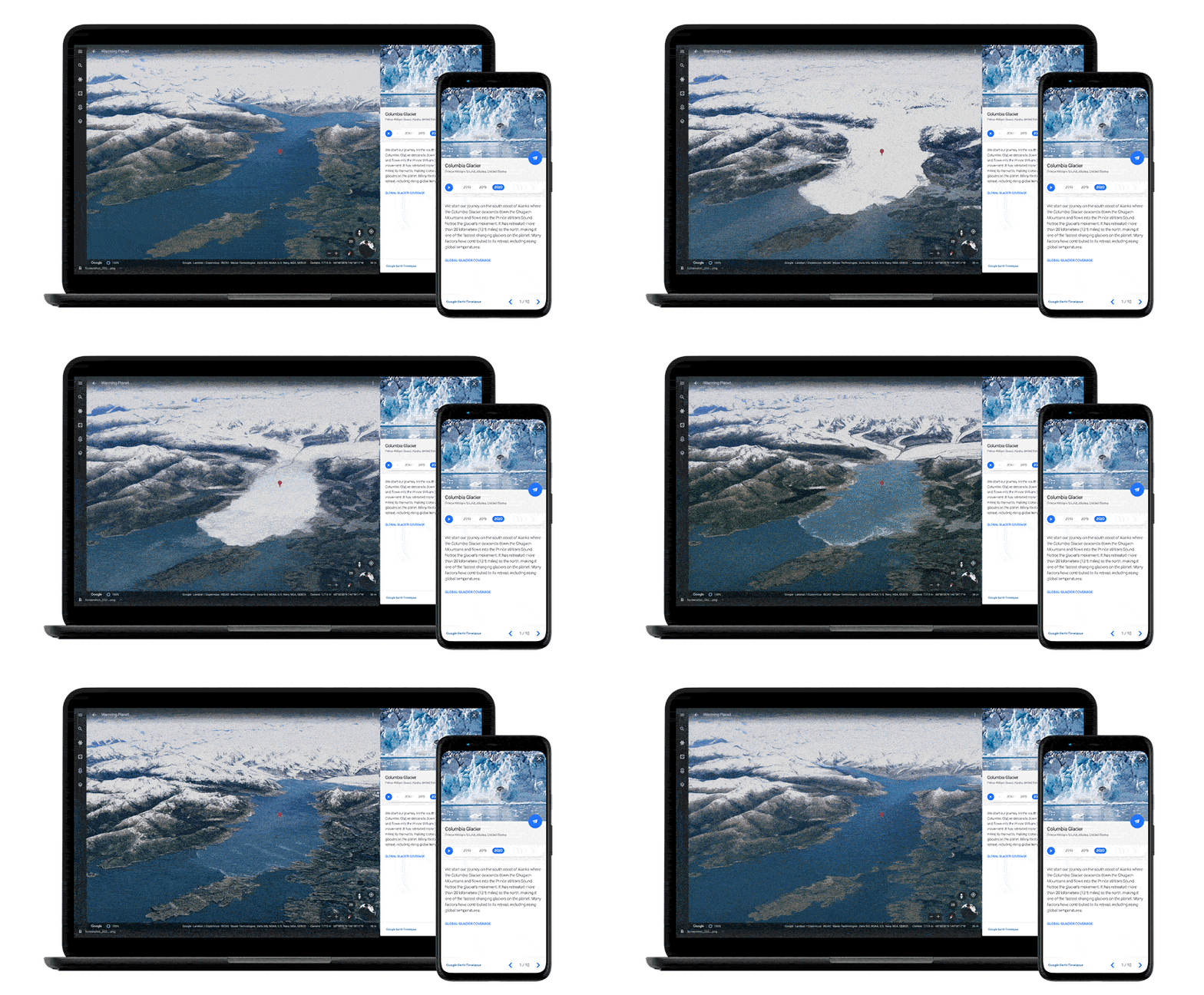
Timelapse in Google Earth shows the rapid change on our planet in context through five thematic stories. For example, the retreat of the Columbia Glacier in Alaska is captured in the “Warming Planet” tour.
Putting time on Earth in the palm of our hand
Making a planet-sized timelapse video required a significant amount of what we call “pixel crunching” in Earth Engine, Google’s cloud platform for geospatial analysis. To add animated Timelapse imagery to Google Earth, we gathered more than 24 million satellite images from 1984 to 2020, representing quadrillions of pixels. It took more than two million processing hours across thousands of machines in Google Cloud to compile 20 petabytes of satellite imagery into a single 4.4 terapixel-sized video mosaic — that’s the equivalent of 530,000 videos in 4K resolution! And all this computing was done inside our carbon-neutral, 100% renewable energy-matched data centers, which are part of our commitments to help build a carbon-free future.
As far as we know, Timelapse in Google Earth is the largest video on the planet, of our planet. And creating it required out-of-this-world collaboration. This work was possible because of the U.S. government and European Union’s commitments to open and accessible data. Not to mention their herculean efforts to launch rockets, rovers, satellites and astronauts into space in the spirit of knowledge and exploration. Timelapse in Google Earth simply wouldn’t have been possible without NASA and the United States Geological Survey’s Landsat program, the world’s first (and longest-running) civilian Earth observation program, and the European Union’s Copernicusprogram with its Sentinel satellites.
What will you do with Timelapse?
We invite anyone to take Timelapse into their own hands and share it with others — whether you’re marveling at changing coastlines, following the growth of megacities, or tracking deforestation. Timelapse in Google Earth is about zooming out to assess the health and well-being of our only home, and is a tool that can educate and inspire action.
Visual evidence can cut to the core of the debate in a way that words cannot and communicate complex issues to everyone. Take, for example, the work of Liza Goldberg who plans to use Timelapse imagery to teach climate change. Or the 2020 award-winning documentary “Nature Now” that uses satellite imagery to show humanity’s growing footprint on the planet.
Timelapse for the next decade to come
In collaboration with our partners, we’ll update Google Earth annually with new Timelapse imagery throughout the next decade. We hope that this perspective of the planet will ground debates, encourage discovery and shift perspectives about some of our most pressing global issues.
3 ways Liza Goldberg uses Timelapse to explore the planet
Liza Goldberg has a big-picture view of climate change — and it all started with satellite imagery. In high school she started an internship at NASA, where she built a program that used satellite imagery and Google Earth Engine, a platform for geospatial analysis, to monitor the loss of mangrove forests. This gave her a whole new perspective of planetary changes.
“I was seeing the world through a different lens,” Liza says. “Without images, it’s hard to visualize what things like urbanization, deforestation, wildfires and rise in temperatures mean to our planet — just using statistics and data doesn’t get the message across. I wanted to bring a new perspective to others.” Liza is now a freshman at Stanford University and runs Cloud to Classroom, a program that uses satellite imagery to help teach students around the world about climate change.
Today, that birds-eye view of the planet is available to even more people with the launch of Timelapse in Google Earth. For the first time, 24 million satellite photos from the past 37 years have been embedded directly into Google Earth, creating an explorable view of our planet over time. Now anyone can watch time across the globe. And that perspective can be enough to inspire anyone to take action — just like it inspired Liza.
“If we want to solve climate challenges, the bottom line is we need to take this information out of scientific papers and put it into the hands of the public so they can make positive change in their local areas,” Liza adds.
As someone who has spent a lot of time looking at satellite imagery of the Earth, Liza has a few pointers for how to explore the planet with Timelapse and put these changes into context. She shares some of her tips here:
Zoom in on your community
If you’re a teacher, reporter, student or just someone exploring Timelapse, start looking at the places you care about. Use the search bar function to zero in on a region you know really well — whether it’s the city you grew up in, the place your grandparents are from or where you spent your summers growing up. Seeing the changes at a more personal level contextualizes what global environmental change actually means right now and what it could mean in the future of your local community.
Microsoft insegna a volare facendoti schiantare al suolo: chicca di Flight Simulator

Flight Simulator di Microsoft è un software meraviglioso, con un livello di dettaglio e realismo assolutamente ipnotico per qualunque appassionato di volo. Consente addirittura di avere non solo le condizioni di luce reali di qualunque luogo del mondo a qualunque ora, ma anche di ambientare il volo nella situazione meteo effettiva di quel luogo in quel momento.
Intorno a questo simulatore, che mi sembra riduttivo definire videogioco, è nata una comunità di utenti che ne snidano le chicche più bizzarre, e c’è una di queste chicche che ha fatto sorridere molti utenti che conoscono bene la storia di Microsoft.
L’azienda fondata da Bill Gates, infatti, è diventata famosa per i suoi prodotti software che funzionano, sì, però hanno avuto una storica tendenza ad andare in crash nei momenti meno opportuni. Anni fa avevo iniziato una rubrica dedicata ai crash di Windows nei luoghi più divertenti (ne trovate altri sotto l’etichetta wincrash). Poi ho smesso per eccesso di segnalazioni.
Il crash di Windows 98 durante la presentazione al pubblico ad aprile 1998, fece epoca: il dimostratore, Chris Capossela, stava presentando alla platea del COMDEX, una delle più grandi fiere mondiali dell’informatica, la nuova versione di Windows, sotto l’occhio vigile del suo capo, Bill Gates.
Windows 98 andò in crash sullo schermo gigante della sala facendo comparire il mitico Schermo Blu della Morte, fra le incontenibili risate della platea. Gates salvò la situazione con una battuta: “È per questo che non lo stiamo ancora distribuendo?”
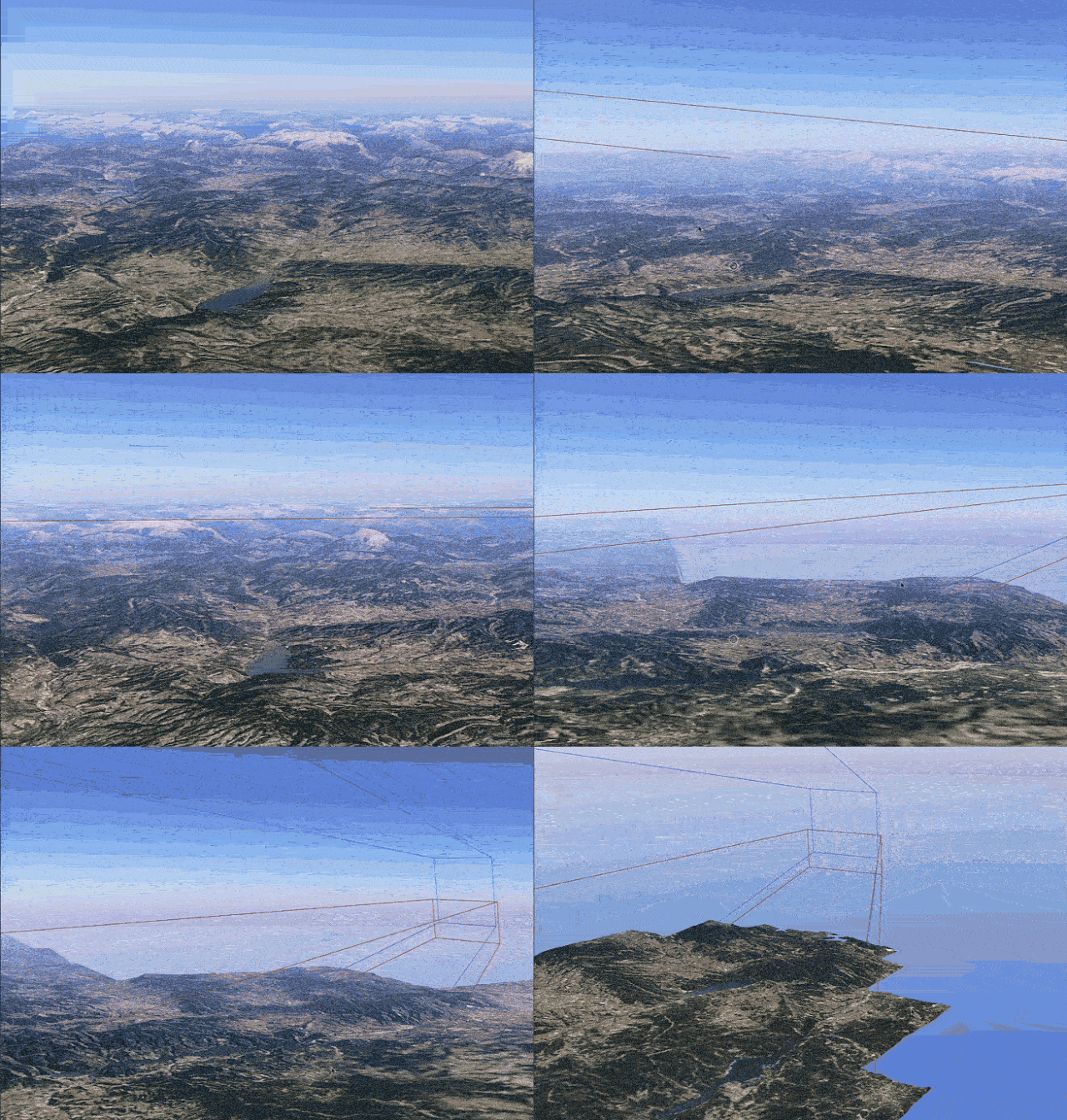
Insomma, le barzellette sugli inceppamenti di Windows sono un classico della cultura informatica, ma torno sull’argomento perché mi è stata segnalata una chicca di Flight Simulator: il tutorial del software che dovrebbe insegnare a volare porta invece il malcapitato giocatore a schiantarsi sulle case, perdendo man mano quota mentre la voce dell’istruttore continua serenamente a spiegare come leggere gli strumenti.
dark laughter at how Microsoft Flight Simulator currently has a bug in the tutorial that causes the instructor to calmly do a Controlled Flight Into Terrain while explaining how to read the instruments pic.twitter.com/Dgfs30G1Mo
— Richard (@halkyardo) April 11, 2021
Il bello è che lo schianto avviene proprio quando la calmissima voce femminile dell’istruttore dice “E ora, per ultimo ma non meno importante, controlla il tuo altimetro…” È, insomma, un crash vero e proprio.

Un Disinformatico e appassionato simmer, Luca, mi ha inviato questo video che mostra tutto il tutorial, e mi dice che ha verificato l’esistenza di questo crash nella versione 1.14.6.0 di Flight Simulator, ma che l’aggiornamento di ieri alla 1.15.7.0 lo ha corretto.
Beh, è stato bello finché è durato.
WhatsApp: la nuova privacy policy è illegale?
Un chip nel cervello: stavolta non è un delirio complottista, è una cauta speranza di mobilità
La settimana scorsa Neuralink, una delle aziende di Elon Musk, ha pubblicato su Youtube un video che mostra un macaco che gioca a Pong letteralmente con la forza del pensiero. Si tratta di una demo impressionante per vari motivi, che va spiegata e capita con attenzione nelle sue varie implicazioni.
Il video mostra Pager, un macaco di nove anni, che gioca al computer. Inizialmente muove un joystick per spostare un cursore su uno schermo. Quando mette il cursore dentro un quadrato colorato che si sposta periodicamente, riceve una ricompensa: un assaggio di frullato di banana.
Fin qui niente di speciale. Ma a circa metà del video, il joystick viene staccato: Pager continua ad azionarlo per abitudine, ma il joystick in realtà non sta facendo nulla. Il cursore si muove lo stesso sullo schermo perché Pager ha due piccoli sensori della Neuralink impiantati nella corteccia motoria del suo cervello. Questi sensori leggono circa 2000 neuroni di questa regione del cervello e ne decodificano i segnali. In pratica, captano le sue intenzioni di movimento e le trasmettono a un ricevitore che le converte istantaneamente in movimenti corrispondenti del cursore.
A un certo punto, il joystick viene rimosso completamente e Pager capisce che può continuare a giocare semplicemente pensando di muovere il braccio. Diventa talmente bravo da poter appunto giocare a Pong, il videogioco classico, semplicemente con il pensiero. Il video spiega che Pager non è obbligato a giocare, ma sceglie di farlo perché gli piace il frullato di banana.
È tutto confezionato in modo molto rassicurante, ma resta una sperimentazione su animali, che è comunque eticamente problematica. Pager non ha certo chiesto di farsi impiantare dei chip nel cervello.
Ars Technica nota che sperimentazioni analoghe sono già state condotte su persone tetraplegiche, che sono riuscite a muovere un braccio robotico semplicemente pensando di farlo. Questo è un esempio che risale a quasi dieci anni fa:
Ma se questa tecnologia esiste da quasi un decennio, come mai non la vediamo in giro? Qui sta la novità reale della demo di Neuralink: la miniaturizzazione e la portabilità.
Finora, infatti, queste interfacce dirette con il cervello richiedevano un ingombrante ricevitore situato vicinissimo alla testa della persona o dell’animale dotato di sensore intracraniale, e una potenza di calcolo notevole per elaborare i segnali provenienti dai neuroni. In alcuni casi c’erano anche delicati cavi e connettori che attraversavano il cranio.
La soluzione presentata da Neuralink, invece, fa a meno del ricevitore e dei connettori: il sensore impiantato trasmette via Bluetooth, quindi anche a distanza di vari metri, ed ha una propria batteria interna, per cui una volta innestato è completamente autosufficiente.
L’altra innovazione significativa è la compressione dei dati prima della trasmissione: duemila neuroni generano un sacco di dati, che vanno decodificati. La decodifica qui avviene nel sensore impiantato, eliminando l’ingombro del computer esterno e semplificando il segnale da trasmettere. Questo rende possibile l’uso di un canale radio a banda relativamente ristretta come il Bluetooth.
Trovate molti dettagli tecnici nell’annuncio ufficiale (copia permanente).
A dieci anni di distanza, insomma, la tecnologia sembra più vicina all’uso pratico: la portabilità e la miniaturizzazione fanno una differenza cruciale. Questo accende speranze straordinarie in chiunque abbia difficoltà motorie o anche di comunicazione verbale. Ma ci sono anche applicazioni non mediche, per esempio nell’estensione delle capacità umane. Immaginate, per esempio, di poter scrivere al computer semplicemente pensando di digitare su una tastiera. Oppure di poter fare il magazziniere o il muratore o il soccorritore semplicemente pensando i movimenti che vengono eseguiti da un robot, magari in luoghi pericolosi o inaccessibili.
Presumo inoltre che qualcuno, da qualche parte, stia già pensando alle applicazioni militari di un sistema del genere per migliorare i tempi di reazione di truppe o piloti e lasciare libere le loro mani per altri compiti. E che da qualche altra parte qualcun altro stia già pensando a come intercettare e disturbare questi segnali, e a come proteggerli da queste intercettazioni. Dovremo creare anche leggi sulla privacy dei pensieri. Benvenuti nel Nuovo Mondo.

L’artista NFT PAK guadagna su Sotheby’s 16,8 milioni $ in una asta
Contenuto dell’articolo Una vendita online di token non fungibili (NFT) dell’artista digitale Pak ha ottenuto un totale di 16,8 milioni di dollari da Sotheby’s, inclusa un’immagine di un singolo pixel venduto per 1,36 milioni di dollari, ha detto la casa d’aste mercoledì. Un token non fungibile è una forma di risorsa digitale basata su blockchain che è esplosa in popolarità nel 2021, con prezzi in aumento mentre i collezionisti e gli appassionati si affrettano ad…
L’articolo L’artista NFT PAK guadagna su Sotheby’s 16,8 milioni $ in una asta scritto da Michele Ficara Manganelli ✿ proviene da Assodigitale.
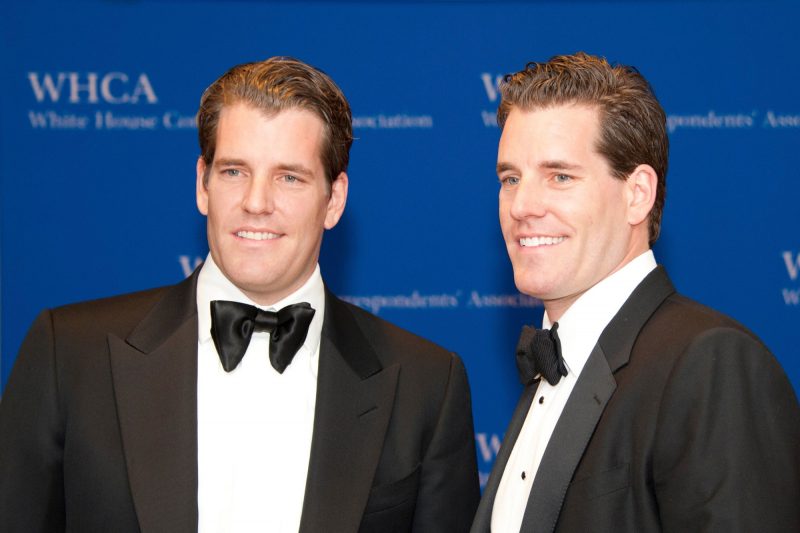
Come i gemelli Winklevoss dopo la perdita di facebook hanno iniziato a guadagnare miliardi di dollari con Bitcoin e NFT
Se hai visto il film “The Social Network” (2010) potresti ricordare i gemelli Cameron e Tyler Winklevoss , interpretati da Armie Hammer. Mentre sono diventati famosi per aver contestato e perso la proprietà di Facebook contro Mark Zuckerberg , ora possiedono un impero multimilionario grazie al business delle criptovalute, principalmente Bitcoin e NFT . Nel febbraio 2008, i gemelli Winklevoss hanno raggiunto un accordo legale con Zuckerberg, che ha accettato di pagare loro $ 45…
L’articolo Come i gemelli Winklevoss dopo la perdita di facebook hanno iniziato a guadagnare miliardi di dollari con Bitcoin e NFT scritto da Michele Ficara Manganelli ✿ proviene da Assodigitale.
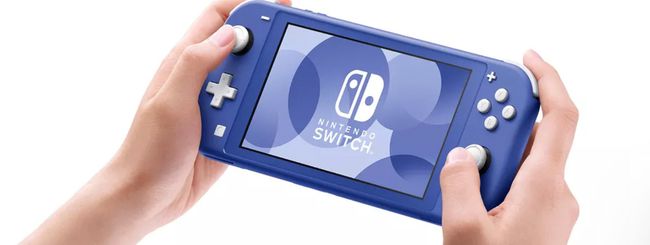
Nintendo Switch Lite diventa blu
Fin dal suo lancio, la console Nintendo Switch Lite si è differenziata dalla sua sorella maggiore non soltanto per il suo spirito ancora più portatile, ma anche per la varietà di colorazioni in cui Nintendo l’ha resa disponibile. Dal turchese al corallo, dal giallo al grigio passando per l’elegante grigio chiaro.
For National Parks Week, plan a trip with Google Maps
I’ve ticked a lot of National Parks off my travel bucket list this past year. As parks started to reopen, I planned outdoor trips instead of international ones. And at the end of last year, my boyfriend and I packed up our apartments to cruise around the Southwest in a borrowed camper van. Along the way, Google Maps helped us plan out our days.
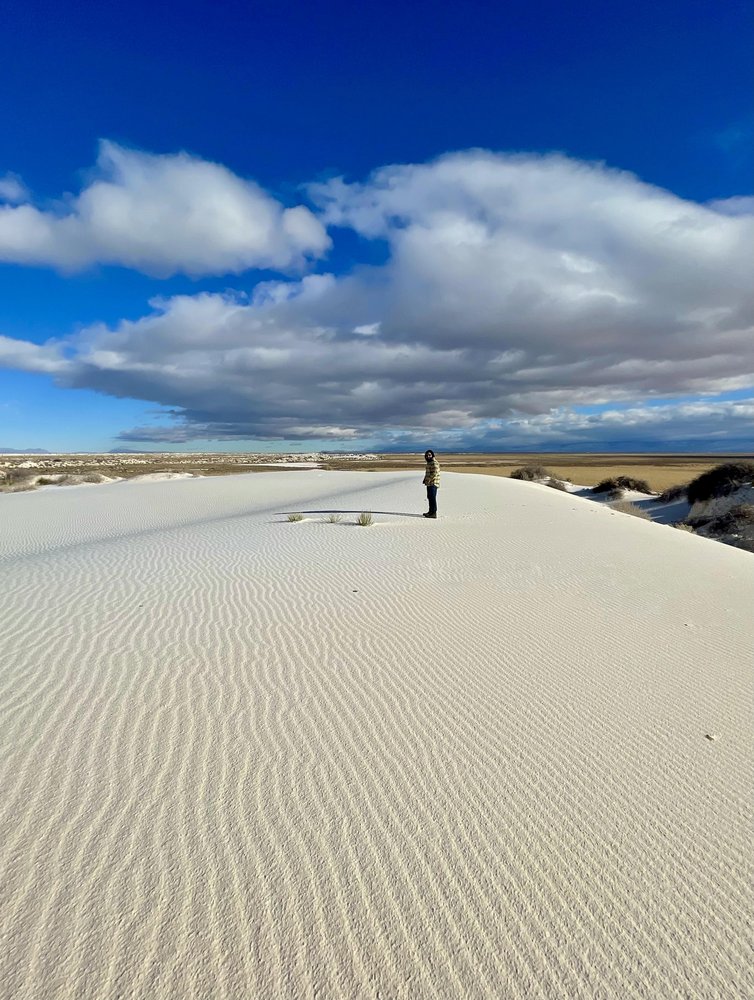
In Utah, we went to some of the most searched for National Parks — like Arches National Park and Bryce Canyon National Park. We used Google Maps to scope out the most scenic driving routes and save campsites, viewpoints and trailheads. The best part? We could access everything even if we were in areas that had spotty service since we downloaded Maps to use when we were offline. This came in handy when we were trying to find a campground at Bryce Canyon — a total dead zone for our cells — and at Arches where we perfectly timed our day to catch sunset at Delicate Arch (the infamous arch on the state’s license plate). In New Mexico, we used popular times information on Google Maps to avoid the crowds — thanks to this intel it felt like we had White Sands National Park all to ourselves early on a weekday.
Saturday marks the first day of National Parks Week, which I’ve deemed as a welcomed excuse to start planning your next outdoor adventure. (I’ve been eyeing Big Bend National Park). If you’re looking for some travel inspiration, Google Maps dug into data from the past year to help get you started!
5 new ways Google Assistant can make the day a little easier
Spring is here, and with it, a helping hand from Google Assistant. Today we’re introducing five new features that help you tackle small things around the house (and from the car).
1) Can’t remember where you put down your phone?Don’t sweat it. Already one of the most popular features for Google Assistant, you can tell your Nest smart speaker or smart display, “Hey Google, find my phone,” for all devices, now including iPhones. For iPhones, once you opt in to receiving notifications and critical alerts from the Google Home app, you’ll get a notification and hear a custom ringing sound (even when the phone is on silent or if Do Not Disturb is enabled).
2) Get your takeout faster.Over the last year, more and more people started ordering takeout and delivery on Google, and more restaurants added the “order” button to their Business Profiles on Search and Maps. To make online food orders even easier, Assistant can now help you complete your purchase in only a few steps powered by Duplex on the web. To get started, you’ll need to first search for a restaurant near you from the Google App on Android and select “Order Online” or “Order Pickup.” When you finish your online takeout order from a restaurant we partner with and click “check out,” Assistant will automatically navigate the site and fill out your contact and payment details saved in Google Pay and synced to Chrome Autofill. At launch, we’re partnering with select restaurant chains and will be adding more across the U.S. later this year.
3) Try a new sunrise or sunset Routine for your smart home devices.Now available globally, these Routines are based on your location. For example, you can automatically have your living room lights turn on and the sprinklers start when the sun goes down. It’s easy to set up:
- Select the “New” routine tab in the Google Home app or Assistant settings.
- Under “how to start,” you’ll need to “add starter,” then you’ll see an option for “Sunrise/sunset.”
- From there, you can customize the time and specific actions you want them to trigger.
4) Need routine ideas?Assistant Routines make it easy to automatically perform multiple actions at once with a single command. We’ve included a dedicated section in Ready-Made Routines to highlight popular “suggested actions” to inspire you, such as “Tell me if my battery is low” or “Tell me what happened today in history.” You can also add a “shortcut” icon to your Android home screen for your favorite Routines. Head to the overview screen for Routines in the Google Home app or Assistant Settings and click the “Add to Home Screen” icon in the top app bar.
5) Have questions about the Oscars?You can get the inside scoop from your Google Assistant. Just ask: “Hey Google, when are the Oscars?” or “Hey Google, who’s nominated for Animated Feature Film at the Oscars?” to hear the list of nominees. To hear some predictions ahead of the red carpet, try “Hey Google, what are your Oscar predictions? or “Hey Google, who do you think is best dressed at the Oscars?” You can also join in on the award night fun by saying, “Hey Google, give me an award.”