Ask a Techspert: How do you build a chatbot?
Chatbots have become a normal part of daily life, from that helpful customer service pop-up on a website to the voice-controlled system in your home. As a conversational AI engineer at Google, Lee Boonstra knows everything about chatbots. When the pandemic started, many of the conferences she spoke at were canceled, which gave Lee the time to put her knowledge into book form. She started writing while she was pregnant, and now, along with her daughter Rebel, she has this book: The Definitive Guide to Conversational AI With Dialogflow and Google Cloud.
Lee, who lives and works in Amsterdam, is donating the proceeds of her royalties to Stichting Meer dan Gewenst, a nonprofit organization that helps people in the LGBTQ+ community who want to have children. The charity is close to her heart; as an LGBTQ+ parent herself, she wants others like her to have a chance at the joy she feels with her daughter.
The book itself is for anyone interested in using chatbots, from developers to project managers and CEOs. Here she speaks to The Keyword about the art (and science) behind building a chatbot.
What exactly is a chatbot?
A chatbot is a piece of software designed to simulate online conversations with people. Many people know chatbots as a chat window that appears when you open a website, but there are more forms — for instance, there are chatbots that answer questions via social media, and the voice of the Google Assistant is a chatbot. Chatbots have been around since the early computing days, but computers, they’ve only recently become more mainstream. That has everything to do with machine learning and natural language understanding.
Old-school chatbots required you to formulate your sentences carefully. If you said things differently, the chatbot wouldn’t know how to answer. If you made a spelling mistake, the bot would run amok! But there are many different ways to say something. A chatbot built with natural language understanding can understand a specific piece of text and then retrieve a specific answer to your question. It doesn’t matter if you spell it wrong or say things differently.
What benefits can the use of chatbots offer companies?
A chatbot works quickly, knows (almost) everything and is available 24/7. That basically makes it the ideal customer service representative. The customer no longer has to wait, the company saves money and the employees experience less stress. As a customer, you get a chatbot on the phone that listens to your question and can answer like a human thanks to speech technology. This way, most customers already receive the answers they need. If the chatbot doesn’t know the answer, it can transfer them to an employee. The customer will not be prompted for information again, as the agent will see that the chat history and system fields are already filled.
Companies are finding more and more ways to use chatbots. For example, since the advent of artificial intelligence, KLM Royal Dutch Airlines has been handling twice as many questions from customers via social media. And technical developer Doop built a Google Assistant Action in the Netherlands in collaboration with AVROTROS, specifically for the Eurovision Song Contest. Anyone who asks for information about the Eurovision Song Contest will hear a chatbot with the voice of presenter Cornald Maas talk about the show.
How do you build a chatbot?
You can build a chatbot using the Dialogflow tool and other services on the Google Cloud platform. Dialogflow is a tool in your web browser that allows you to build chatbots by entering examples. For example, if you already have a FAQ section on your website, that’s a good start. With Dialogflow you can edit the content of that Q&A and then train the chatbot to find answers to questions that customers often ask. Dialogflow learns from all the conversation examples so that it can provide answers.
But just like building a website, you probably need more resources, such as a place to host your chatbot and a database to store your data. You may also want to use additional machine learning models so that your chatbot can do things like detect the content of a PDF or the sentiment of a text. Google Cloud has more than 200 products available for this. It’s just like playing with blocks: by stacking all these resources on top of each other, you build a product and you improve the experience, for yourself and for the customer.
Do you have any tips for getting started?
First things first: Start building the chatbot as soon as possible. Many people dread this, because they think it’s hugely complex, but it’s better to just get going. You will need to keep track of the conversations and keep an eye on the statistics; what do customers ask and what do they expect? Building a chatbot is an ongoing project. The longer a chatbot lasts, the more data is collected and the smarter and faster it becomes.
In addition, don’t build a chatbot just for one specific channel. What you don’t want is to have to build a chatbot for another channel next year and replicate the work. In a large company, teams often want to build a chatbot, but different chat channels are important to different departments. As a company you want to be present on all of those channels, whether that’s the website, on social media, via telephone or on Whatsapp. Build an integrated bot so there’s no duplication of work and maintenance is much easier.
How do chatbots make life easier for people?
Many of the frustrations that you experience with traditional customer services, such as limited opening hours for contact by phone, waiting times and incomprehensible menus, can be removed with chatbots. People do find it important to know whether they are interacting with a human being or a chatbot, but, interestingly, a chatbot is more likely to be forgiven for making a mistake than a human. People might also have a specific preference for human interaction or a chatbot when discussing more sensitive topics like medical or financial issues, either because they want to have personal, human contact or they would rather not discuss a topic with a human being because they don’t feel comfortable doing so. Chatbots are getting better and better at understanding and interacting, and can be very helpful for interactions about these topics as well.
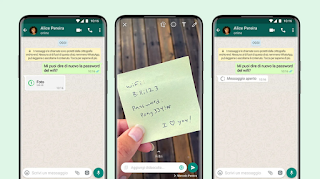
WhatsApp introduce le foto che si “cancellano” da sole

WhatsApp sta attivando una funzione che a suo dire permette agli utenti di condividere foto e video che si cancellano automaticamente dopo che sono state viste una sola volta.
Chi le riceve verrà avvisato da un’apposita icona che si tratta di contenuti temporanei, simili ai messaggi temporanei che già esistono da qualche mese in WhatsApp, come in altre app di messaggistica.
Queste foto e questi video non potranno essere inoltrati usando WhatsApp, non verranno salvati nella galleria di immagini e verranno eliminati automaticamente dopo 14 giorni se non sono stati visti.
Interessante, ma attenzione a non interpretare questa nuova funzione come una giustificazione per pensare di potere condividere disinvoltamente foto intime o personali contando sul fatto che una volta viste spariranno per sempre: come per tutte le foto “autocancellanti”, esistono modi banalissimi (dallo screenshot in su) per rendere quelle immagini assolutamente permanenti.
Ben venga, quindi, l’uso di questa funzione per eliminare automaticamente le foto che scattiamo per usi temporanei, come per esempio quelle fatte per mostrare a qualcuno un prodotto o un vestito visto in un negozio, ma niente di più. La funzione è utile per non occupare spazio inutilmente sul proprio smartphone riempiendolo di foto e video che non servono, ma prima di usare questo servizio di “cancellazione” automatica, chiedetevi che cosa succederebbe se la foto “temporanea” diventasse permanente e circolasse.

Windows 365, Microsoft stoppa le iscrizioni alla prova gratuita
Attacco hacker alla Regione Lazio: salvi i dati di backup
TikTok testa una nuova funzione simile alle Storie di Instagram

Persistence paid off for intern James Frater
Welcome to the latest edition of “My Path to Google,” where we talk to Googlers, interns and alumni about how they got to Google, what their roles are like and even some tips on how to prepare for interviews.
Today we spoke with James Frater, a business intern working virtually in London. Learn how James’s passion for equitable solutions and love of learning brought him to Google.
What do you do at Google?
I am a Business Development Representative Intern for Google Cloud working in the Europe, Middle East and Africa (EMEA) region. In the role, I help leaders within organizations to work through their specific pain points and match them up with the arsenal of specific solutions that Google has to meet their needs.
I am fortunate to be in one of the most supportive and encouraging teams I have ever had the pleasure of working in. It means that everyday when I wake up, I look forward to coming to work because I know that irrespective of the challenges that lie ahead, I have a team that will support me.
What made you decide to apply to Google?
My decision to apply to Google was simple. I wanted to be somewhere that allowed me to build sustainable and scalable tech solutions that measurably improved the lives of the people that needed the most help. In particular, a long term goal of mine is to make sure that everyone in the Caribbean has access to good healthcare, education and technology that makes their lives easier. Google is a positive and transformative vehicle that serves the needs of billions of people. I wanted to be a part of that.
I had applied to Google before; this was the third year in a row, in fact! I was really determined to get in because I knew what a great opportunity this was and I really believe I had what it took to be a Googler. I was fortunate enough to attend a Google Black talent event in 2020 and I was able to get some really great advice about applications. For example, in the interview it’s less about arriving at the right answer and more about the thought process. Being able to ask clarifying questions, especially when you’re not sure, will impress your interviewer. It was definitely third time lucky for me!
How would you describe your path to Google?
My path to my current role was… unconventional to say the least. I am a medical student, who has completed a management degree and also dabbles in efforts to reduce inequitable access to opportunities. I have completed internships in insurance, professional services, education and technology.

AMD Ryzen 7 5700G e Ryzen 5 5600G: GPU integrata con Zen 3
When it comes to activism, creativity and focus count
Editor’s note: This the third in a four-part series of interviews between expert panelists for the Google.org Impact Challenge for Women and Girls.Today’s interviewer, Kate Garvey, is the co-founder of Project Everyone, which aims to make progress in achieving the United Nations’ 17 Sustainable Development Goals.
Amika George is a 21-year-old activist who, after learning about the lack of awareness around period poverty, started a movement in the UK that turned into a tidal wave of change. She went on to write a book about the lessons she learned from that experience…all before graduating from university.
Her commitment to this issue made her the perfect fit to be an expert panelist for the Google.org Impact Challenge for Women and Girls. Along with 27 other incredible women, Amika and I have the honor of helping select the grantees — nonprofits and social enterprises that are leading the way to a better future for women and girls — who will be announced later this year.
Until then, here’s my conversation with Amika George.
What drove you to become an activist?
At first I didn’t identify as an activist because I didn’t know what it meant and it felt like a loaded term. But the issue of period poverty — when people who menstruate can’t afford period products — made me think more critically about activism. I started Free Periods in 2017 after learning about girls in the UK who miss a week of school every month as a result of period poverty. I was shocked and upset by the reality of it.
Free Periods began online as a petition and branched out to organizing protests and events. Our efforts led to a legal case that required schools to provide free menstrual products. Now we can confidently say that every student in England can get the products they need.
What is one lesson about activism that you would pass on?
For many marginalized people, or even people who aren’t old enough to vote, activism is how you can have an impact in a productive way. For young people, the issues we’re most scared of — structural racism, the climate crisis, widening gender inequality — aren’t always prioritized or reported on. You need your own way to have an impact and shape our future.
What’s next for you?
My generation is realizing that it’s more productive and effective when you focus on one thing. I often get asked, “What about the climate crisis, is that what you’re going to focus on next? Are you going to address poverty as a whole?” But no one individual can end poverty or the climate crisis. You can choose one small thing, find your niche and focus on that. And frameworks like the UN’s Global Goals are useful — they’re the roadmap to a better world. You can take the one thing you’re working on and see how it links to one of the Goals.
There must have been low moments or moments when things went wrong. What advice do you have to deal withthat?
I learned too late that you can’t do things on your own. There wasn’t a huge amount of public discussion about period poverty before Free Periods, and it gave me a platform to reach people. But I was still only 17.
There’s a whole chapter in my book on mental health and how it wasn’t sustainable for me to carry the movement on my own. It’s difficult not to take things personally, but when you have a community you can find strength when everyone is working hard and committed to the cause.
Any final words of wisdom for the grantees of the Impact Challenge, and those fighting for women’s economic empowerment?
Be creative, especially right now. In lockdown, our lives changed in a drastic way and we had to think differently. We couldn’t have protests or speak face to face, and we continue that creativity going forward. Creativity is an essential part of activism.

News Brief: July updates from the Google News Initiative
Last month, we explored mental health resources for journalists in the U.K., inclusive news coverage and innovation in Latin America, leadership training for reporters in Asia Pacific and more. Keep reading for July updates.
Promoting mental health in the media industry
Many of the challenges that impacted the mental health of journalists in the months and years before the global pandemic have been exacerbated by COVID-19. We’re supporting the Headlines Network to test out a new form of training in the United Kingdom to strengthen and promote mental health in the media industry. Independent industry experts will offer a safe space for early career journalists, new managers, mid-career journalists and senior leadership.
Reflecting on diversity in Latin American Journalism
We partnered with The Knight Center for Journalism in the Americas to publish the ebook “Diversity in Latin American Journalism,” which was announced at the annual conference of the National Association of Hispanic Journalists. In the book, 16 journalists from seven countries reflect on how to make newsrooms and news coverage more inclusive across gender, sexual orientation, racial and ethnic issues and disability. The ebook is available for free in Spanish.
Celebrating Innovation Challenge recipients
Building on the Digital News Innovation Fund in Europe, Google News Initiative Innovation Challenges have supported more than 180 projects that bring new ideas to the news industry. Around the world, we’re learning from former Innovation Challenge recipients who are using their funding to drive innovation in news.
How companies are using .new shortcuts
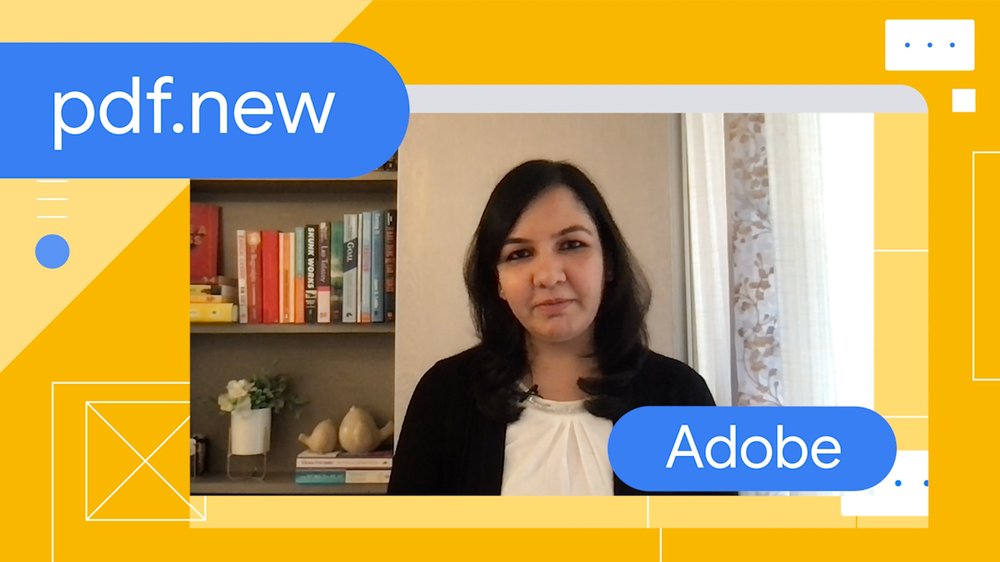
It’s been a year since we introduced .new as a domain extension to help businesses build memorable shortcuts to their products. And since then, people from all walks of life have been using these shortcuts to get things done. We recently checked in with three teams that started using .new early on — Adobe, Glitch and Google Workspace — to see if their customers are enjoying the shortcuts they created.
Adobe
Adobe launched 14 .new shortcuts to help their users create, convert, compress, sign and design elements within their apps. In this video, you’ll see why pdf.new is a convenient way for anyone to find their favorite Acrobat tools on the fly:
Why Adobe launched pdf.new and other shortcuts
Glitch
Glitch makes it possible for anyone to build a web app right in their browser and instantly publish their application. Reception for glitch.new has been enthusiastic, with more than 8,000 apps already created through their shortcut. They also received positive community feedback, which led them to add new features, including the ability to remix any of their starter apps:
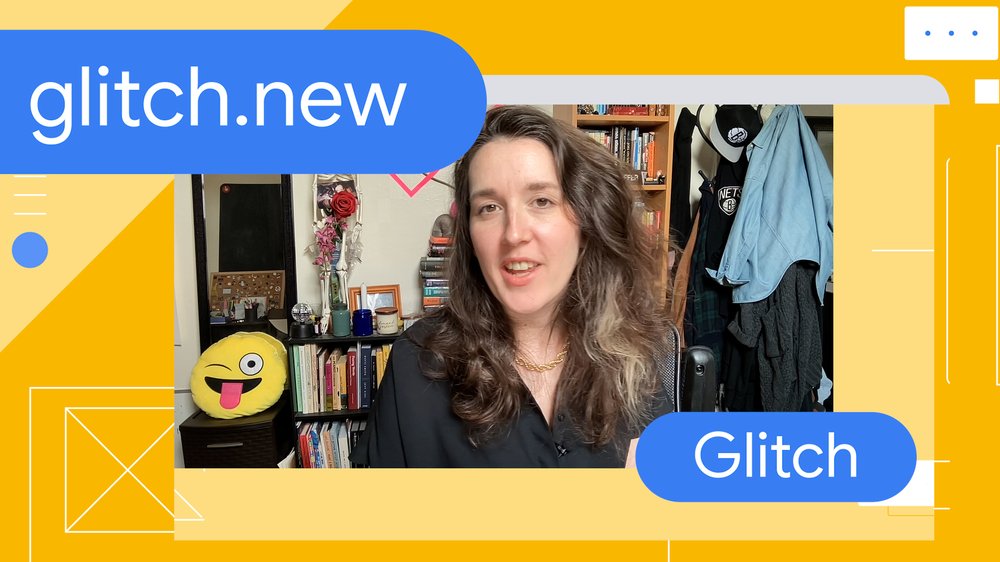
How glitch.new helped Glitch reduce time to deployment
Google Workspace
The Workspace shortcuts (docs.new, sheets.new, slides.new, and more) were the original inspiration for launching .new. Since October 2018, we’ve seen over 30 million docs created with the docs.new and doc.new shortcuts alone:
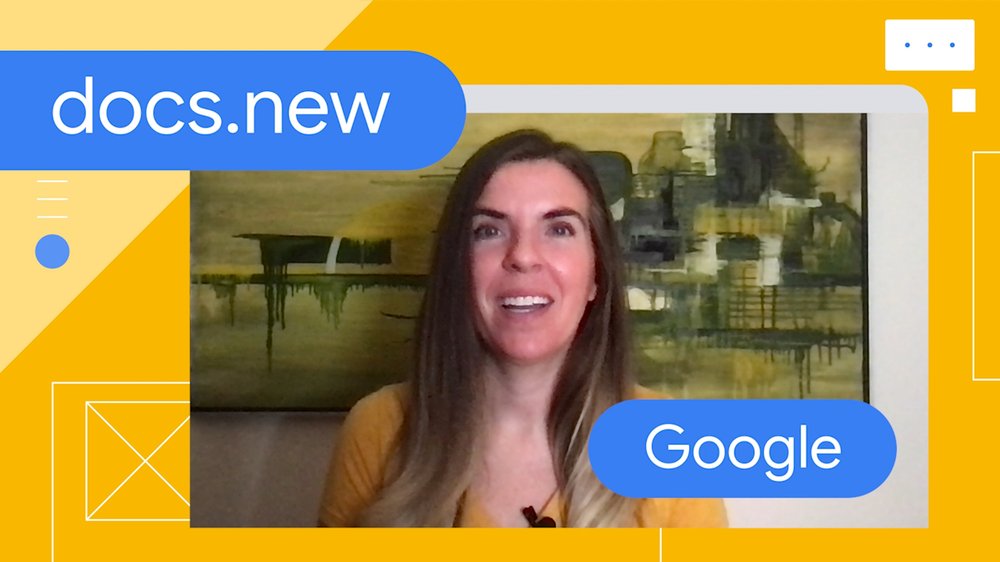
How Google Workspace’s .new shortcuts used social media to gain popularity
What’s one thing the Adobe, Glitch and Workspace .new shortcuts have in common? They’re helpful in the classroom, for both students and teachers. So as we head into fall, here’s a roundup of some of our favorite shortcuts to help with back-to-school season:
-
Quizlet.new makes it easy to learn any subject with study tools like flash cards, practice tests and explanations proven to help with learning.
-
Kahoot.new allows you to easily create and host educational games on any topic.
-
Slides.new makes it easy to create a presentation for that big school project.
-
Fundraiser.new lets you design and sell custom apparel for your next school fundraiser.
Any company or organization can register its own .new domain. Get inspired at whats.new/shortcuts.
Come verificare la validità del Green Pass

Amazon Games, l’easter egg sull’invasione aliena nei termini di utilizzo

Facebook, crittografia omomorfica per la pubblicità mirata
11 things to love about the new Nest Cam and Doorbell
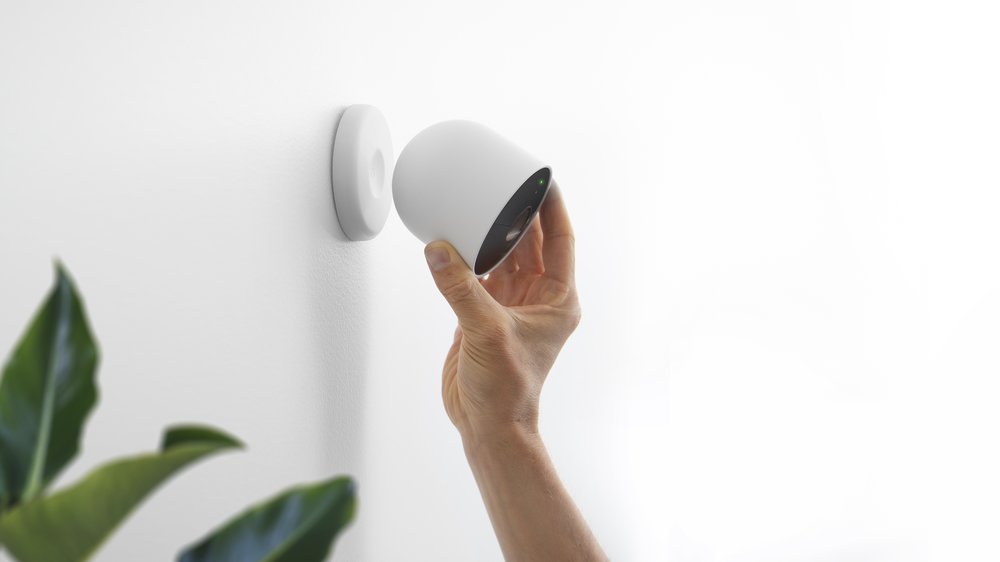
Google Nest Cam (battery) and Google Nest Doorbell (battery) are the latest additions to the Nest family — and they’re Nest’s first battery-powered security devices, built for every home. Here are 11 things to know:
- Smarter alerts, right out of the box:Your new Nest Cam and Doorbell can do more right out of the box because we moved object detection on-device, allowing us to include features that are usually behind a subscription (like Activity Zones and smart alerts, including package, animal, vehicle and person detection) for no additional cost, plus three hours of event video history. Thanks to on-device processing, they can also record up to a week’s worth of events if power or Wi-Fi is out.
- Made with Machine Learning:Building a camera that uses ML to recognize objects requires showing the ML model millions of images first. Our new Nest Cameras and Doorbells have been trained on 40 million images to accommodate lots of different environments and lighting conditions. Thanks to a cutting edge TPU chip, our new cameras run an ML model up to 7.5 times per second, so reliability and accuracy are even better.
- Works in any home:Nest Cam and Doorbell’s wire-free designs, built-in rechargeable batteries and optional power connectors allow you to install them where you want — not only where there’s a power outlet or pre-existing wiring.
- Set up your way: Make sure to check out Google Store’s accessories. In addition to weatherproof cables, a tabletop stand with a power cord allows you to place your Nest Cam on an indoor surface, like a mantle. There’s also an anti-theft mount that tethers your Nest Cam to the magnetic mount for extra security. For Nest Doorbell, there’s a horizontal wedge and an AC adapter.
- Works better, together: Nest Cam and Nest Doorbell seamlessly work with your Nest displays. Just say “Hey Google, show me the backyard” to see your Nest Cam feed. And you can set up your speakers and displays to chime when someone rings your Nest Doorbell, while using your display to see who’s at the door and take action from the screen.
- All on the Google Home app: It’s easy to see all of your events quickly, and your 24/7 live feed at any time in the Google Home app. If you have more than one Nest camera, you can view all of them in one place, alongside your other connected home devices. You can even filter by event type — for example, you can pull up every package delivery.
- See clearly in a variety of conditions:Both Nest Cam and Nest Doorbell have night vision, 6x zoom, and HDR so images are crisp in the dark or bright light. And we gave Nest Doorbell a taller field of view so you can see visitors from head to toe and packages as close as eight inches away from your door.
- Extra secure with a Google account: Your devices are only as secure as your account. That’s why the new Nest Cam and Nest Doorbell require a Google account, which comes with added protections like suspicious activity detection, 2-step verification and password checkup. Read more about our commitment to privacy and security in Nest’s dedicated Safety Center.
- Add a Nest Aware subscription:With a Nest Aware subscription ($6 monthly), you’ll get familiar face detection and the ability to call 911 from the Google Home app (U.S. only) as well as 30 days of event video history. With a Nest Aware Plus subscription ($12 monthly), you’ll get all of this with 60 days of event video history and the option for 10 days of continuous video recording when your Nest Cam is plugged into a power outlet.
- Made with care: Nest Cam and Doorbell are made with recycled materials and rigorously tested through drops and extreme weather, like heavy rain and hurricane-strength winds.
- Built for your life: Nest technology is designed to fit into your home, not distract from it. Nest Cam is sleek and white and fits in anywhere — indoors or outdoors. And Nest Doorbell’s design was inspired by clean, minimalist architecture. In the U.S., it comes in four different colors so your front door can make a great first impression.
The new battery-powered Nest Cam and Nest Doorbell are available for pre-order today for $179.99 — you can visit the Google Store to find out more, including whether Nest Cam and Nest Doorbell will be available in your country.
New from Google Nest: The latest Cams and Doorbells are here
Google Nest’s mission is to create a home that takes care of the people inside it and the world around it.. All of this starts with helping you understand what’s happening within the walls of your home and outside of it.
One of Nest’s first goals was to simplify home security, and we did this with our first line of cameras. So when we started dreaming up what our next generation of cameras and doorbells would be like, we wanted to incorporate the way the connected home — and your expectations — were heading. That included smarter alerts, wire-free options for installation flexibility, greater value and beautiful designs, plus enhanced privacy and security. We wanted our new line to give you the most comprehensive set of intelligent alerts right out of the box, and easily work with your other Nest products, like displays.
Today we’re introducing our next-generation Nest Cams and Doorbell: Google Nest Cam (battery) is our first outdoor/indoor battery-powered camera ($179.99); Google Nest Doorbell (battery) is our first battery-powered doorbell ($179.99). Then there’s Google Nest Cam with floodlight, our first connected floodlight camera ($279.99) and finally the second-generation Google Nest Cam (wired), a wired indoor camera and our most affordable Nest Cam ever ($99.99).
The new battery-powered Nest Cam and Nest Doorbell are available for preorder today and will go on sale on Aug. 24. Nest Cam with floodlight and the new wired indoor Nest Cam are coming soon.
Security with smarts
Because we’re all overloaded with notifications every day, our next-generation cameras and doorbell are made to send you the most helpful alerts. They detect important events that happen in and around the home, including alerts for people, animals and vehicles — and in Nest Doorbell’s case, also packages. Our new cameras and doorbell can do this because they process what they see on-device, which means more relevant notifications and added privacy and security. On-device processing means that all of this works right out of the box, no subscription required.