
Con i rincari delle bollette, mi conviene ancora usare un’auto elettrica?
Ultimo aggiornamento: 2022/09/07 11:15.
L’ondata globale di rincari delle tariffe elettriche generata dalla crisi energetica ha ovviamente spinto gli hater della mobilità elettrica ai soliti gné gné sulla falsariga di “e adesso che la corrente aumenta non ti conviene più tanto l’auto elettrica, eh?”. Mi piacerebbe capire perché esistono gli hater delle auto elettriche ma non, che so, degli asciugacapelli o delle piastre di cottura a induzione, ma questa è un’altra storia.
Rispondo pubblicamente qui agli gné gné e ai curiosi con i dettagli del mio caso personale (spoilerone: sì, mi conviene tanto lo stesso). Magari possono interessare a qualcuno per fare paragoni o conoscere la realtà di un paese che ha da poco superato l’80% di consumo elettrico coperto da energie rinnovabili (68% idroelettrico). Al momento il cambio euro/franco è sostanzialmente alla pari, per cui scusatemi se non indico le conversioni.
Sono uscite da poco le tariffe 2023 del mio fornitore di energia elettrica (AIL); i dettagli sono indicati sul sito dell’AIL nel Rendiconto 2021 e nel Rapporto annuale integrato.
Io ho attualmente un contratto Casa tìacqua giorno-notte, che attualmente ha i seguenti costi, IVA 7,7% esclusa (in grassetto i costi 2023):
- un costo fisso di 3,30 CHF/A/anno (invariata; ho un contratto da 25A, quindi 82,5 CHF/anno)
- una tariffa di trasporto diurna (dalle 6 alle 22) di 6,75 CHF/100 kWh (7,40)
- una tariffa di trasporto notturna (dalle 22 alle 6) di 5,05 CHF/100 kWh (5,90)
A questo si aggiunge la tariffa di fornitura:
- diurna (6-22) di 7,75 CHF/100 kWh (13,80)
- notturna (22-6) di 6,20 CHF/100 kWh (11,75)
C’è anche un contributo all’ambiente:
- 0,60 CHF/100 kWh (a qualunque orario) (invariato)
Sul fronte fiscale, invece:
- Tassa prestazioni di sistema generale Swissgrid: 0,16 CHF/100 kWh (0,46)
- Contributo federale per le energie rinnovabili: 2,20 CHF/100 kWh (invariato)
- Risanamento ecologico impianti idroelettrici esistenti: 0,10 CHF/100 kWh (invariato)
- Tassa per l’utilizzo del demanio pubblico: 0,99 CHF/100 kWh (0,93, ridotto)
- Fondo cantonale per le energie rinnovabili: 1,20 CHF/100 kWh (invariato)
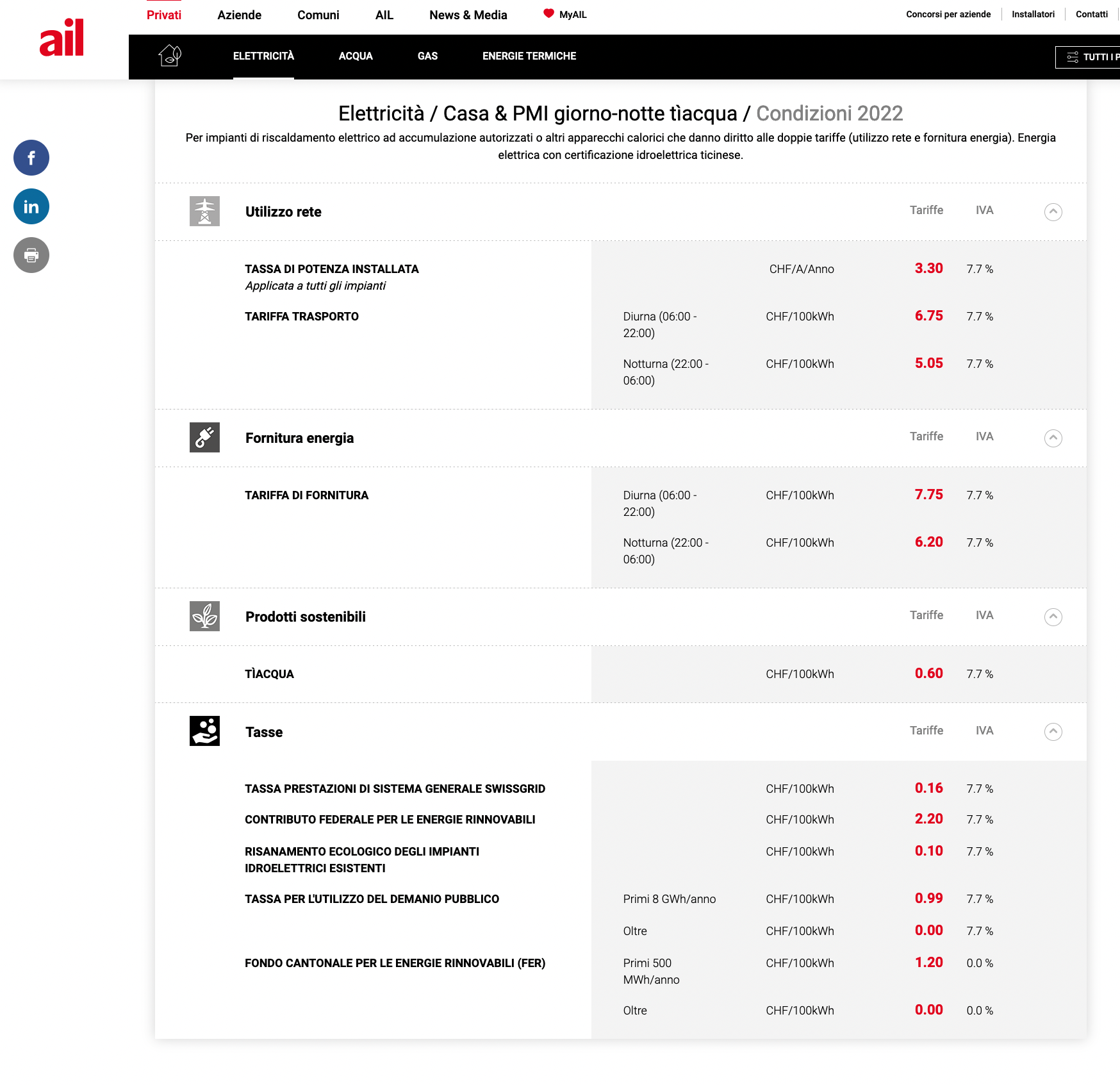

Se ho fatto bene i conti, questo porta a un costo complessivo (IVA inclusa) al kWh di 0,21 CHF di giorno e 0,18 CHF di notte. Un “pieno” della mia auto elettrica principale (una Tesla Model S da 62 kWh reali), pari a 330 km di autonomia a velocità autostradali, attualmente mi costa quindi 13,13 CHF se fatto di giorno e 10,96 CHF se fatto di notte sulla mia presa elettrica domestica. Il costo attuale per 100 km è 3,98 CHF per carica diurna e 3,32 CHF per carica notturna.
Con gli aumenti 2023, il costo complessivo al kWh passerà a 0,29 CHF/kWh di giorno e a 0,25 di notte e quindi lo stesso “pieno” verrà a costare 17,8 CHF se fatto di giorno e 15,4 se fatto di notte. Il costo per 100 km diventerà 5,38 CHF per carica diurna e 4,66 CHF per carica notturna.
Considerato che in un anno i consumi complessivi dell’abitazione (incluse le due auto elettriche) ammontano a circa 8.800 kWh (4.400 diurni, 4.400 notturni), la bolletta annua del Maniero Digitale (che non ha gas ma ha scaldabagno, forno e fornelli elettrici) dovrebbe passare da circa 1700 CHF a circa 2400 CHF, aumentando di circa 700 CHF. Spiacevole, ma sopportabile rispetto ai salassi che stanno colpendo tanti utenti privati e commerciali.
È ancora conveniente per me la carica dell’auto elettrica rispetto al carburante? Sì. Anche alla tariffa elettrica massima, spendo 5,38 CHF/100 km. La benzina, qui in Svizzera, attualmente costa 2,07 CHF/litro, per cui con quello che spendo per fare 100 km in auto elettrica potrei comprarne 2,6 litri. Il che significa che per pareggiare dovrei avere un’auto a carburante che fa 38,5 km/litro. Direi che conviene ancora.
E non per mettere il dito nella piaga, ma posso caricare gratis a IKEA e ho ancora 10.000 km di carica gratuita ai Supercharger Tesla. Entrambi si trovano a due chilometri dal Maniero, nel centro commerciale dove vado abitualmente. Sì, sono fortunato e me ne rendo conto.
Huawei Watch GT 3, CLASSE ed ECCELLENZA da indossare al polso: bastano 174€
1995: Piero Angela presenta “Internet per tutti”
Era una sera del 1995 (il 28 aprile, per la precisione). Alla Rai c’era Superquark, di cui ovviamente non mi perdevo mai una puntata. Vidi che Piero Angela stava parlando di Internet, che allora era una novità, come sentite dalle sue parole. Poi, a sorpresa, presentò il mio libro Internet per tutti. Un momento magico che ha contribuito tanto alla mia carriera. Grazie, Piero, e non solo di questo.
Fra l’altro, se volete leggere quel mio libro e farvi un tuffo nell’Internet di quasi trent’anni fa (con cose come archie, gopher e WAIS), è disponibile integralmente online.
Apple iPad Air (Wi-Fi, 64GB) improvviso calo di prezzo su Amazon (-100€)

More ways to drive sustainably and save money with Google Maps
Imagine you’re planning a day trip from your home in Athlone, Ireland over to Limerick – over an hour and a half journey. To decide how to get there, you open Google Maps — which offers multiple navigation options including walking, cycling and public transit directions. Given the length of the trip, it makes the most sense to drive, and you immediately search for the fastest route.
But what if there were other options: A route that would take nine minutes more, but would save nearly 30% of your expected fuel consumption?
Now rolling out: Eco-friendly routing across Europe
This is now possible thanks to eco-friendly routing in Google Maps, which starts rolling out in nearly 40 countries across Europe today. With eco-friendly routing, you can choose a route that’s optimized for lower fuel consumption, which helps you save money on fuel and reduce carbon emissions — something that’s top of mind for many Europeans. And this is a real concern – according to Statista’s 2022 report, road transportation is the largest source of carbon emissions throughout Europe.
Now, in addition to showing the fastest route, Google Maps will also display the one that’s most fuel efficient, if it doesn’t happen to also be the fastest. With just a few taps, you can see the relative fuel savings and time difference between the two routes and choose the one that works best for you. Always want to choose the fastest route, no matter what? That’s okay too — simply adjust your preferences in Settings.
Eco-friendly routing is making an impact around the world. Since launching in the U.S. and Canada, it’s already estimated to have helped remove more than half a million metric tons of carbon emissions — equivalent to taking 100,000 fuel-based cars off the road. We also recently rolled out the feature in Germany.

With eco-friendly routing, Google Maps will show you both the fastest route and the one that’s most fuel-efficient — so you can choose whichever one works best for you.
Get the most fuel-efficient route based on engine type
The most fuel-efficient route will vary based on what type of engine you have. For example, diesel engines are usually more efficient at higher speeds than petrol or gas engines, while hybrid and electric vehicles perform better in stop-and-go traffic. That’s why, in the coming weeks, we’ll make it possible for drivers using eco-friendly routing in Europe, the U.S. and Canada to select their engine type — petrol or gas, diesel, hybrid or electric vehicle (EV) — in order to get the best route and most accurate fuel or energy efficiency estimates.
This technology is made possible thanks to insights from the U.S. Department of Energy’s National Renewable Energy Laboratory (NREL) and data from the European Environment Agency. By pairing this information with Google Maps driving trends, we were able to develop advanced machine learning models trained on the most popular engine types in a given region.
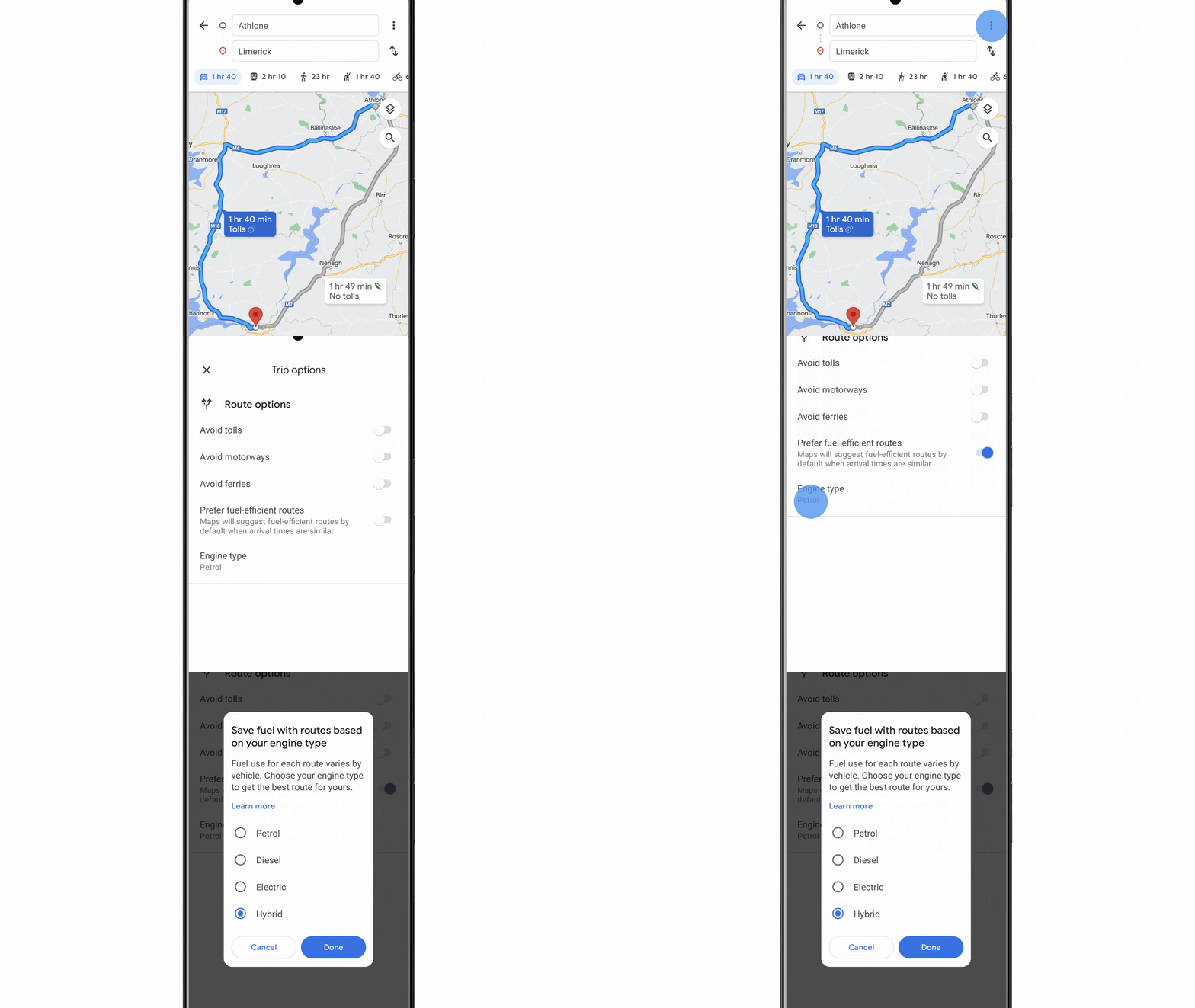
In the coming weeks, we’ll make it possible for drivers using eco-friendly routing in Europe, the U.S. and Canada to select their car type — petrol or gas, diesel, hybrid or electric vehicle (EV).
Helping you make sustainable choices with Google Maps and beyond
Whether you’re staying local or traveling, Google can help you get where you need to go more sustainably with a few helpful tips:
- It’s electric! If you have an electric vehicle, just search for “EV charging station” on Google Maps to see charging stations nearby, along with helpful details, like port types and charging speeds. And for some stations, you can even see if a charger is available right now, helping you avoid the wait and save valuable time.
- Swap four wheels for two. Often, the most sustainable choice doesn’t involve a car at all, and Google Maps can help you with alternate ways to get around. We recentlyannounced more cycling route information, including a more detailed breakdown of your route and whether you’ll encounter heavy car traffic, stairs or steep hills on the way. And you can find nearby bike and scooter shares in over 500 cities around the world including Barcelona, Berlin, London, Paris, and Rome.
- Walking the walk. Google Maps offers turn-by-turn directions for pedestrians. To ensure you’re not walking the wrong way, Live View uses augmented reality to display arrows and directions clearly overlaid on the map. Plus, you can preview your walking route with Street View.
- Navigate public transport with ease. By tapping on the transit icon in Directions, you get directions to your destination by bus, train, subway and even ferry. When available, you can see real time arrival and departure times, transfers, and service delays. And Google Maps gives you all the information you need to be prepared, like how crowded your ride will be, what the temperature is like, and if there are wheelchair-accessible routes available.
- Sleep more sustainably. Google Search helps you find hotels that have made significant commitments to green practices. Hotels that are certified for meeting high standards of sustainability from certain independent organizations, like Green Key or EarthCheck, will have an eco-certified badge next to their name. This helps you understand their eco-friendly practices, from waste reduction to energy efficiency to water conservation measures.
All this is part of our commitment to empower 1 billion people through Google products by the end of the year – by making the sustainable choice an easier choice.
New features for businesses in Android 13
Android 13 gives businesses using Android Enterprise new ways to get more out of their devices — including an upgraded Android Management API, an easier-to-use work profile, and more ways for IT admins to manage and protect company and employee devices. Let’s take a closer look at these new business features.
More tailored experiences
Starting with Android 13, the Android Management API goes beyond just managing device policies. It can now customize employee experiences on corporate devices, like device provisioning and user settings. This also means the Android Enterprise team can roll out helpful new features and management capabilities more frequently, starting with devices running Android 13.
Easier navigation on work profile
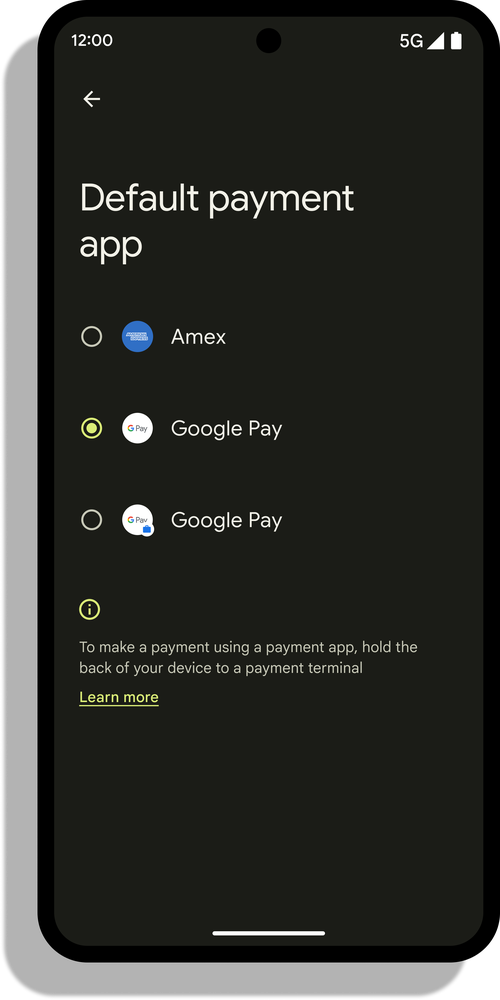
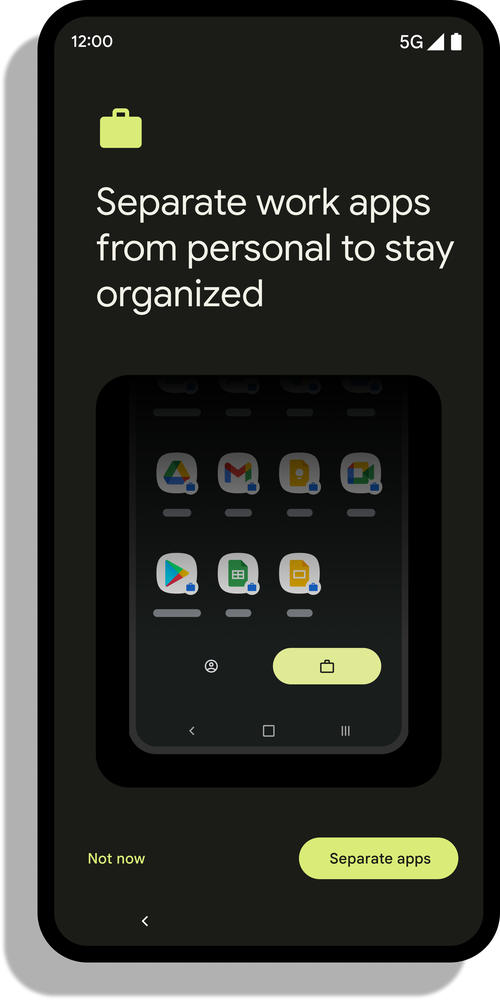
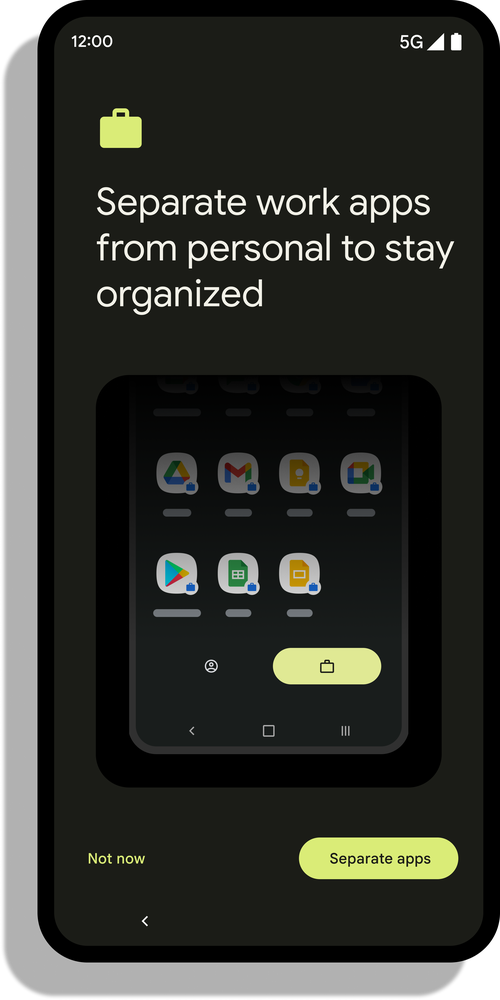
Work profile already helps keep company data accessible and secure, and personal profile data private and separate — all on a single device. In Android 13, work profile gives employees an even smoother experience, offering a simpler design, improved productivity and new cross-device capabilities.
Navigating between work and personal profiles is now more intuitive, all while respecting cross-profile admin policies. Employees can choose to open an app in either their work or personal profile, depending on where it’s installed. If they’d prefer to keep work-related content out of their personal apps — so a work-related training video on YouTube doesn’t affect their personal watchlist, for example — they can choose to access that content in their browser instead. Employees can also switch between work and personal photo galleries when sharing pictures with an app, granting access only to selected files rather than their entire media library.
You’ll find more productivity tools in work profile, too. Smart dictation is now available in work profile apps on Pixel devices, so Android’s dictation recommendations stay separate — keeping corporate jargon dictated for work emails out of personal chats. All Android 13 devices can also now use Near-field communication (NFC) from work apps to enable use cases like digital access badges and tap-to-pay from work profile.
More productivity features are coming soon to Android 13, thanks to new integrations between Phone Hub and Android and ChromeOS. Employees will be able to securely respond to and access work information that’s on their phones — including messages, notifications and pictures — from their corporate Chromebooks. And those interactions will be protected by end-to-end encryption and company management policies.
Built-in security and privacy
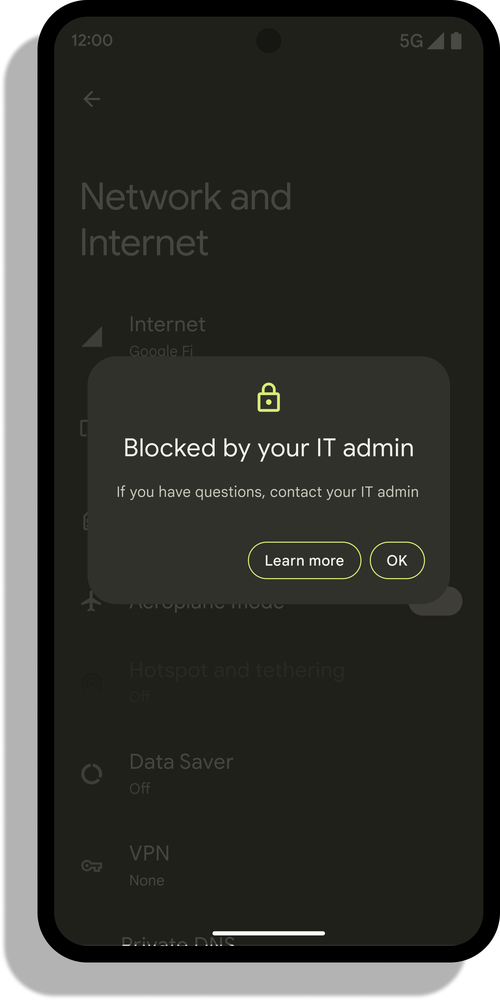
With each new release, Android Enterprise’s security protections get even stronger with new management capabilities, user controls and platform improvements.
For example, on a new central hub, employees can manage device security and privacy settings, and view company policies applied on the device as well as device data shared with IT admins.
Android 13 also gives IT admins more control over device Wi-Fi connectivity for features like Wi-Fi Direct and Wi-Fi tethering. It adds security logs for Wi-Fi, Bluetooth and password activities in line with National Information Assurance Partnership (NIAP) requirements. And for faster security patches, Android 13 has added Bluetooth and ultra-wideband (UWB) to the list of more than 30 modules that can be updated remotely through Google System Updates.
New features like Lost Mode and Stay Private on Work Wi-Fi are coming soon to Android 13. When Lost Mode is activated, IT admins can lock down and locate company-owned devices, prevent unauthorized access and display company contact information on the device screen. Meanwhile, Stay Private on Work Wi-Fi will further improve employee privacy by automatically encrypting and routing network traffic for personal profiles when employees are on company Wi-Fi. Both features will be available through the Android Management API.
Ready to put Android 13 to work for your business? Sign up for our webinar on September 29 to learn more about how Android 13 is supporting today’s working world.
POCO X4 Pro 5G (8+256GB): l’All Around Ace è al minimo storico su Amazon
Apple iPhone 14, ecco prezzi e novità clamorose sui nuovi Melafonini
Java e JavaScript non sono la stessa cosa ma..
Java e JavaScript sono due linguaggi diversi ma la storia di quest’ultimo rivela dei punti in comune inediti
Leggero, stiloso e colorato: HUAWEI Band 7 è il lo smartband dell’Estate
Instagram stoppa il porno: Meta rimuove l’account di Pornhub

Evento Restart di Roberto Re. Ripartire a settembre

Ripartire a settembre sfruttando appieno il proprio potenziale con l’evento Restart di Roberto Re Tre giornate di formazione a offerta libera, i cui proventi saranno interamente devoluti alla Fondazione Exodus di…
L’articolo Evento Restart di Roberto Re. Ripartire a settembre scritto da Paolo Brambilla proviene da Assodigitale.