Memorizing passwords is hard. That’s why many of us use the same password across multiple sites. But this practice poses a huge risk, since it only takes one password breach to expose your account data from many different sites.
Not only that: changing passwords is itself a tedious task. You have to navigate to the site, sign in, find the account settings, open the password page — and then save it. Rinse and repeat on all your favorite sites, and that’s a lot of work.
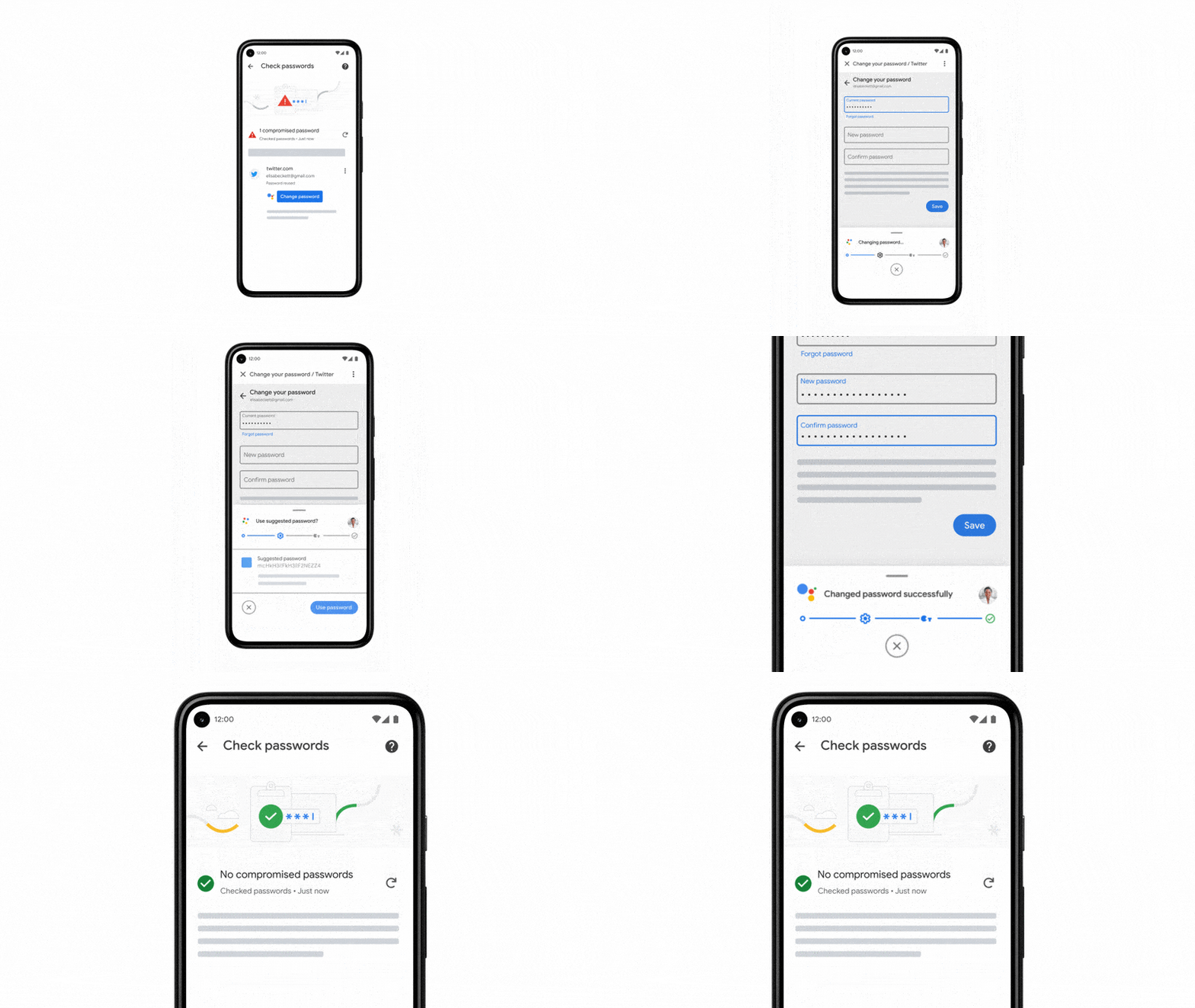
The good news is that Chrome comes with a strong password manager built-in. It’s been checking the safety of your passwords for a while now. And starting today, whenever Chrome detects a breach, it can also fix any compromised passwords quickly, and safely.
Warning you about stolen passwords — and fixing them, too
Going forward, Chrome will help you change your passwords with a single tap. On supported sites, whenever you check your passwords and Chrome finds a password that may have been compromised, you will see a “Change password” button from Assistant. When you tap the button, Chrome will not only navigate to the site, but also go through the entire process of changing your password.