Malware: scoperto Chaos, attacca Windows e Linux via DDoS
I ricercatori di sicurezza informatica hanno scoperto un nuovo malware denominato Chaos che attacca i dispositivi Windows e Linux via DDoS.
Leggi Malware: scoperto Chaos, attacca Windows e Linux via DDoS
Portafoglio RFID in pelle e carbonio: con appena 19€ ADDIO alle truffe
One researcher’s take on Google’s mentorship program
As a sophomore at Howard University, Leslie Coney discovered what would soon become her “superpower” while she and a friend were washing their hands in the bathroom. Attempting to use the hand dryer, they noticed it worked without issue for Leslie, but not for her friend, who had darker skin. Leslie shared this experience with a professor, who introduced her to the field of Human-Computer Interaction (HCI), the study of how humans interact with technology.
Leslie started questioning who was actually considered when designing, building and testing technologies. This kicked off her computer science (CS) research journey in Human Centered Design and Engineering, specifically exploring how Black people can influence and are impacted by technology.
Today, Leslie is a PhD student at the University of Washington with a focus on Black maternal health. She’s also a recent graduate of Google’s CS Research Mentorship Program (CSRMP). Through mentorship and peer-to-peer networking, CSRMP supports undergraduate and graduate students from historically marginalized groups pursuing computing research. The program aims to increase the diversity of PhD graduates in computing-related fields and ensure the broader community of CS researchers includes the experiences, perspectives and concerns of people worldwide. Since 2018, CSRMP has hosted more than 730 students across more than 230 institutions. And our next class of nearly 300 students starts in just a few weeks.
Reflecting on her CSRMP experience, Leslie shared more about its impact on her career and her advice for future participants.
How did you get into the research field?
I focused on building community, seeking guidance from my professors and taking advantage of as many resources as possible both on and off-campus. For example, I received funding through Google’s Conference Scholarships program to attend conferences like Tapia and Grace Hopper Celebration, where I connected with other Black women researchers.
How did CSRMP prepare you for the next step in your research career?
My mentor helped me think critically about my research interests and what makes a program and advisor a good fit for me. He encouraged me to ask the tough questions when figuring out where I could be most successful in graduate school. He also helped me better understand what rigorous research looks like in academia and what to expect as a PhD student.
Were there any challenges you had to overcome during your time in CSRMP?
I wasn’t the most comfortable in my pod at first, given that I was the only Black woman in the group. My experience at a Historically Black University influenced me to focus my research efforts on the Black community — which was something I was proud of but nervous to share with folks who aren’t Black. There is an unnecessary pressure placed on researchers from marginalized groups to validate why centering marginalized experiences is sufficient and valuable. However, my CSRMP mentor and podmates reaffirmed this decision and supported my pursuit. Also, there are very nuanced experiences in academia that are specific to Black women, and while my mentor couldn’t fully prepare me for them, he still encouraged me to seek relationships that could close that gap.
You just published your first piece! Tell us about it.
Yes, I did! My article, “Why you being WEIRD to me?: reflections of a black researcher on WEIRD-ness in HCI,” started out as a final assignment last fall. I was tasked with writing about common threads throughout readings on diversity, or the lack thereof, in HCI. Afterward, a peer and fellow Black woman researcher invited me to write something for the next edition of the Association for Computing Machinery XRDS series. Writing the paper was so much fun — I got to exercise my critical thinking muscles, incorporate cultural references and prioritize accessibility so people outside academia could engage, too.
What advice do you have for students who are underrepresented in CS research and getting started in this field?
More likely than not, you gravitate toward your lived experiences. So be confident in your identities and take advantage of programs like CSRMP to help you back up those lived experiences with practical knowledge. Next, treat the graduate school application process like dating — once you’re accepted, the ball is in your court to decide whether or not that program is a good fit for you. You have to be sure that you will feel safe and supported being yourself and conducting your research. Lastly, pace yourself and have fun! A PhD is a long commitment, so be sure to find a balance between work and play.
Congratulations to all the students who graduated from CSRMP in the first half of 2022. We look forward to supporting future students like Leslie, who are taking charge in computing research. Applications are now open for the January 2023 mentorship cycle — spread the word and apply by October 26, 2022.
14 fun details I noticed in my first 14 days with a Pixel
After nearly three years of working at Google, I’ve definitely leaned into all kinds of “Googley” things. I got doogler bandanas for my dogs. I’ve become a bit of a Chrome OS power user (no brag). And you’ll never be able to pry my Pixel Buds from me (unless it’s because I’m upgrading them…more on that later). But there’s one area where I’ve held out from joining in: the Pixel phone.
Until now! Two weeks ago, I made the switch to a Pixel 6a. And yes, I have been loving some of the biggest Pixel features, like Night Sight, Magic Eraser and Live Translate. But I’ve enjoyed the small, delightful things, too — tiny details and thoughtful touches that I knew about in theory but didn’t fully appreciate before joining the club.
Without further ado, here are 14 things, big and small, that I ended up loving in my first 14 days with Pixel.
1. Setting up my Pixel was easy.
The worst part of getting a new phone is the setup and transfer from your old device to the new — and that’s honestly been a major part of what’s held me back! But I quickly learned that being a general Google user made this so much easier an experience than when I’ve changed devices in the past. Because I’ve had a Gmail account for years (from long before I was a Googler), logging into my new Pixel with my account meant that all the things I needed — my email, my documents, my photos — were immediately there. I was even able to transfer my messages with the help of the Pixel guidebook on transferring data. It was definitely my easiest and swiftest transfer experience.
I was set up in no time.
2. I’m into the look and feel of the new Pixel cases.
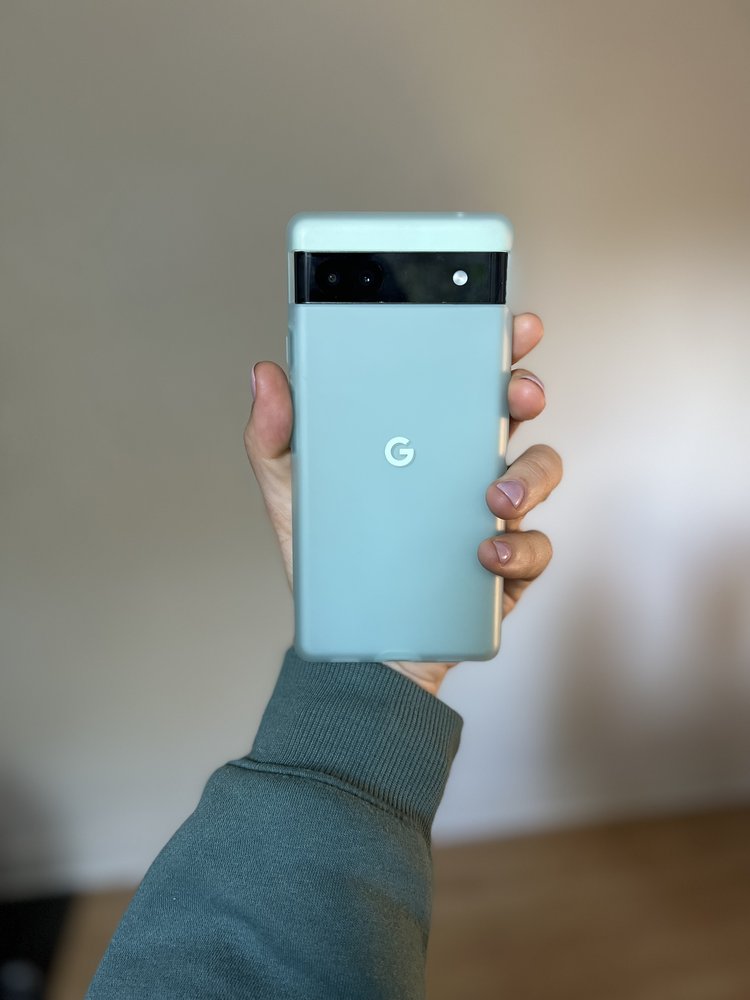
Aesthetics matter! I love the color combo of the case and the device, and because the cases are semi-translucent, there’s tons of mix-and-match potential. The slightly rubbery feel of the case (which is made of plastic with an inner layer of 75% recycled materials) is extremely satisfying, too.
Yes, I have a thing for blues and greens, why do you ask?
3. The Pixel 6a feels light in my hand.
There’s nothing bulky about it. It weighs about 6.3 ounces — which is about the same as six pencils! I’ve always had metal phones, and the Pixel’s light tactile alloy frame is something I didn’t think I would notice, but definitely do.
4. The haptic feedback feel is satisfying.
Every device has its own unique haptic feel — that slight vibration that signals a notification — and I really enjoy how the haptic feedback feels on the Pixel 6a. That’s because the technology powering this mechanism was upgraded with the Pixel 6 family, resulting in tighter, more precise vibrations.
5. My Pixel’s lock screen looks lovely every time.
When my phone is asleep and I unlock it from the blank screen, the thumbprint icon lights up and illuminates the screen, and it’s really beautiful. It’s little things like this that caught my eye when I booted up my Pixel for the first time.
6. I’m also a big fan of the charging screen.
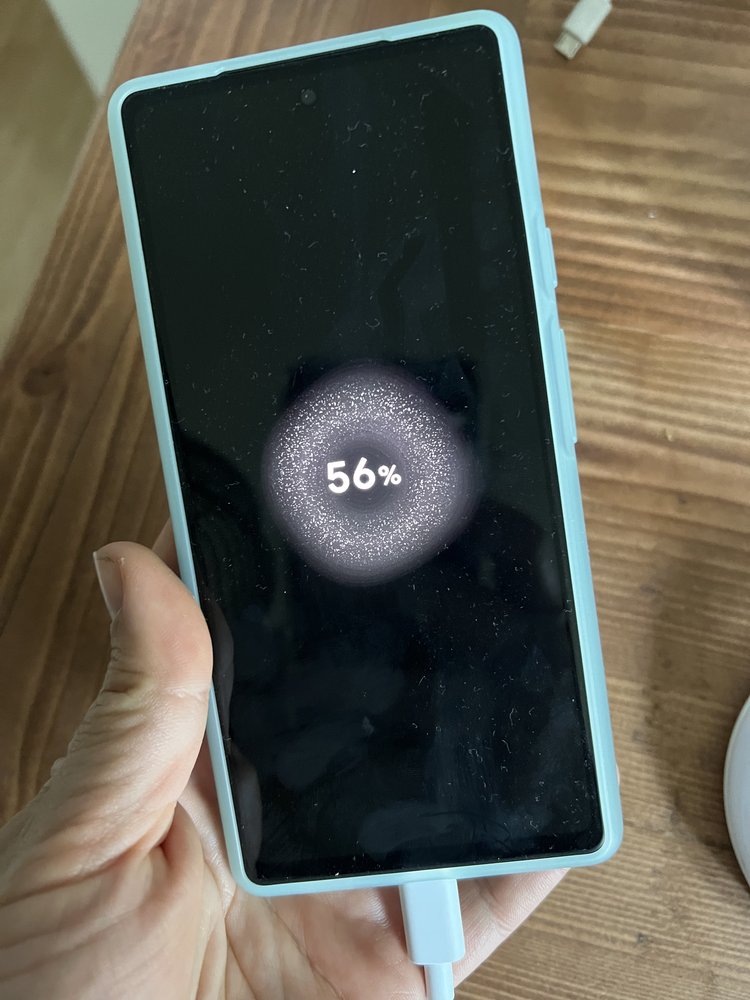
When my Pixel is turned off and charging, the screen displays a cool light-up effect showing how much charge it has. It’s a fun visual, and it’s also nice to see immediately how much battery my Pixel 6a has left.
When it’s turned off and plugged in, the Pixel 6a shows you a nifty charging screen.
7. Oh, and the battery just keeps going and going.
I’m certainly not the first one to notice it, but the battery life is incredible — it can easily last for 24 hours and up to 72 if I use Extreme Battery Saver
8. I can say goodbye to shaky panoramas.
I could go on and on about the Pixel camera. My photos look brighter and crisper compared to my old phone, and the camera bar is very slick. Specifically, my panoramas benefitted; I don’t feel like I have shaky hands until I see some of the panoramic shots I try to grab — but the frame icon that moves along with me as I move the phone makes for a much better end result.
9. And my landscape photos aren’t tilted!
One of my biggest photography pet peeves is posting a landscape photo and seeing a slanted line on the horizon. I want that nice, level photo, and I would prefer not to fix it in editing and perhaps lose details as they fall out of frame. The Pixel camera includes that level on screen, so while I’m taking a photo I already know it’s straight. That same “straightener,” as I think of it, also shows up when I’m taking a photo from up above something; when I point the camera down, it will show up to make sure I’m centered.
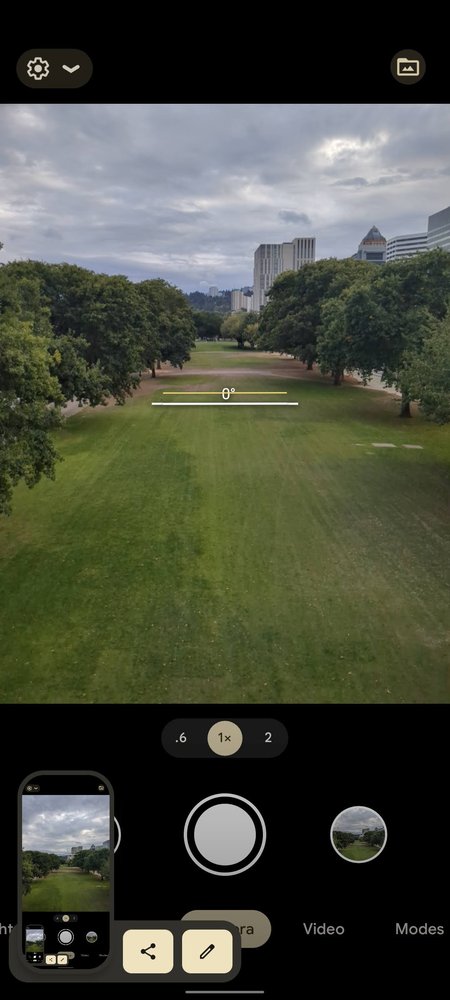
The leveling feature is one of my favorites.
10. Google Photos calls out photo dump duplicates.
I’m an “I need five photos of the same thing” type of photographer. Now, when I open Google Photos, the storage manager will automatically prompt me about things like blurry photos and doubles. I don’t miss scrambling to delete photos from my phone when I get the notification that my storage is dwindling.
11. My Pixel can read my screenshots to me.
I’m also a screenshot fiend (and a big fan of using the Quick Tap screenshot gesture), and I often take screenshots of cooking directions. I don’t know if everyone uses Lens for this purpose, but I rely on it to read directions on my phone out loud to me while meal prepping.
12. I love choosing custom colors for my wallpaper.
I found this setting particularly fun: You can head to your wallpaper settings and customize it so that all of the app icons complement your wallpaper photo. Now the colors of my app icons and other elements, like the time, match the background of my screen. Which is very cute, if I may say so.
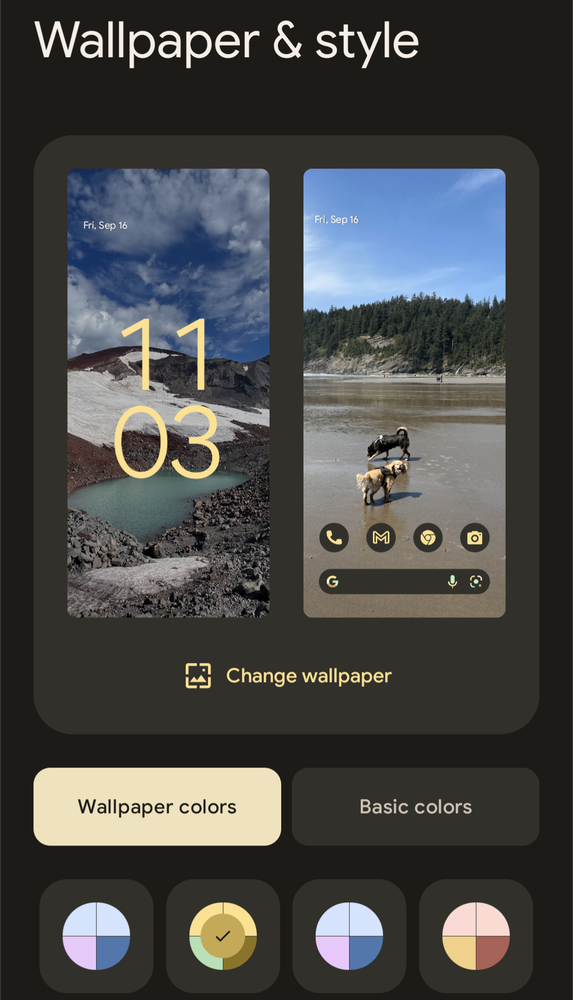
Good dogs deserve custom wallpaper colors.
13. I can customize my time-lapse videos, too.
I take a lot of time-lapse videos — I just feel so accomplished when I watch back my baking endeavors or home renovation projects from start to finish. With Pixel, I can toggle between x1, x10, x30 or x120 speeds. Plus, my phone tells me what these mega-speedy functions might be good for — for example, x30 is great for busy street shots.
14. And my Pixel can help me keep track of my Buds.
When I connected my (new) Pixel Buds
Cloudflare: ecco la prima SIM Zero Trust al mondo
Cloudflare ha presentato la prima SIM Zero Trust al mondo, permette di ridurre gli attacchi alle aziende dagli smartphone dei dipendenti.
Caricabatterie Anker 65W, tre porte USB C: per Mac, iPhone e Android, minimo storico
Video HDR, rilevazione movimento 3D, vista dall’alto: Ring Spotlight Cam Pro è una bomba
Adobe lancia Photoshop Elements e Premiere Elements 2023
Adobe lancia Photoshop Elements 2023 e Premiere Elements 2023 con nuove funzionalità basate sull’Intelligenza Artificiale
Leggi Adobe lancia Photoshop Elements e Premiere Elements 2023
HONOR Smartwatch Magic Watch 2 in super offerta: è da acquistare subito
Teclast M40S, il miglior tablet low cost: vale il doppio di quanto costa
Netgear Orbi: Wi-Fi Mesh per gli ambienti più grandi
The Frame (43”) crolla al minimo storico: sconto incredibile di 510€
Revolut Premium, hai 3 MESI GRATIS se ti iscrivi adesso
Conto online per trading online: quale servizio scegliere
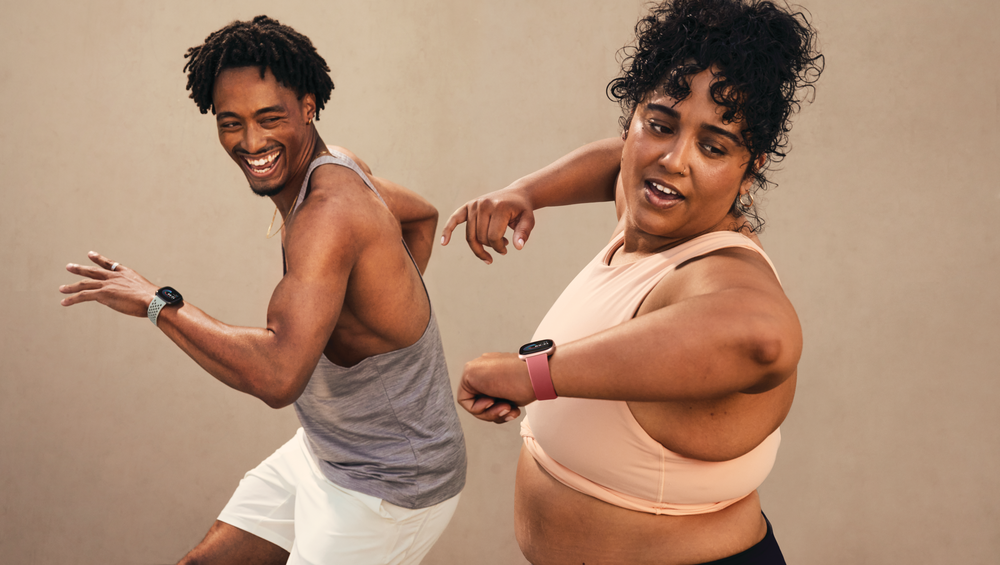
8 things to try now on Fitbit Sense 2 and Versa 4
Just a few weeks ago, we announced our latest generation of smartwatches, Sense 2 and Versa 4. These additions to our smartwatch lineup bring your wellness up a notch – and they’re available starting today.
If you’re setting your sights on fitness, Versa 4 offers features to help you stay accountable, monitor progress and reach your goals. But if you’re thinking more broadly about tracking your health and wellness, Sense 2 might be the device for you.
Here are the top features for each. Choose your own adventure:
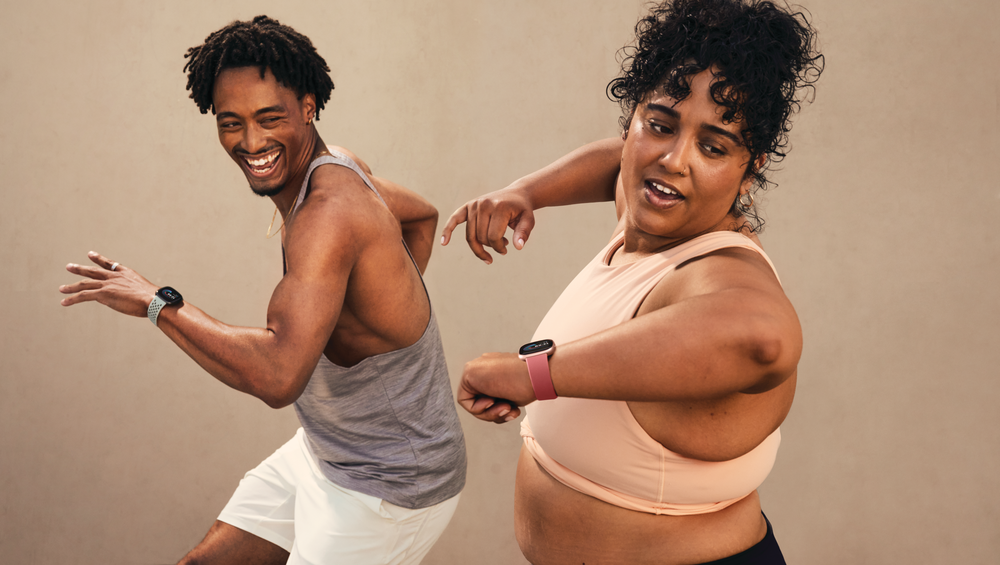
Sense 2 and Versa 4 offer a variety of features to reach your physical and mental health goals.
1. Level up your workouts.
Sense 2 and Versa 4 include more than 40 exercise modes available on-wrist – that’s more than double we’ve ever had. With daily workout guidance, real-time stats, personalized Active Zone Minutes and even the ability to leave your phone at home and still track pace & distance with built-in GPS, you’ve got all you need to reach your fitness goals on the court…or pool…or track…or gym – you get the picture.
2. Make sense of your stress.
For all-day stress management, Sense 2 offers a first-of-its-kind continuous Body Response sensor
3. Check if you need a rest day.
Understand what’s best for your body on any given day and enhance your workout routine with a Daily Readiness Score in Fitbit Premium. When you wake up, check out your score in the Fitbit app to see if you’re ready to push it to the next level or should take a rest day based on your activity, sleep and heart rate variability.
4. Keep a pulse on your heart health.
Did you know Atrial fibrillation (AFib) affects more than 33.5 million people globally? Your smartwatch can help identify the signs of AFib through an on-wrist assessment with the electrocardiogram (ECG) app on Sense 2 as well as the Irregular Heart Rhythm Notifications on both watches.

With Sleep Profile, Premium members receive a Sleep Animal and insights into their sleep habits.
5. Learn about your ZZZs.
A good night’s sleep is a key part of your overall wellness, and our newest Premium feature, Sleep Profile, provides insights on your sleep trends over the course of each month. Wear Sense 2 or Versa 4 for at least 14 nights each month, and you’ll get a Sleep Animal with a deep analysis of your sleep style, along with personalized guidance to help improve your sleep quality.
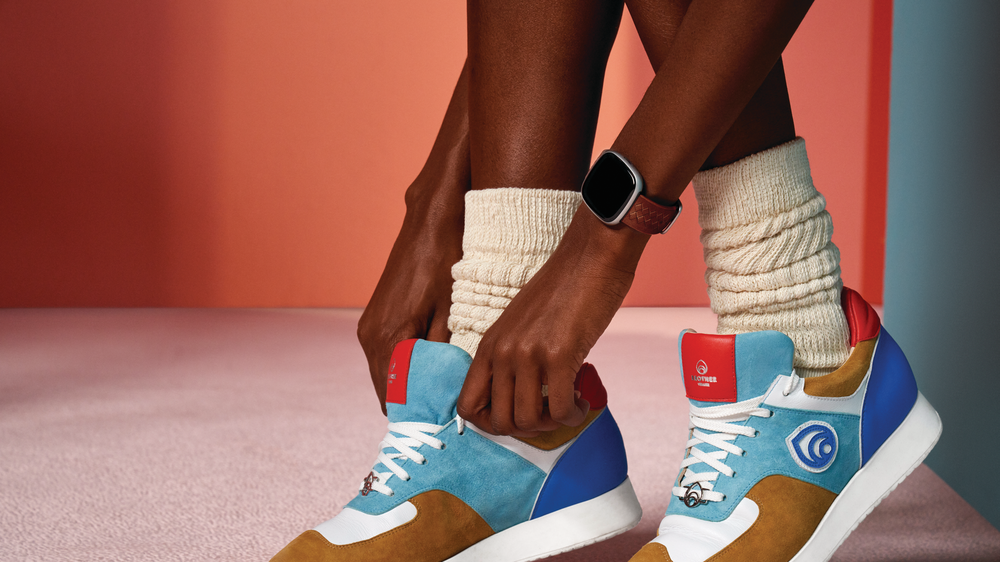
Elevate your look with the brand new collection of designer bands from Brother Vellies.
6. Amp up your style.
Switching up your day-to-day look has never been so easy and stylish. Choose from new colors of infinity, sport, woven, hook & loop, premium Horween leather or vegan leather bands—or try the new collection of braided Brother Vellies designer bands.
7. Customize your experience.
With an all-new operating system, Versa 4 and Sense 2 makes accessing the content you want easier, simpler and faster than ever before. Customizable tiles allow you to check the latest information – from your fitness stats or the weather – start an exercise and so much more with just one swipe.
8. Keep going…and going…and going…
Designed to keep up with your life, Sense 2 and Versa 4 are powered by a long battery life of more than six days. That’s almost a whole week without a charge! Leave it on all day and night, and when it’s time to recharge, fast charging gets you a full day’s worth of battery in just 12 minutes.

No matter what your week looks like, you can count on Sense 2 and Versa 4 for more than six days of battery life.
Versa 4 is now available for $229.95, and Sense 2 is now available for $299.95 (USD) at Fitbit.com, Google Store and select global retailers.