Apple AirPods (terza generazione) in promo su Amazon: sconto del 20% se le acquisti adesso
RustDesk, alternativa Open Source a TeamViewer
RustDesk è un’alternativa Open Source e multipiattaforma a TeamViewer per le sessioni di accesso remoto a terminali esterni
Apple, Amazon, Google e Microsoft: sotto accusa per oro sporco
Amazon, Apple, Google e Microsoft sono accusate di aver comprato oro estratto illegalmente da miniere nelle terre della Foresta Amazzonica.
Leggi Apple, Amazon, Google e Microsoft: sotto accusa per oro sporco
HUAWEI MatePad T 10s (Deepsea Blue), vale il DOPPIO di quanto costa (-80€)
E’ tempo di farti un bel tablet nuovo: lo HUAWEI MatePad T è oggi disponibile su Amazon scontato del 40%, spedizioni gratuite incluse.
Leggi HUAWEI MatePad T 10s (Deepsea Blue), vale il DOPPIO di quanto costa (-80€)
Agenzia delle Entrate colpita da ransomware: cosa sappiamo finora
L’Agenzia delle Entrate sembra essere stata colpita da un attacco ransomware messo a segno da LockBit, ma Sogei ha già smentito l’ipotesi.
Leggi Agenzia delle Entrate colpita da ransomware: cosa sappiamo finora
Asus ZenWiFi Pro XT12: Wi-Fi Mesh che punta su prestazioni ed estetica

DONNE E SALUTE DENTALE: COME PRENDERSI CURA DEL PROPRIO SORRISO NELLE DIVERSE FASI DELLA VITA

Donne e salute dentale – Se prendersi cura della propria bocca e del proprio sorriso è ovviamente importante per tutti, le donne devono prestare un’attenzione ancora maggiore a questi aspetti…
L’articolo DONNE E SALUTE DENTALE: COME PRENDERSI CURA DEL PROPRIO SORRISO NELLE DIVERSE FASI DELLA VITA scritto da Paolo Brambilla proviene da Assodigitale.
OpenOffice: Apache ha rilasciato la versione 4.1.13
Apache Software Foundation ha da poco rilasciato la versione versione 4.1.13 di OpenOffice, arriva due mesi dopo il precedente update.
QBot: phishing con la calcolatrice di Windows 7
Un nuovo attacco di phishing installa il malware QBot che va a sfruttare la calcolatrice di Windows 7 per infettare i computer delle vittime.
Keliweb: piano WordPress Start con il 50% di sconto
La sottoscrizione Start proposta da Keliweb a prezzo dimezzato? L’occasione giusta per costruire il tuo primo sito WordPress
Diventa Web Developer con i corsi di HTML.it Academy
Ogni anno le aziende richiedono oltre 100 mila Specialisti IT e 30 mila Developer, ma nonostante dei salari che nei primi due anni vanno dai 25 mila euro (per gli Specialisti IT) ai 35 mila euro (per i Developer) e possono arrivare a 60 mila euro dopo 5-10 anni, il 40% delle imprese non riescono […]
Video: il mio intervento sulla sicurezza informatica al CicapFest 2022
L’audio è parecchio carente in alcuni punti, ma se vi interessa è online la registrazione del mio intervento Al sicuro sul web – Sicurezza informatica e privacy digitale quotidiana, presentato da Agnese Sonato, al CicapFest 2022.
Linux 5.19-rc7: lo sviluppo procede senza intoppi
Linux 5.19-rc7: i lavori di sviluppo del team di coder procedono davvero bene. In tale build sono stati introdotti diversi upgrade per i driver dedicati alle CPU Intel Raptor Lake P.
RAM Corsair Vengeance DDR5 da 32 GB ad un prezzo FOLLE su Amazon
RAM DDR5 di Corsair ad un prezzo FOLLE su Amazon, non lasciarti scappare questo sconto!
Leggi RAM Corsair Vengeance DDR5 da 32 GB ad un prezzo FOLLE su Amazon
<div>New Google Workspace features for Android’s larger screens</div>
After a long day, I love to lounge on the couch, tablet in hand, checking my emails and adding to my to-do lists while watching TV. It’s a great way to stay productive and get things done — and it’s about to get even easier to use your tablet to stay up to date.
Earlier this year Android introduced 12L, a software update to make devices with bigger screens, like tablets, easier to use. At I/O, we shared plans to update more than 20 Google apps on tablets to take full advantage of the extra space on those bigger screens.
To get started, today we are making Google Workspace apps even better on Android’s larger screens with updates to Google Drive, Docs, Sheets, Slides and Keep.
Drag and drop files for better productivity
One of the best features to get things done on tablets is multitasking across two windows at once. So we’ve built out new ways to use Google Workspace apps when you have two screens open on your large-screen device.
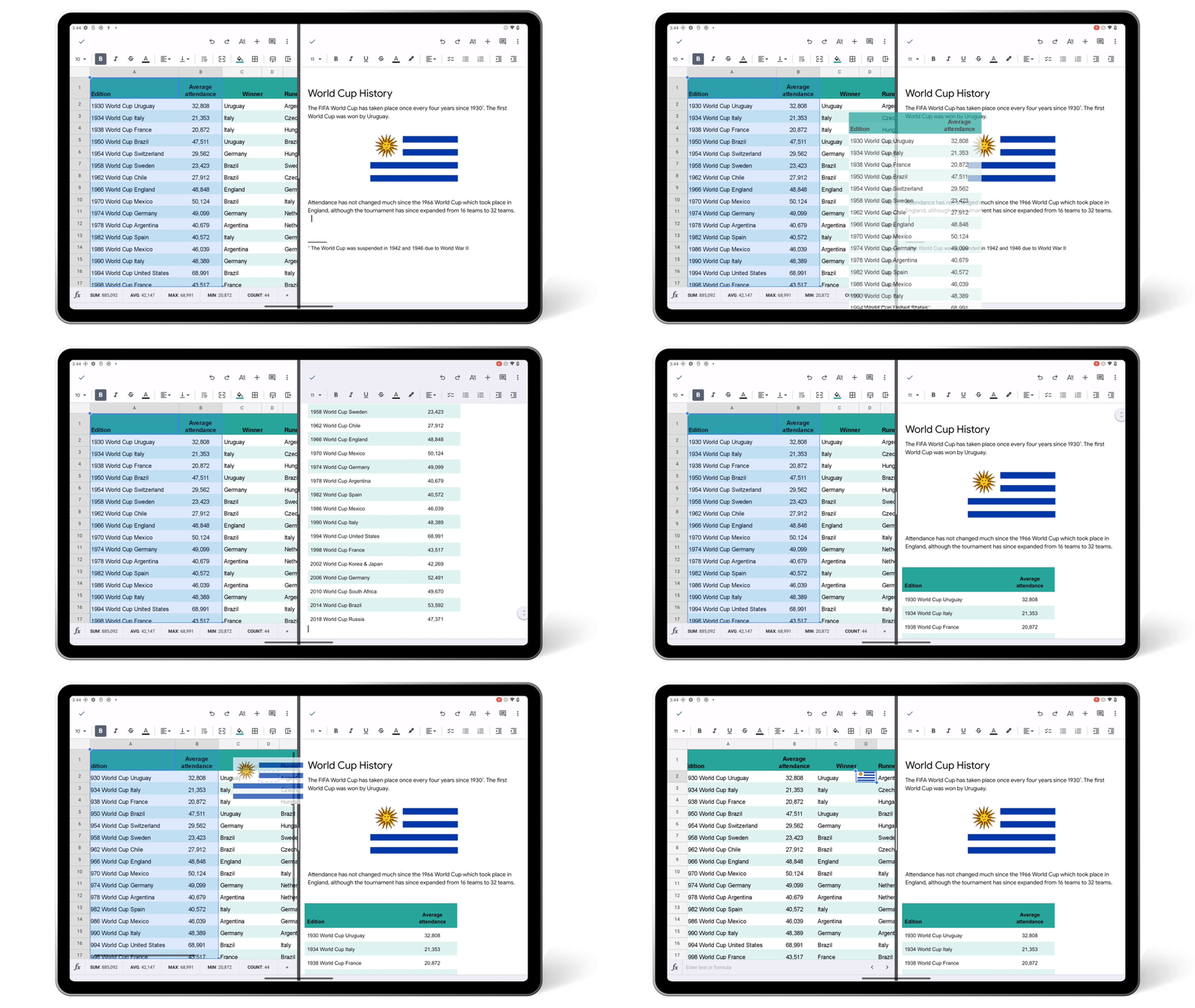
You can now easily drag text or images from apps, such as Chrome or Sheets, and drop that content right into an existing document or spreadsheet cell.
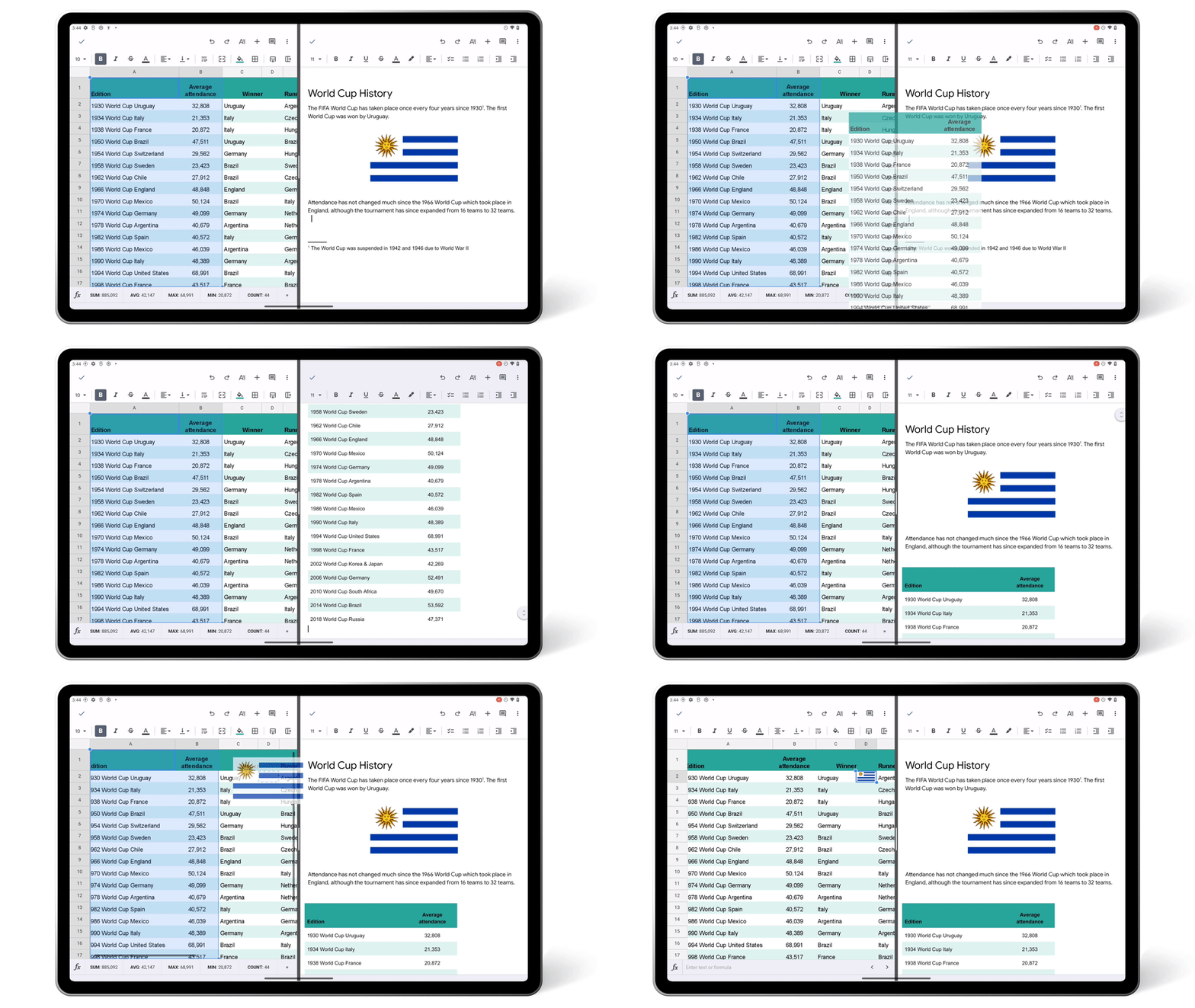
In Google Drive, quickly upload files by dragging and dropping them into the app. You can also add links to Drive files by dragging the file into an open app like Keep.
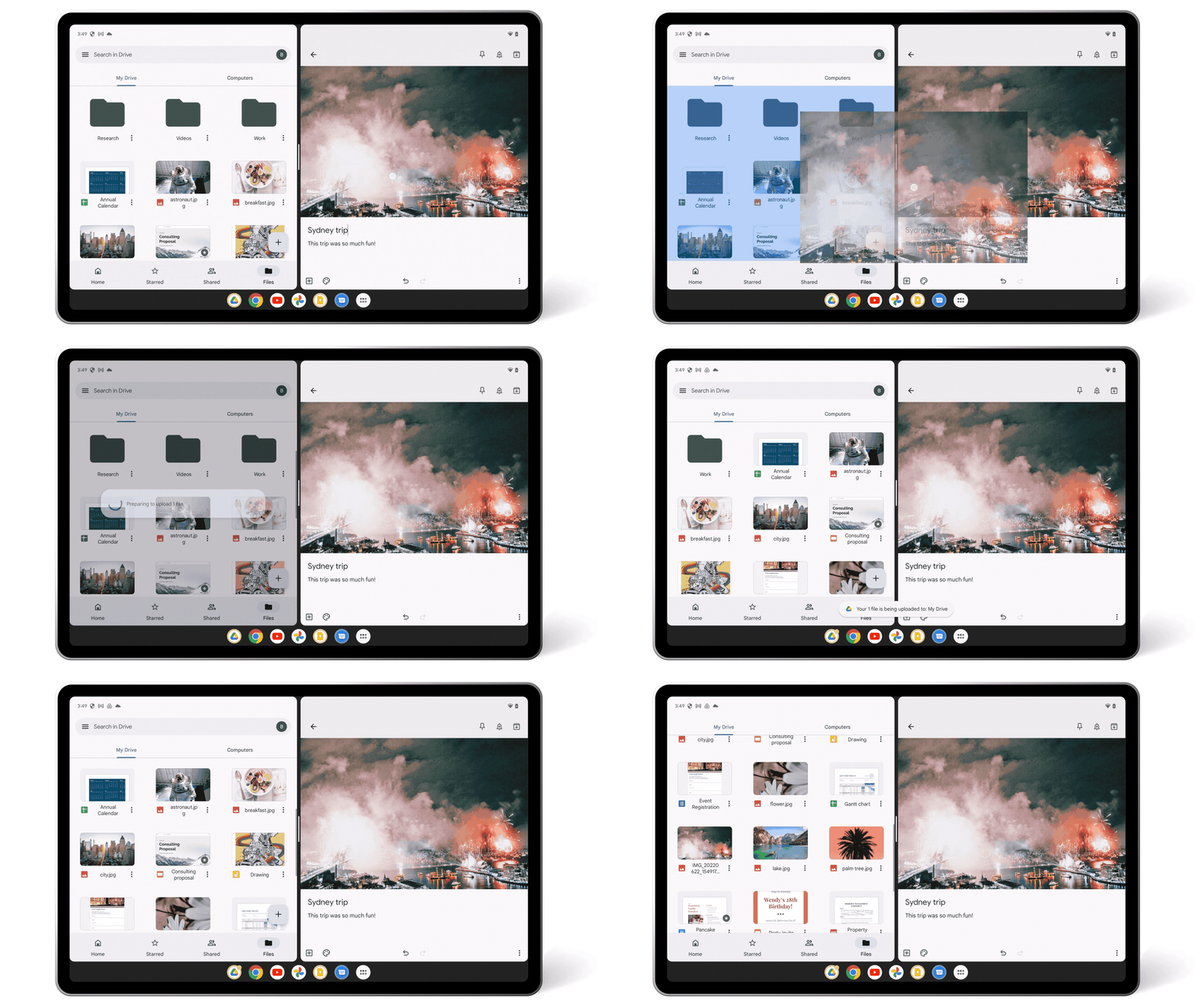
And in Keep, you can effortlessly insert images saved in your Keep notes into other apps by dragging them out from the image carousel.
Open Drive side by side to see more information
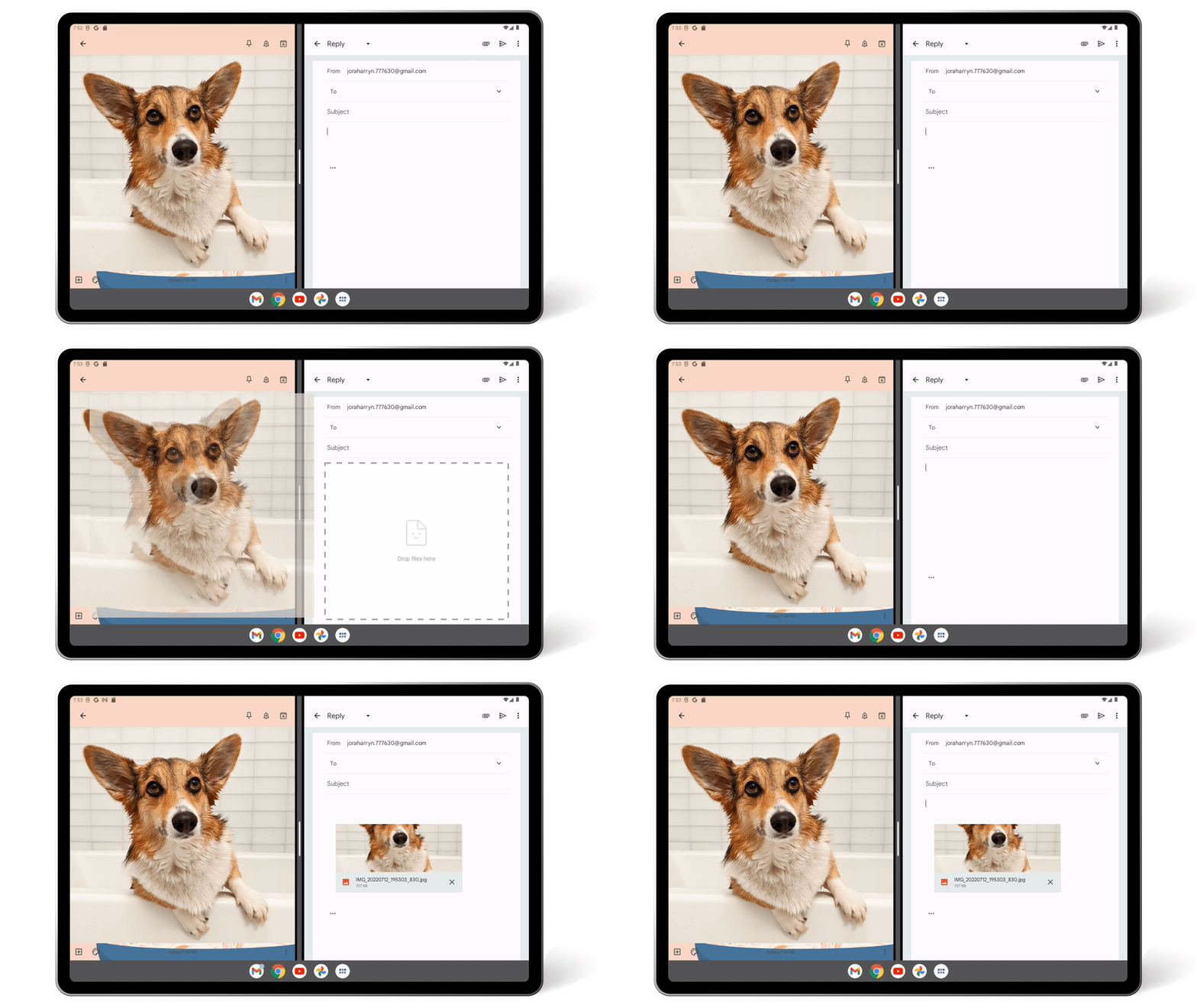
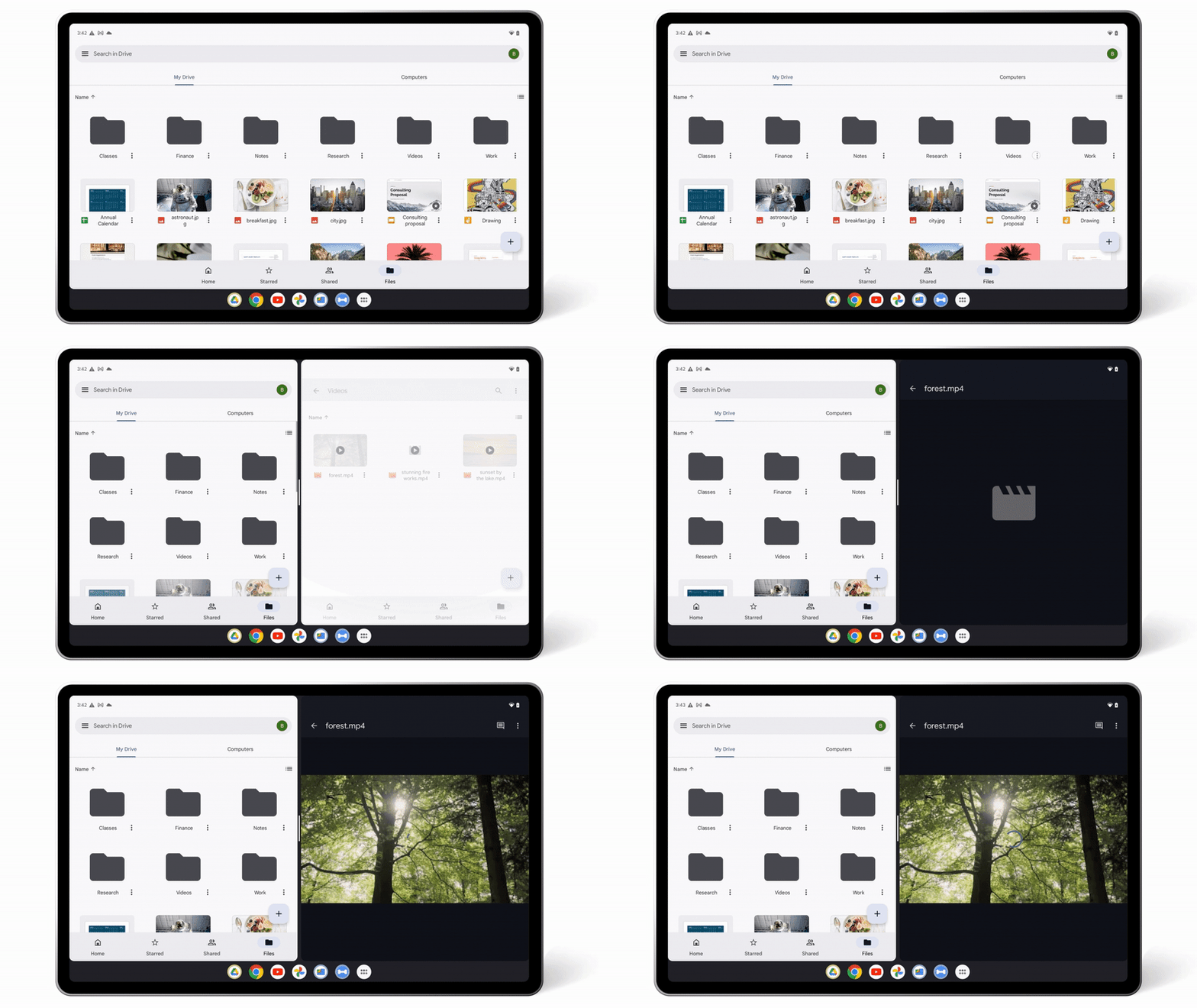
In Drive, sometimes you need to drill down into folders to see the file you need. To get better insights into your Drive files, you can now open two Drive windows side-by-side. Simply select the three-dot menu on any Drive file and tap on the “Open in new window” option. This helps you get the information you need without losing your current view or needing to hit the back button multiple times.
Save time by using keyboard shortcuts
Tablets are often connected to keyboards and used as an alternative to laptops. If you are using an attached keyboard to help type, you can now use simple and familiar keyboard shortcuts, such as select, cut, copy, paste, undo and redo, to quickly navigate around Drive, Docs and Slides, without needing to slow down and take your hands off the keys.
These updates will roll out to Android’s large screens with Google Workspace and personal Google Accounts over the next few weeks. And stay tuned for more updates as we continue to add new features for Google apps on Android’s larger screens.