
DuckDuckGo e le teorie della cospirazione

Dopo El Salvador, anche il Messico vuole legalizzare Bitcoin

Dopo El Salvador, anche il Messico vuole legalizzare Bitcoin

Ecco perché Telegram non è così sicuro come pensavi

Ecco perché Telegram non è così sicuro come pensavi

Europa e transizione ecologica
transizione ecologica — di Alessia Potecchi, Responsabile Dipartimento Banche, Fisco e Finanza del PD di Milano Metropolitana — L’Europa ha preso degli impegni concreti in tema di transizione ecologica dandosi…
L’articolo Europa e transizione ecologica scritto da Paolo Brambilla proviene da Assodigitale.
<div>Don’t…actually do @ me: 5 new Google Workspace features</div>
Sixteen years ago, we launched Google Docs and Sheets and introduced a new way of working. For many, it was the first time they worked in the same digital space together, in real time, without the burden — or risk — of sending documents back and forth. This has become second nature for billions of Google Workspace users around the world, and we’re still finding ways to make it even better.
One of our most recent efforts includes smart canvas, which we launched last year. Smart canvas is a new part of Google Workspace that brings a whole new level of collaboration to the platform. And it must be working: Today, people use smart canvas features like adding checklists and smart chips more than they use commenting in Docs. We recently revealed some new features that make Google Workspace tools even more collaborative and helpful. Check out some of what you can now do, thanks to smart canvas:
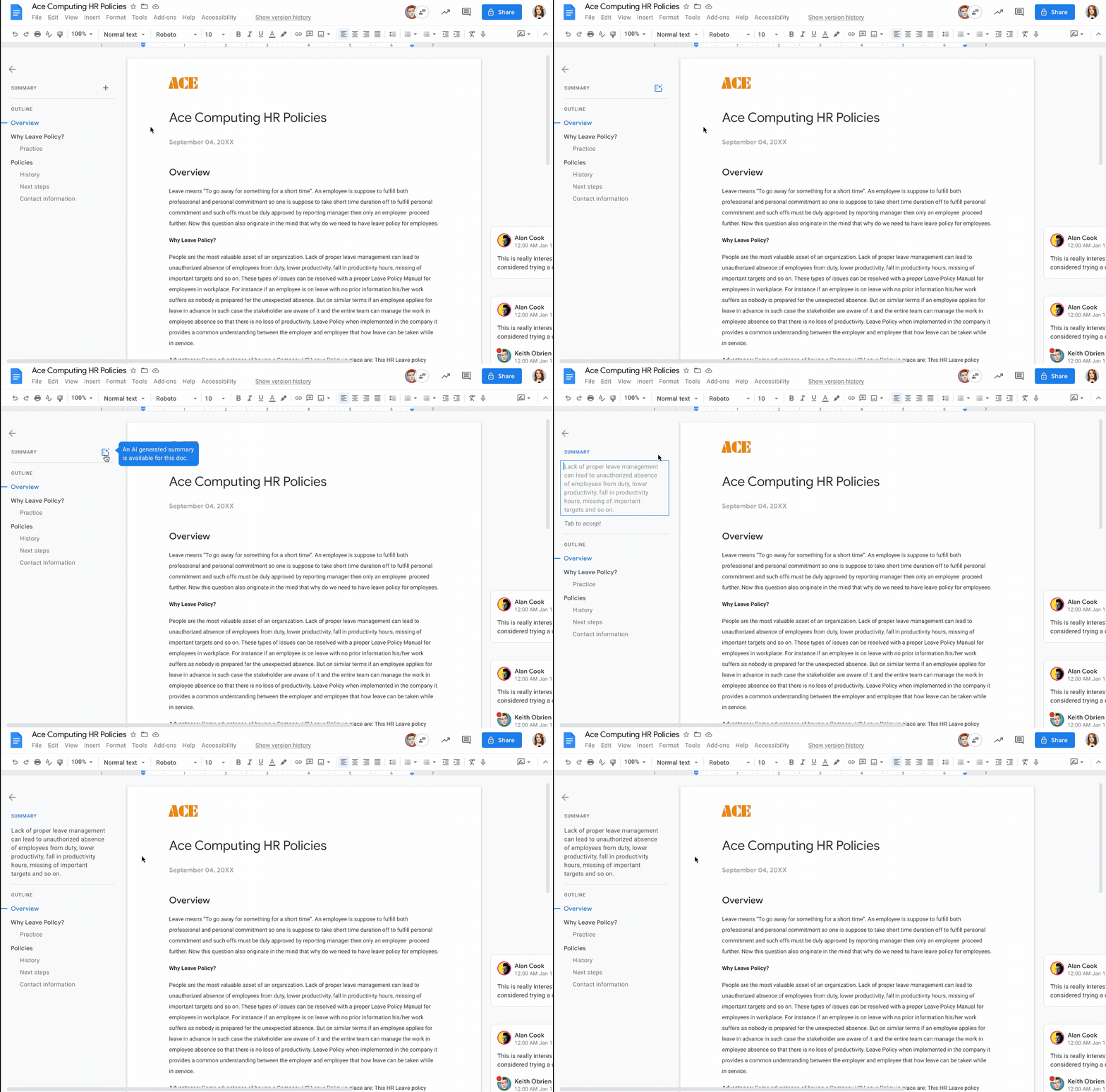
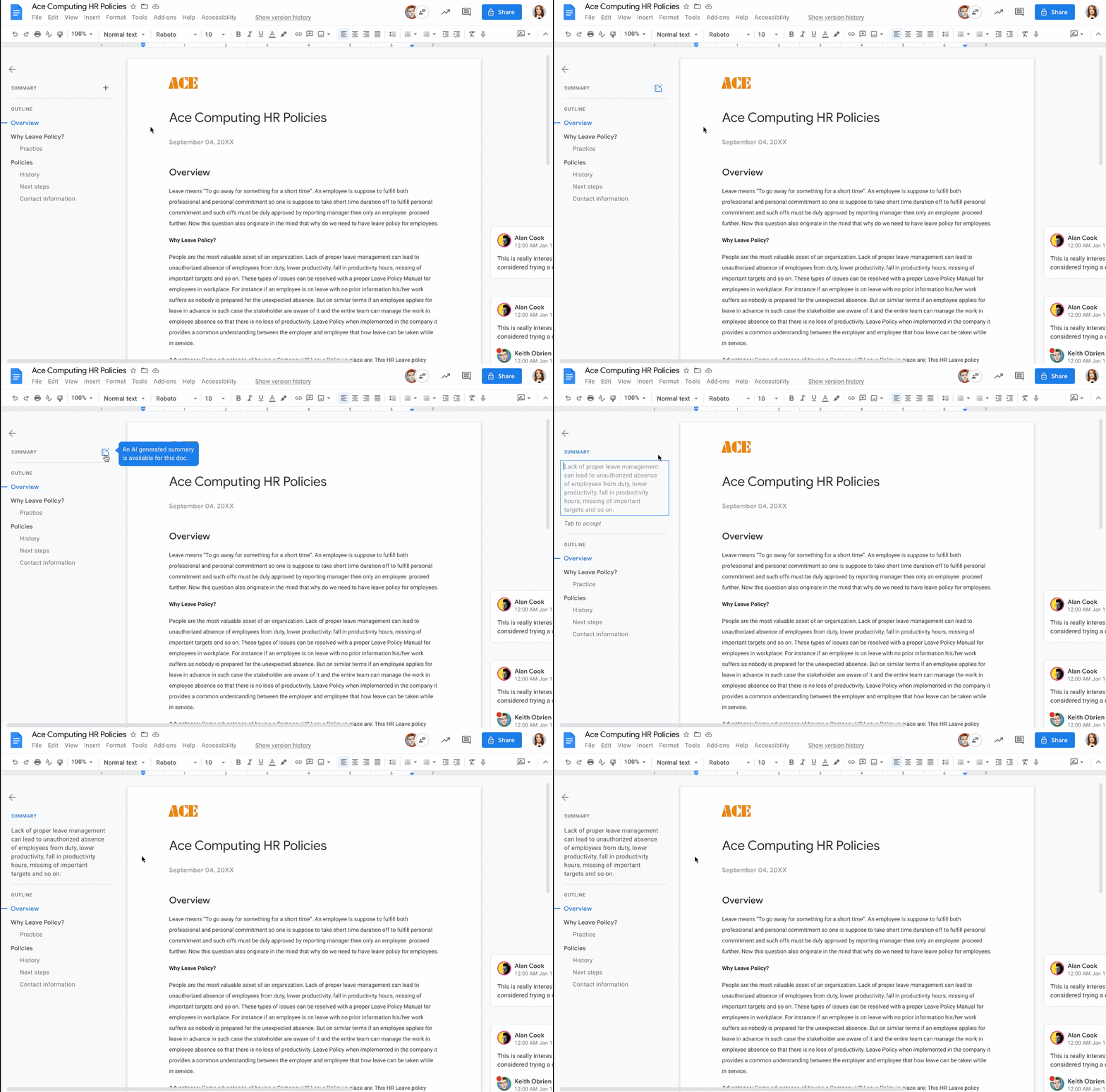
- Auto-generatedsummaries in Google Docs give you a quick overview of the main points in a document. This means Docs will suggest a summary so you can quickly parse the information that matters and prioritize where to focus.
Quickly grasp the main points of a document with summaries in Docs.
2. Page breaks and margins in a document editor were designed for printing — which you might not do so often these days. If you want to take back that extra space for a document that will only live online, you can choose the new pageless format in Docs, so you can view it across more of your screen. (You can switch it back if you want to print it, too.)
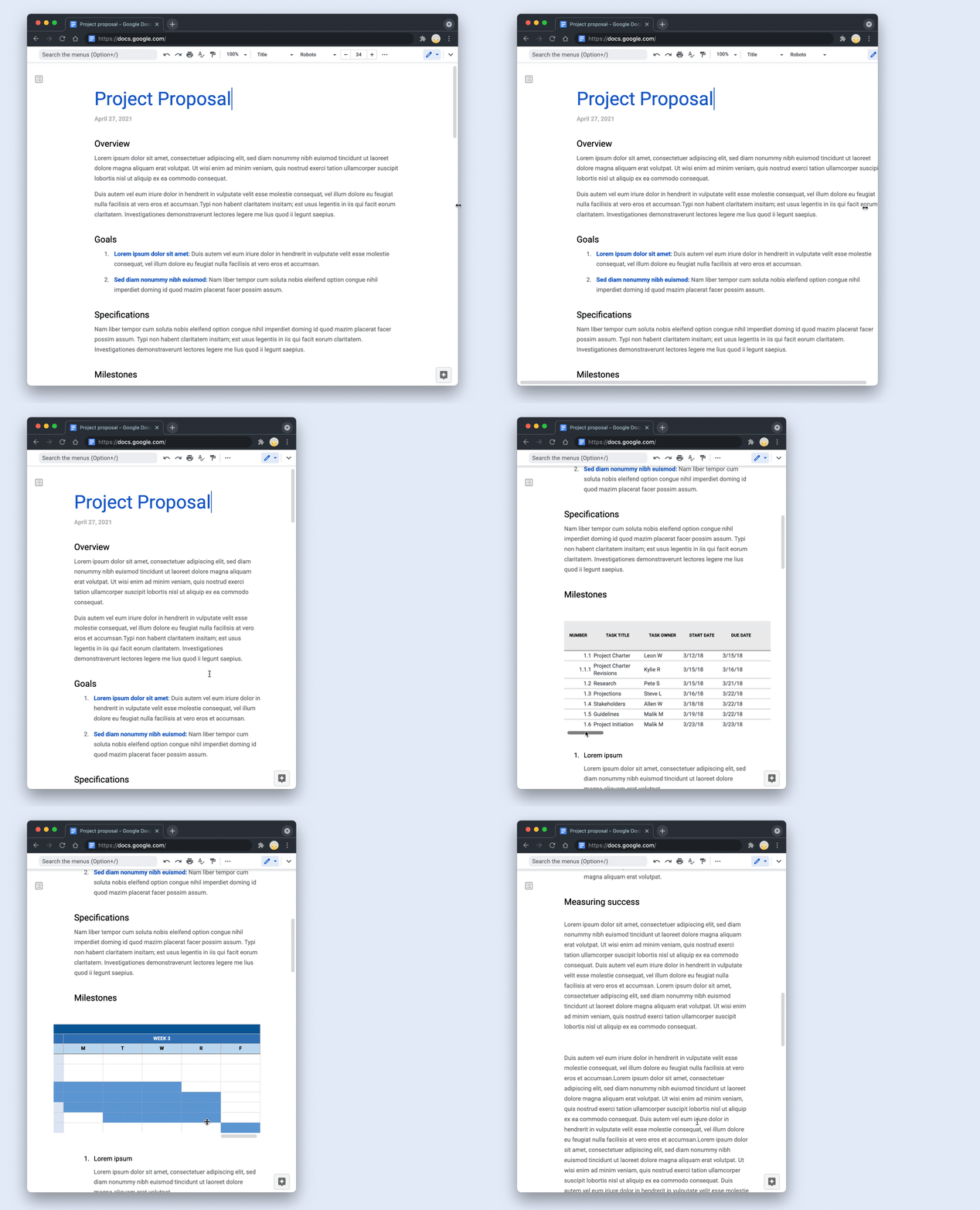
Remove the constraints of page boundaries with pageless format in Docs.
3. With smart canvas, you can pull people, files and meetings directly into your document using @-mentions. We recently expanded the “@” menu, making it easy to insert additional things like images, tables and templates. And in the coming weeks, we’ll be bringing this capability to a common scenario at work: collaborating with others on an email in Docs that will be sent out broadly. Once it’s ready, simply click to export it into a draft email in Gmail, with all the relevant fields automatically populated.
4. The recently launched meeting notes template automatically imports any relevant information from a Calendar meeting invite, including attendees and attached files.
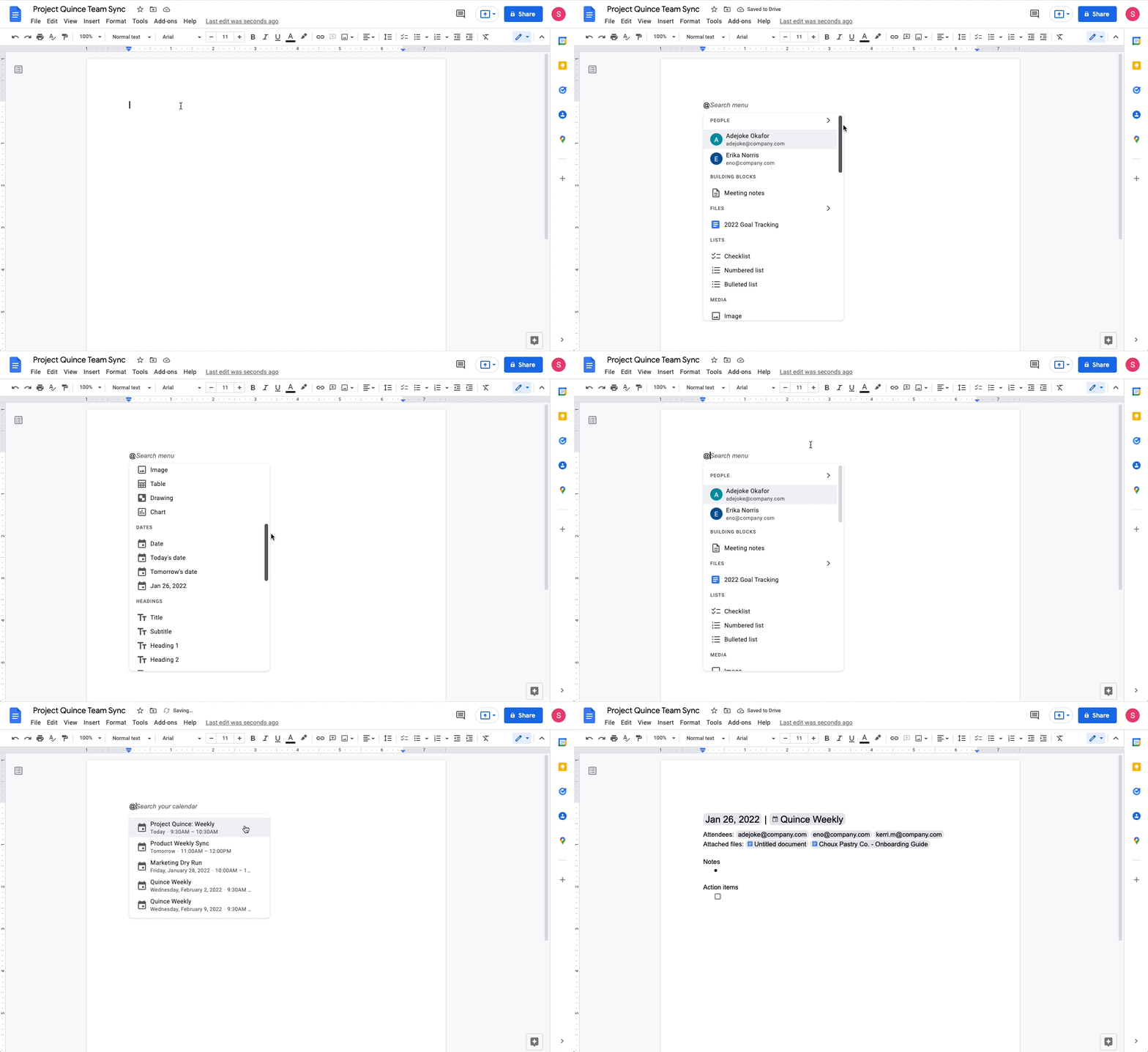
Easily import Calendar meeting invite information with the meeting notes template in Docs.
5. You can now easily preview a Google Maps link directly in Docs, too. When you click on the smart chip, you’ll see a thumbnail with information like an image of the location in Maps and the address. We also recently launched people chips in Sheets, to show you things like a person’s job title and contact details.
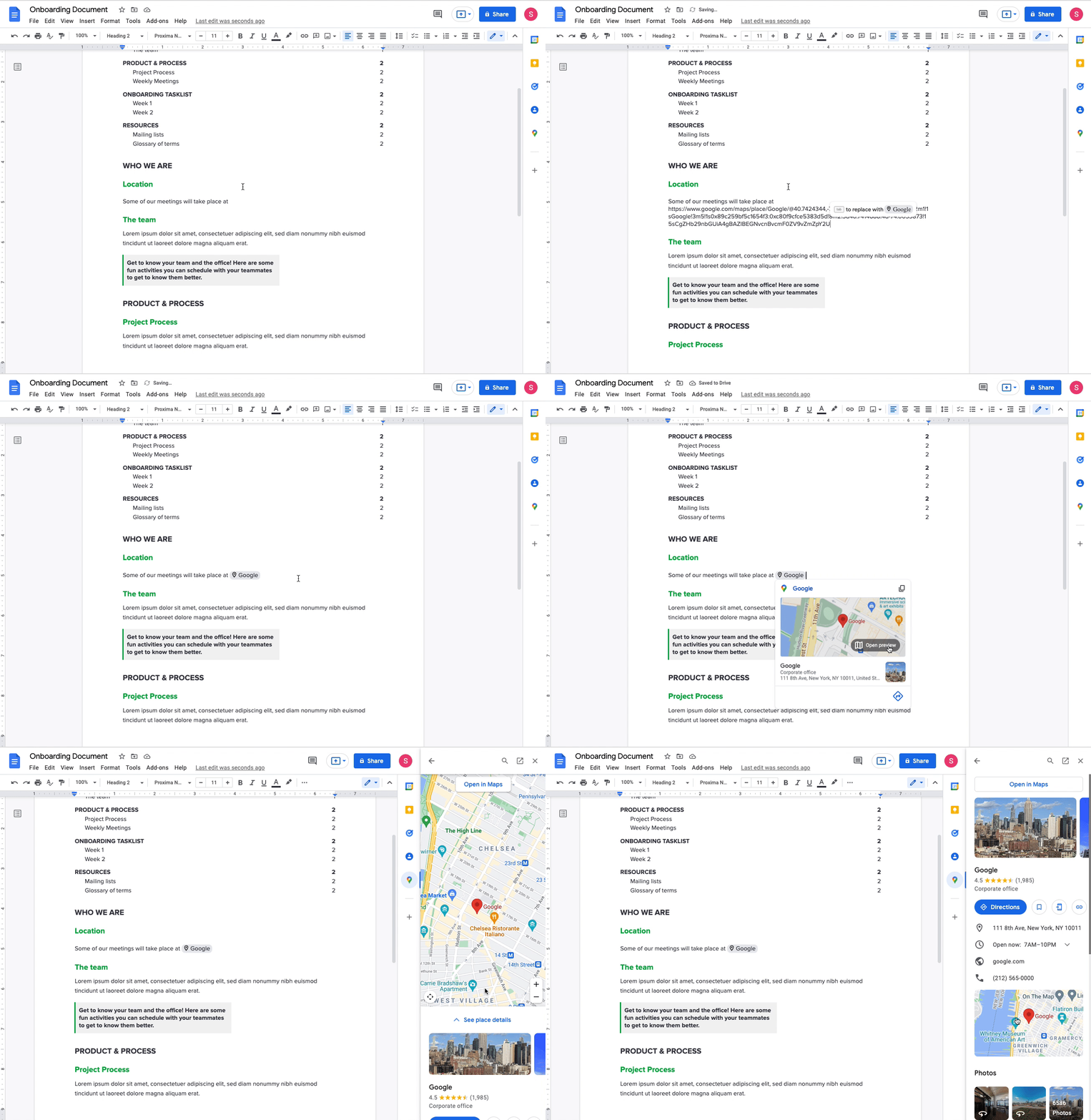
Preview Google Maps links directly in Docs with maps smart chips.
We want smart canvas to make working together from wherever — and however — easier and better. With AI, we’ve found new ways to do that, and we’ll continue working hard to make Google Workspace more collaborative, helpful and dare we say it…even fun. Sign up today for a Google Workspace free trial.
<div>Don’t…actually do @ me: 5 new Google Workspace features</div>
Sixteen years ago, we launched Google Docs and Sheets and introduced a new way of working. For many, it was the first time they worked in the same digital space together, in real time, without the burden — or risk — of sending documents back and forth. This has become second nature for billions of Google Workspace users around the world, and we’re still finding ways to make it even better.
One of our most recent efforts includes smart canvas, which we launched last year. Smart canvas is a new part of Google Workspace that brings a whole new level of collaboration to the platform. And it must be working: Today, people use smart canvas features like adding checklists and smart chips more than they use commenting in Docs. We recently revealed some new features that make Google Workspace tools even more collaborative and helpful. Check out some of what you can now do, thanks to smart canvas:
- Auto-generatedsummaries in Google Docs give you a quick overview of the main points in a document. This means Docs will suggest a summary so you can quickly parse the information that matters and prioritize where to focus.
Quickly grasp the main points of a document with summaries in Docs.
2. Page breaks and margins in a document editor were designed for printing — which you might not do so often these days. If you want to take back that extra space for a document that will only live online, you can choose the new pageless format in Docs, so you can view it across more of your screen. (You can switch it back if you want to print it, too.)
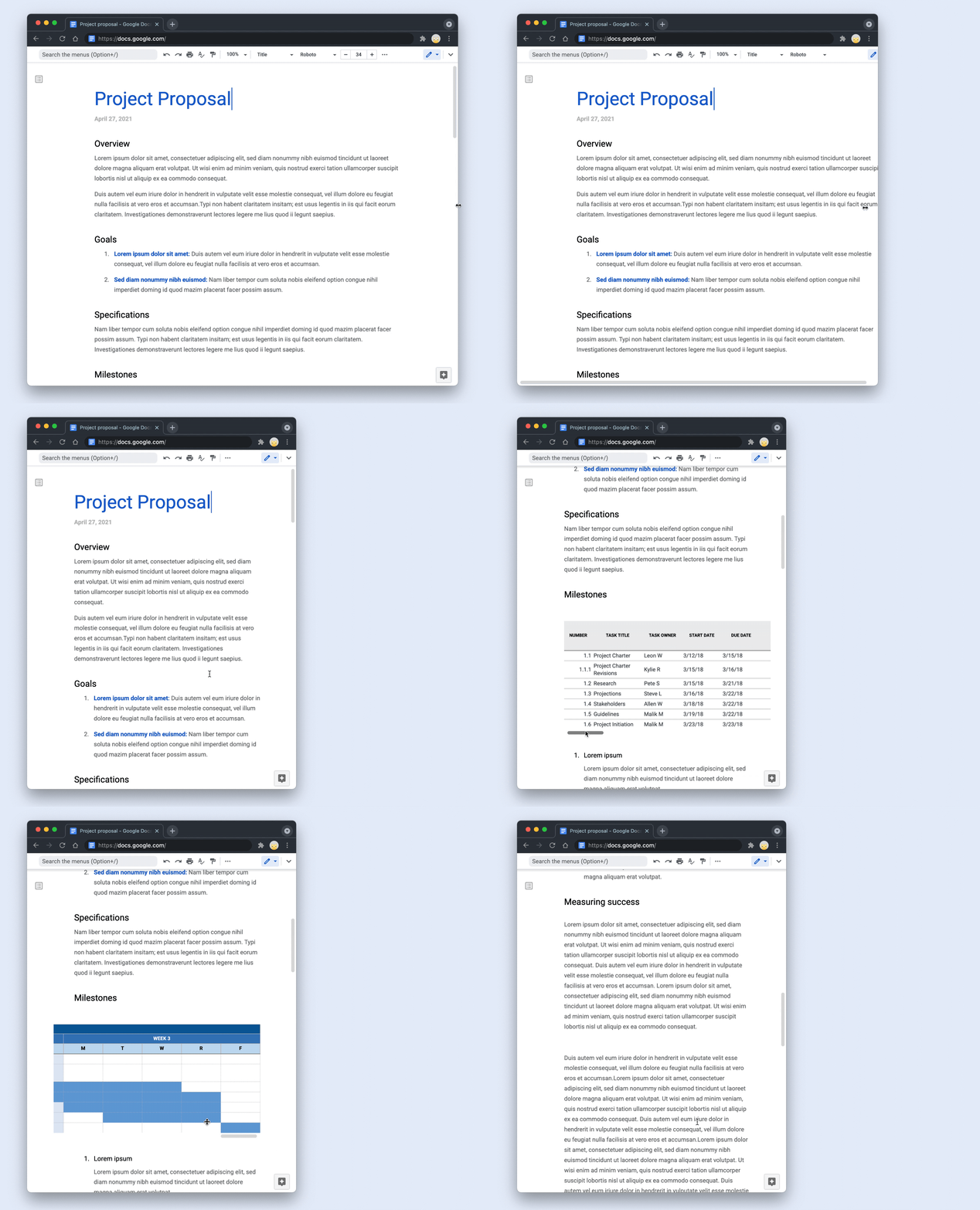
Remove the constraints of page boundaries with pageless format in Docs.
3. With smart canvas, you can pull people, files and meetings directly into your document using @-mentions. We recently expanded the “@” menu, making it easy to insert additional things like images, tables and templates. And in the coming weeks, we’ll be bringing this capability to a common scenario at work: collaborating with others on an email in Docs that will be sent out broadly. Once it’s ready, simply click to export it into a draft email in Gmail, with all the relevant fields automatically populated.
4. The recently launched meeting notes template automatically imports any relevant information from a Calendar meeting invite, including attendees and attached files.
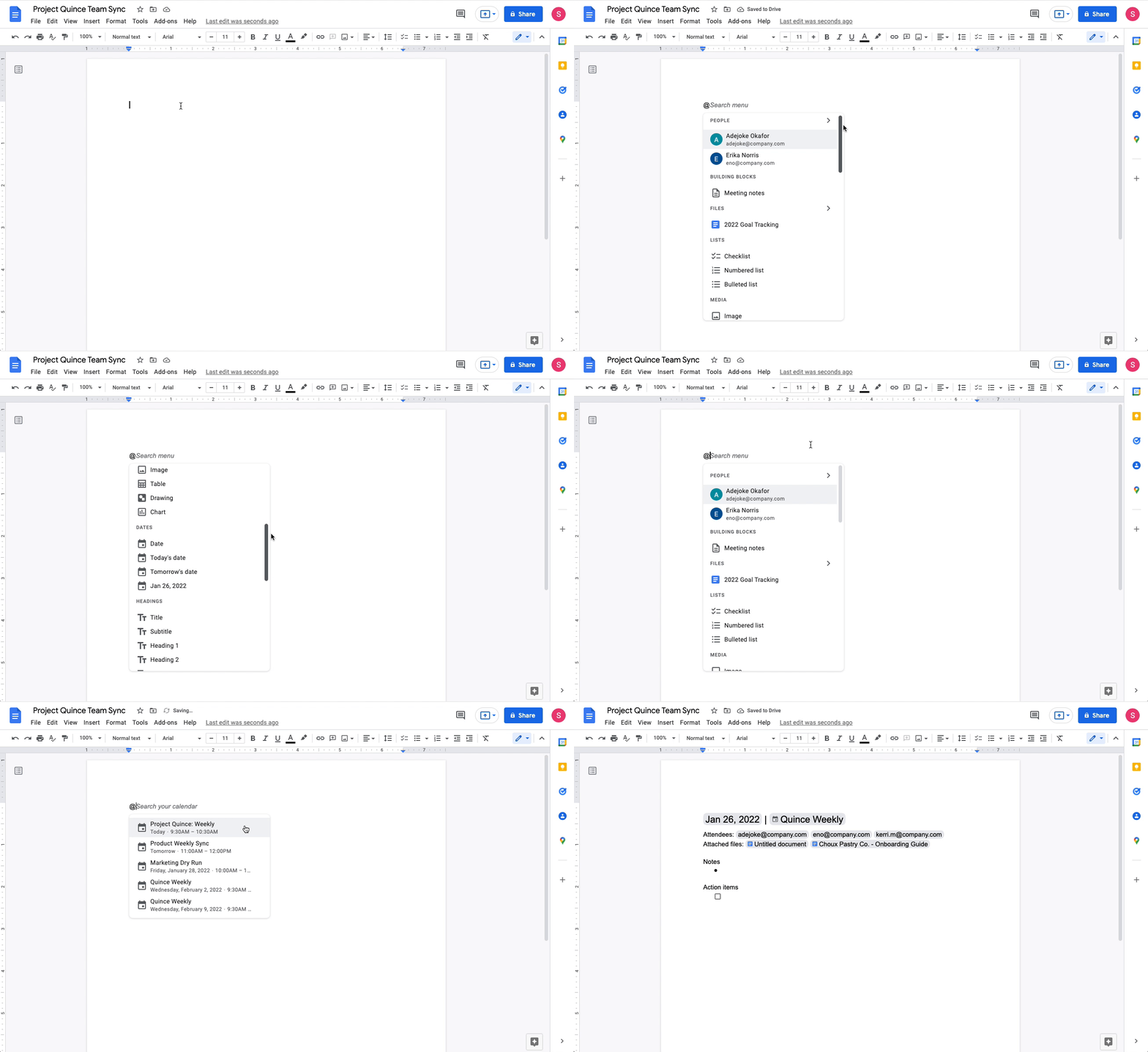
Easily import Calendar meeting invite information with the meeting notes template in Docs.
5. You can now easily preview a Google Maps link directly in Docs, too. When you click on the smart chip, you’ll see a thumbnail with information like an image of the location in Maps and the address. We also recently launched people chips in Sheets, to show you things like a person’s job title and contact details.
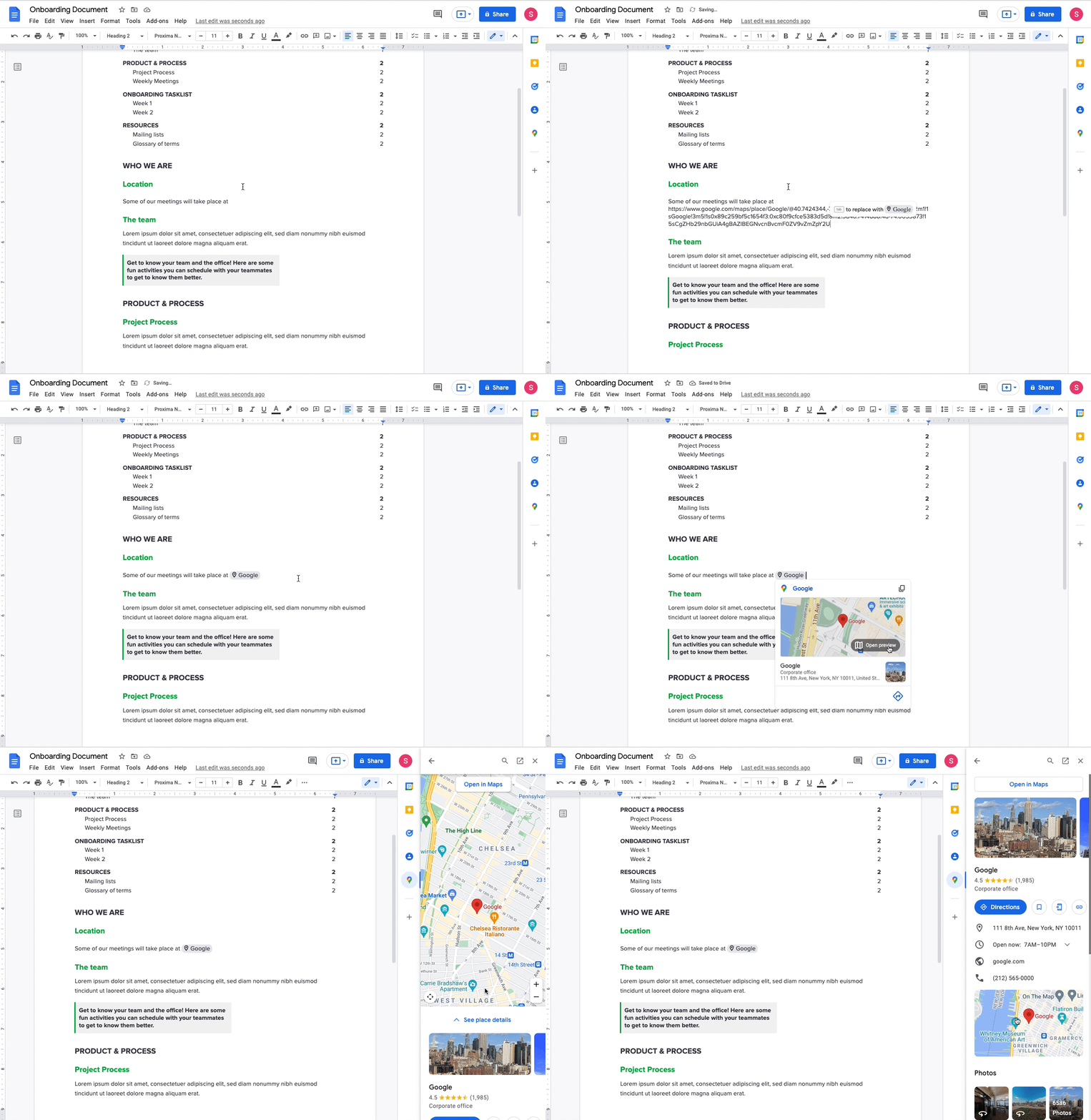
Preview Google Maps links directly in Docs with maps smart chips.
We want smart canvas to make working together from wherever — and however — easier and better. With AI, we’ve found new ways to do that, and we’ll continue working hard to make Google Workspace more collaborative, helpful and dare we say it…even fun. Sign up today for a Google Workspace free trial.

Demystifying the process of launching a news business
As Irene McKisson learned in launching AZ Luminaria, a non-profit, community-centered newsroom in Arizona, building a news business from the ground up is a daunting undertaking. “Before our news startup even had a name — when it was still just an idea — we knew that there were eight million things that we needed to do, we just had no idea what order to do them in,” she says. Like all journalism founders, she had what seemed like an endless list of big decisions to make: What will we report on? Who will our audience be, and how can we reach them? And, of course, how can the business earn enough revenue to sustain and grow?
The Google News Initiative Startups Playbook, published last year in close partnership with LION Publishers, was designed to help early-stage news entrepreneurs answer these questions and begin building their editorial, distribution, and financial operations.
“The Playbook helped us step back and really assess our market, our audience needs and our revenue plan,” McKisson told us. “When you’re building something from scratch, it’s so helpful to have a place to start or inspiration from other organizations you admire.”
Today, GNI and LION are introducing the second edition of the Startups Playbook, which has been built on feedback from many of its 17,000 readers to date. The first edition thoroughly outlined how to build and launch a digital news business, but it largely skipped the why. Why go independent? Why take on the risk of being an entrepreneur? To help would-be founders with these important decisions, we’ve added six founder profiles including the shared motivations that pulled them into news entrepreneurship.
We built the Startups Playbook primarily for aspiring news founders working on an idea, but we also heard from established publishers who said the Resources section was particularly useful. This section has been expanded to include an array of important documents, from business plans to media kits to founder agreements. Recognizing that the industry is in a constant state of change, we’ve also added best practices and case studies centered around the biggest challenges and opportunities facing independent publishers today.
With these updates in place, we hope that the Startups Playbook can continue to be useful to founders like Alicia Benjamin from North Carolina, who used it in founding The Charlotte Voice.

Alicia Benjamin, founder of The Charlotte Voice.
“The Playbook helped me understand the importance of testing the viability of our product,” she told us. “By talking with and surveying people in the community, I was able to learn their information needs, which, in turn, allowed me to identify my target audience and the information needs I would try to solve for them. The interactive exercises also challenged me to define what success would look like in the medium term, both financially and journalistically.”
Launching a news business is rarely a straightforward endeavor, and there will never be a silver bullet for success. But through our programs and research, GNI, LION and our partners are learning more all the time about the activities and choices of successful founders, and the revamped GNI Startups Playbook represents the latest in our shared understanding.
We are committed to keeping this resource up-to-date, so that it can continue to guide journalism entrepreneurs as they take their first steps. Over the coming weeks, we look forward to publishing the Playbook in additional languages, which will join the already-live English, Spanish and Portuguese editions. Additionally, we encourage anyone interested in launching their own news business to check out the GNI’s how-to workshop series, while also signing up for LION’s News Founder Challenge: a six-week newsletter series that pairs content from the Playbook with a weekly challenge designed to help aspiring founders refine and test their news business idea.

Demystifying the process of launching a news business
As Irene McKisson learned in launching AZ Luminaria, a non-profit, community-centered newsroom in Arizona, building a news business from the ground up is a daunting undertaking. “Before our news startup even had a name — when it was still just an idea — we knew that there were eight million things that we needed to do, we just had no idea what order to do them in,” she says. Like all journalism founders, she had what seemed like an endless list of big decisions to make: What will we report on? Who will our audience be, and how can we reach them? And, of course, how can the business earn enough revenue to sustain and grow?
The Google News Initiative Startups Playbook, published last year in close partnership with LION Publishers, was designed to help early-stage news entrepreneurs answer these questions and begin building their editorial, distribution, and financial operations.
“The Playbook helped us step back and really assess our market, our audience needs and our revenue plan,” McKisson told us. “When you’re building something from scratch, it’s so helpful to have a place to start or inspiration from other organizations you admire.”
Today, GNI and LION are introducing the second edition of the Startups Playbook, which has been built on feedback from many of its 17,000 readers to date. The first edition thoroughly outlined how to build and launch a digital news business, but it largely skipped the why. Why go independent? Why take on the risk of being an entrepreneur? To help would-be founders with these important decisions, we’ve added six founder profiles including the shared motivations that pulled them into news entrepreneurship.
We built the Startups Playbook primarily for aspiring news founders working on an idea, but we also heard from established publishers who said the Resources section was particularly useful. This section has been expanded to include an array of important documents, from business plans to media kits to founder agreements. Recognizing that the industry is in a constant state of change, we’ve also added best practices and case studies centered around the biggest challenges and opportunities facing independent publishers today.
With these updates in place, we hope that the Startups Playbook can continue to be useful to founders like Alicia Benjamin from North Carolina, who used it in founding The Charlotte Voice.

Alicia Benjamin, founder of The Charlotte Voice.
“The Playbook helped me understand the importance of testing the viability of our product,” she told us. “By talking with and surveying people in the community, I was able to learn their information needs, which, in turn, allowed me to identify my target audience and the information needs I would try to solve for them. The interactive exercises also challenged me to define what success would look like in the medium term, both financially and journalistically.”
Launching a news business is rarely a straightforward endeavor, and there will never be a silver bullet for success. But through our programs and research, GNI, LION and our partners are learning more all the time about the activities and choices of successful founders, and the revamped GNI Startups Playbook represents the latest in our shared understanding.
We are committed to keeping this resource up-to-date, so that it can continue to guide journalism entrepreneurs as they take their first steps. Over the coming weeks, we look forward to publishing the Playbook in additional languages, which will join the already-live English, Spanish and Portuguese editions. Additionally, we encourage anyone interested in launching their own news business to check out the GNI’s how-to workshop series, while also signing up for LION’s News Founder Challenge: a six-week newsletter series that pairs content from the Playbook with a weekly challenge designed to help aspiring founders refine and test their news business idea.

<div>OPPO Find X5 Pro è ufficiale: bello, potente e con Hasselblad. Ecco l’anteprima</div>

A Torino apre “Nonna Cleme”. la corretta alimentazione contro il body shaming
E’ con immenso orgoglio che Valentina Franco comunica che la sua società di Food ha aperto il suo primo punto a Torino, in via Principe Amedeo 41 A, a pochi…
L’articolo A Torino apre “Nonna Cleme”. la corretta alimentazione contro il body shaming scritto da Paolo Brambilla proviene da Assodigitale.

Samsung Galaxy Watch 4: miglior smartwatch in offerta su Amazon ad un prezzo FOLLE

Un vero computer con CPU Intel quad-core da mettere in tasca (-56 euro)
