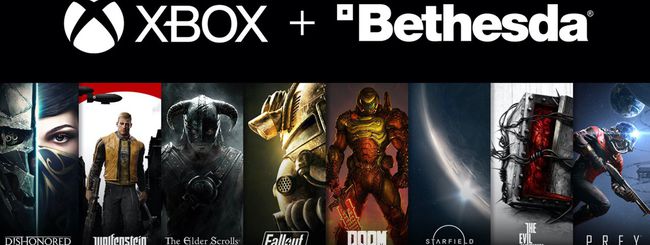
Ufficiale: Bethesda Softworks è definitivamente di Microsoft
Nei giorni scorsi vi avevamo anticipato del sì definitivo della Commissione Europea all’accordo da 7,5 miliardi di dollari, senza condizioni, che consentiva a Microsoft di completare l’acquisizione di ZeniMax Media.
Oggi arriva l’annuncio, da parte del’azienda di Redmond, di aver completato l’acquisizione della società madre di Bethesda Softworks, con tanto di benvenuto da parte di Phil Spencer, boss di Xbox, attraverso un blog post dedicato su Xbox Wire.
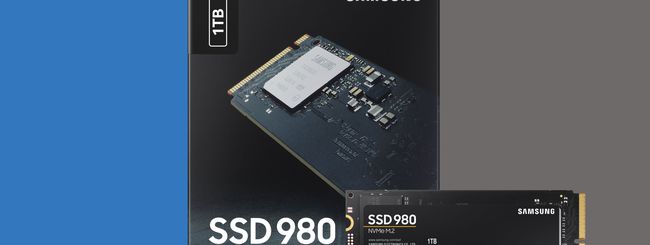
Samsung lancia SSD NVMe 980, drive consumer senza DRAM
Samsung Electronics ha annunciato l’SSD NVMe 980, il suo primo drive consumer senza memoria DRAM, ideato per offrire l’incredibile velocità dello standard NVMe accessibile a un numero maggiore di utenti. L’SSD Samsung 980 è infatti disponibile al prezzo consigliato di 56,99€ nella versione da 250GB, 79,99€ nella versione da 500GB e 149,99€ nella versione da 1TB. A margine dell’annuncio, KyuYoung Lee, vicepresidente del team Memory Brand Product Biz di Samsung Electronics, ha dichiarato:

Sonos Roam: Sonos diventa portatile per davvero
Era nell’aria già da diversi giorni, e finalmente Sonos ha svelato il suo nuovo speaker portatile che, a differenza di Sonos Move, può davvero essere portato sempre con sé grazie a dimensioni e peso estremamente ridotti, ma senza rinunciare alla qualità a cui l’azienda americana ci ha abituato.

Mild Hybrid a benzina: ecco le nostre impressioni sulla nuova Hyundai i20 1.0 T-GDI 48V iMT
Chromebook turns 10: Looking back and moving forward
10 years ago, computing was complicated. Slow boot times, clunky hardware and intrusive updates were the norm. Computers were invented before the internet, and they hadn’t fully caught up to how people were using the web. So Google set out to design something new. The idea was to create a cloud-first experience that was fast, secure and easy to use — with software that stays up-to-date, automatically. A computer that boots up in seconds, and stays fast over time.
In 2011 we launched the first Chromebooks in partnership with Acer and Samsung. Today Chromebooks help millions of people stay connected while they work, study and stay entertained; this has never been more true than over the past year. As we celebrate the 10th birthday of Chromebook, we’re taking a look at how Chromebooks have evolved and where we’re headed.
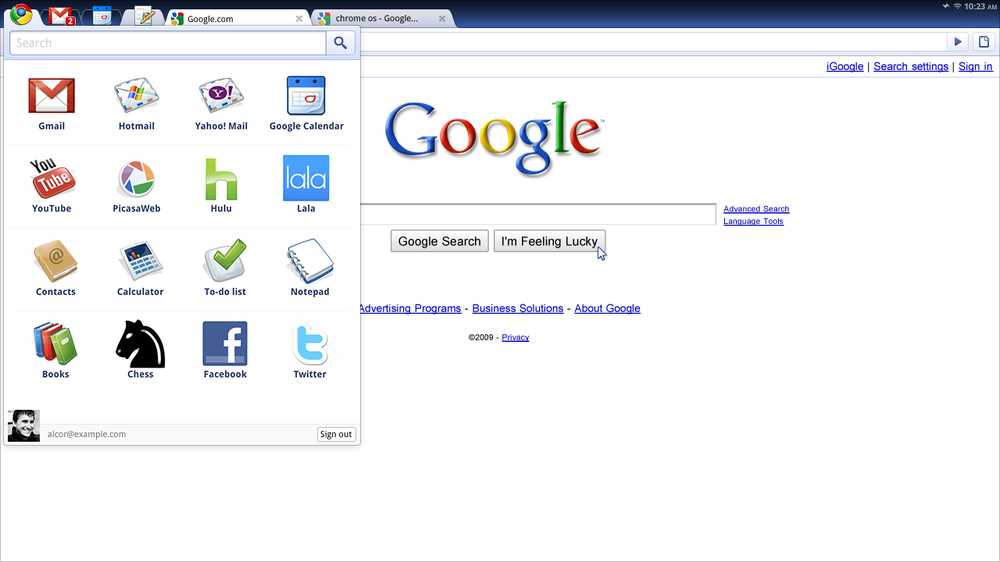
For the past decade, we’ve stayed true to our original vision to make computing simpler and more accessible for everyone. Highlights include the Chromebook Pixel, the first Chromebook with a big, beautiful 3:2 touchscreen, which launched in 2013 and changed how people used their laptops. Then there was the first Chromebook with USB-C technology, introduced in 2015, enabling people to fast-transfer their data and charge their device quickly — all by using what’s now the universal standard. And in 2017 we launched Chromebooks with the Google-designed Titan C security chip to keep devices secure and protect user identity.
Plus, Chromebooks for Education has continued to help teachers and students modernize the learning experience, and Chromebook Enterprise has made IT administration simpler for businesses. Our Google Admin console fundamentally changed how devices are controlled, making it easy to manage thousands of Chromebooks centrally. It helps administrators get their school or business up and running in no time, and removes the day-to-day pains of running IT in large organizations.
All along the way, we remained committed to making all Chromebooks faster and smarter automatically, with updates that run in the background every few weeks.
Today, we work with several important partners — Acer, ASUS, Dell, HP, Lenovo, Samsung, AMD, Intel, MediaTek, Qualcomm, among others — to make Chromebooks of all shapes and sizes, and collaborate with over 20 Works With Chromebook partners like Anker and Logitech on compatible accessories so you can get the most out of your Chromebook. And with apps from the web and the Google Play Store, you can get more things done, boost your creativity or simply find fun ways to pass the time. If gaming is your thing, Cloud gaming platforms like Stadia and GeForce NOW are available on your Chromebook.
Here’s to the next 10
I remember getting my first computer and using it for just a handful of basic tasks; typing things up in a word processor, doing simple math with its calculator, things like that. Fast forward to today, where we bounce from work to school to watching shows and chatting with friends and family. We make all of these transitions across multiple devices — phones, tablets, laptops. And unlike the past, people should have access to their data and a consistent experience across all these tools. So today, we’re celebrating the 10th birthday of Chromebook by launching a suite of features for Chromebook that lets people move between devices with ease, and tools that drastically improve your productivity.
We are also continuing to make Chromebooks the best devices for teaching and learning, and to help businesses scale.
It’s been 10 years, but this is still just the beginning. We’re continuing to find ways to make the Chromebook experience even more helpful for everyone. Examples include things like utilizing our artificial intelligence technology to help people proactively, integrating sensor technologies for more personalized experiences, expanding our portfolio of devices with cellular connectivity and working endlessly to make your devices work better together.
Our vision for Chromebooks is to keep helping people get things done and to provide helpful and secure experiences. So here’s to the next 10 years of delivering an intelligent, powerfully simple computer for all.
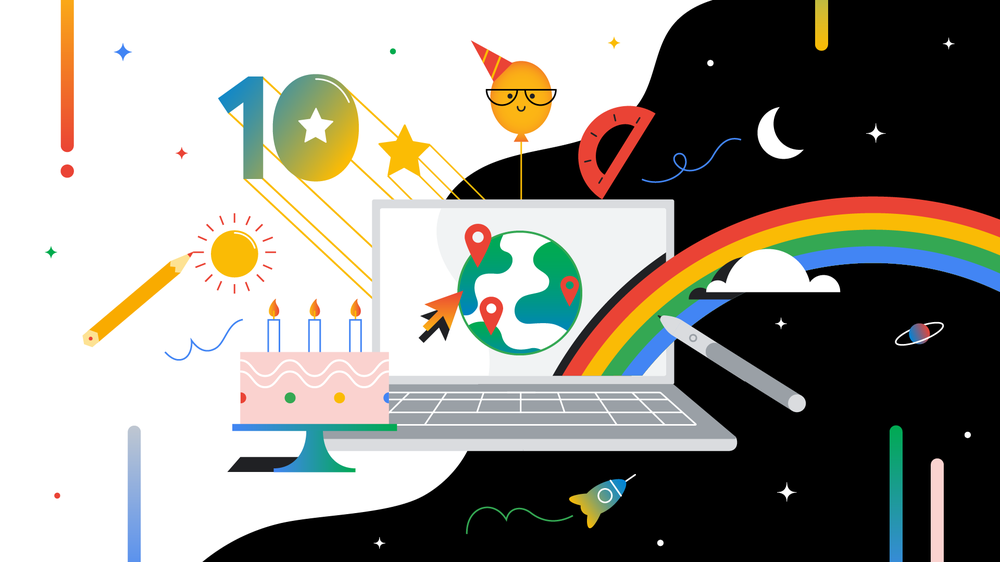
Chromebook turns 10
Celebrate the 10th birthday of Chromebook with a look back and lots of new features.
New features for Chromebook’s 10th birthday
New features for Chromebook’s 10th birthday
Chromebooks launched 10 years ago with a vision to rethink computing by designing a secure, easy-to-use laptop that becomes faster and more intelligent over time. As more and more people began using devices running Chrome OS, we evolved and expanded the platform to meet their diverse needs.
Today, Chrome OS devices do everything from helping people get things done to entertaining them while they unwind. But we want to do more to provide a powerfully simple computing experience to the millions of people who use Chromebooks. We’re celebrating 10 years of Chromebooks with plenty of new features to bring our vision to life.
Move between devices with ease
More and more people are living in a world where they use multiple devices to work, keep in touch with loved ones and watch shows and movies. Today, we’re launching two solutions that help your Chromebook and Android phone work better together.
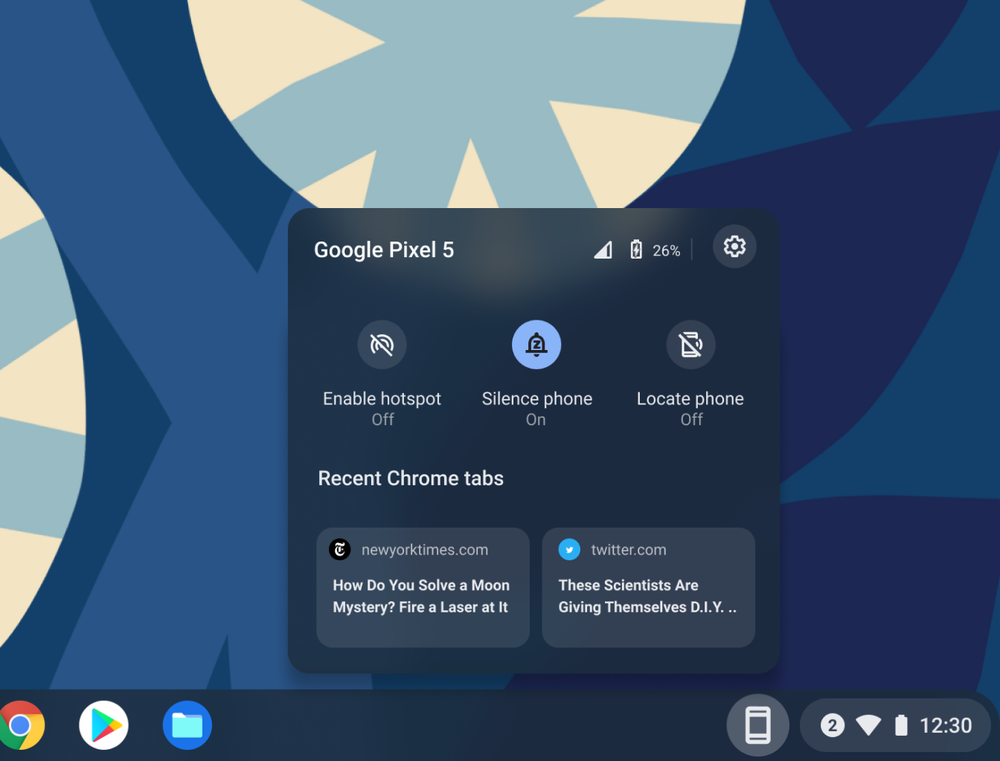
With Phone Hub, you now have a built-in control center that brings key capabilities from your Android phone to your Chromebook. Receive a text but your phone is out of reach? No problem. Respond to that message, check your phone’s battery life and cellular signal, turn on its hotspot and even locate it, all from your Chromebook. Phone Hub also shows the Chrome browser tabs you last opened on your Android phone, so you can pick up right where you left off.
We’ve also extended Wi-Fi Sync to work with more devices, making it easier and faster to get online. Your Chromebook can now automatically connect to trusted Wi-Fi networks you’ve used on your Android phone and other Chrome OS devices when signed in with the same Google Account — no need to enter in the credentials again.
In the coming months, you’ll also be able to use Nearby Share to instantly and securely share files between your Chromebook and other Chrome OS or Android devices. Nearby Share lets you send and receive without sharing contact details, so your information and files stay private.
These three features are just the beginning of the work we’re doing to bring Google helpfulness to more devices in your life. Stay tuned for more feature releases this year that help your devices work better together.
New features to get things done fast
We’ve redesigned key parts of the Chromebook experience based on your feedback and added new features that make it easy to get things done fast, so you can focus on your work, not your tools.
Quicker access to what’s important
The new Screen Capture tool in your Quick Settings menu lets you take precise screenshots and screen recordings without needing to remember keyboard shortcuts. Once you take a screen capture, it’ll instantly show up in Tote, a new space that keeps important files right at your fingertips. Open Tote from your Shelf and you’ll see all your recent downloads, recent screen captures and pinned files.
Your media controls are also now built directly into the Quick Settings menu, so you’ll always know where to go to play, pause or skip to the next song that you’re playing from the web or an Android app. You can pin this media player directly to your Shelf for immediate access.
We’ve also streamlined Chromebook setup for parents and guardians to highlight two important tools. Now when parents set up a new Chromebook using their child’s personal Google Account (managed with Family Link), they can immediately add a school account. Their child can then use school apps like Google Classroom while Family Link controls on their device still apply, so parents can supervise while they do homework. They can also assist their child in creating a PIN during setup, so signing in to their Chromebook is easier.
Save time as you tackle your daily tasks
With its new Clipboard, your Chromebook saves the last five items copied so you can easily paste any or all to a new page without needing to switch between windows. Just press the Everything Button + V to use your Clipboard.
There’s also Quick Answers, which automatically offers helpful information — like a definition, a translation or unit conversion — when you right-click a word. No need to open a separate tab to search for the answer.
We’ve supercharged Desks with enhancements to help you organize your workspace. Now when you reboot, all your windows will restore to their previous desks so your workflow isn’t interrupted. Right-click at the top of a window to send it directly to one or all desks, and swipe across your trackpad with four fingers to switch between desks. To get started with Desks, open Overview mode and create a new desk.
Helpful updates to existing features
Aside from new features, we’ve also enhanced several existing ones. For instance, you can now share files, images and links between apps in fewer steps. When you click “share” on a supported app or website, you’ll see a list of apps you can share content with directly. For example, you’ll be able to share an image from your Files app to the Microsoft Word app, with just a few clicks.
Select-to-speak, which enables you to hear text read out loud, also has new controls that let you speed up, slow down and pause the reading voice in real-time, and easily jump to different sections of text. These are especially helpful for people with low vision and specific learning or print disabilities.
Last but certainly not least, the small things matter just as much as the big ones. The icons for your Chromebook’s built-in apps have a fresh new look, making it easier for you to find essential apps made for Chrome OS like Canvas and Explore.
Visit our website for more details about these features. We’re grateful to be celebrating this milestone, and we hope these launches help you get even more out of your Chromebook.
Celebrating 10 years of Chromebooks in education
A decade ago, we launched a small pilot program with a handful of schools. Council Bluffs in Iowa and Fon du Lac in Wisconsin were among the very first to use Chromebooks. Today, Chromebooks are as essential as a backpack for students learning in the US and in places like Australia, Brasil, Canada, Japan, Mexico, the Netherlands, New Zealand, Spain and Sweden. As we celebrate our 10th birthday, we’re taking a look back at how far Chromebooks have come in the classroom, and announcing new features for educators and students.
From pilot program to 40 million
Googlers took the first Chromebooks into schools in the U.S. for a pilot program in 2010, and we found that students, teachers, and education leaders immediately loved how fast, simple and secure they were — three principles we still adhere to today. And with the rapid introduction of Chrome Education Upgrade, which unlocked advanced features in the operating system, Chromebooks rapidly became a hit with schools and IT administrators for their shareability and ease of management at scale. With Google Admin Console, school administrators were suddenly able to manage devices remotely, which has fundamentally shifted the computing model for schools from “computer rooms” to “shared carts” to today, assigned Chromebooks for most students – because hundreds of thousands of devices can all be managed by a single person.
Chromebooks expanded globally, scaling up in partnership with manufacturers like Acer, ASUS, Dell, HP, Lenovo and Samsung. More recently, NEC and Sharp have all started building Chromebooks for the Japan Education market–making Chromebooks the #1 device in K-12 education globally for the last year. To open up possibilities for note taking, digital reading, art, filming video reports, podcasts, and early learning apps, Chromebooks are now available in multiple formats, like convertibles, clamshells and tablets, and come with stylus support and touchscreen functionality. And to increase access, Chromebooks now come with multiple connectivity options including WiFi and mobile broadband. Today there’s a device for every learner and a growing ecosystem of apps for students and teachers alike– over 40 million of them around the world– with the Chromebook App Hub offering engaging apps and fresh lesson ideas.
Chromebooks were built to be the foundation for teaching and learning, no matter where you are. And in 2020, as schools turned to distance learning, we’ve worked hard to improve the video conferencing capabilities of older as well as newly released devices to run Google Meet and Zoom, and introduced new features like Zero Touch Enrollment to help admins remotely enroll and ship devices to students and teachers at home, and extended support for automatic updates to eight years, so devices stay secure and equipped with the latest features for years to come.
Chrome OS’s Jenn Chen on a decade of design
Ten years ago, Chrome OS principal designer Jenn Chen was hardly what you’d called a techie. “I was the last person I knew who got a smartphone,” she says, laughing. “I was a total Luddite! I didn’t want to do it!” But today, things are different — and not just for Jenn. The devices we use and how we use them have both changed dramatically over the years. “Technology plays a bigger part in our day to day,” she says. “So it’s increasingly important that we have a human, respectful approach in how we design and build products.”
Chrome OS embraced that change, and Jenn’s seen the evolution from the inside. Originally, she was the only person on the team dedicated to Chrome OS user experience (UX) — now, she leads an entire team. We recently had the chance to talk to Jenn about a decade of Chrome OS, and what her path to design work was like.
What kickstarted your interest in working in UX and design?
Growing up, I had a lot of different interests but never felt like they quite added up to a clear career path. I dabbled in biology because I loved marine life, read up on cognition because I was fascinated by how minds worked and even explored being a full-time pianist. One day in college, I tagged along with a friend who organized a visit to a design agency and I found it absolutely riveting. Here were different people with different professions — anthropologists, surgeons, engineers — all working together to solve a problem through a multifaceted, human-centered approach which I learned was called “design thinking.” This really sparked my interest in learning more about product design and building creative solutions to serve real user needs, which led to studying HCI (human-computer interaction) and user experience.
What’s the “movie version” of your job? How is it portrayed in pop culture, and how does that compare to reality?
The perception is that UXers are in the lab all day, and that every user insight we learn immediately leads to a light bulb moment and design solution! There’s so much testing out ideas, learning that they won’t work and moving on — or years later, bringing that thing back and seeing there is something there, but the timing wasn’t right or the tech wasn’t ready before. There’s a lot of constant failure. We designers call it “iteration,” but I think people forget that also means being wrong a lot — and being OK with being wrong, because it helps us learn. The movie version of my job glosses over all that.
Chrome OS was such a new idea. What were some of the early challenges of launching something so different?
Computers have been around much longer than Chromebooks, so people have established expectations and habits. The challenge is meaningfully rethinking what a computer can be while also meeting people where they are. I’ve been incredibly lucky to work with and learn from experts in this space as a part of the Chrome OS team and a part of the broader Google UX community.
One good example of this was that Chrome OS started out with a minimal approach when it came to task management: Users could only have full-screen windows with multiple tabs. We quickly learned that how people manage their tasks is personal, so flexibility is absolutely necessary. We introduced more window controls and tools over time. Today, we’ve expanded task management abilities for Desks to help people organize their apps, windows and tabs across virtual work spaces, but still benefit from a simplified, more constrained model when they only have a touchscreen handy.
Cloud Covered: What was new in Google Cloud in February
Last month, Google Cloud introduced new tools and resources to help vaccinate communities, avoid email scams, connect the world (under the sea!) and build with new technologies. Check out the most popular Cloud blog posts from February.
Technology helps get more vaccines into more communities.
To help the global challenge of immunizing millions of people during the COVID-19 pandemic, we announced Google Cloud’s Intelligent Vaccine Impact solution. Powered by several Google Cloud technologies, this effort will help state and local governments create successful public health strategies. The Intelligent Vaccine Impact solution will also increase vaccine availability and equitable access to those who need it, and assist governments in building awareness, confidence and acceptance of vaccines. This builds on our foundation of projects supporting state and local health agencies and governments during the pandemic.
Here’s how to understand and avoid email scams.
Every day, we stop more than 100 million harmful emails from reaching Gmail users. Last month we shared news about a recent study we conducted with Stanford University about email scams, including common patterns and risk factors for abuse. We found that where you live, what devices you use and whether your information appeared in previous third-party data breaches can increase your odds of being a target. We also shared tips to prevent being a target, including completing a Security Checkup for personalized security advice. You can also enroll in Google’s Advanced Protection program, which provides Google’s strongest security to users at increased risk of targeted online attacks. Or use the Enhanced Safe Browsing Protection in Google Chrome to increase your defenses against dangerous websites and downloads on the web.
5G will speed up our network future.
Last month we announced a collaboration with Intel to develop ideas, products and services for communications service providers to help them benefit from new 5G connectivity. 5G is the next generation of mobile network that provides higher data speeds, real-time responses and better connectivity. Our efforts with Intel will help businesses build systems and processes that use 5G and edge computing, which brings applications and data storage closer to the location where it is needed, to save bandwidth and improve computer response times.
A global network lives under the sea.
We were excited to announce our new Dunant submarine cable system, which crosses the Atlantic Ocean between the U.S. and France, is now ready for service. The Dunant system — named after the founder of the Red Cross and first recipient of the Nobel Peace Prize — expands Google’s global network to add dedicated capacity while connecting to other network systems in the region. Made possible in partnership with SubCom, a global partner for undersea data transport, the Dunant system delivers data across the ocean at a record-breaking capacity of 250 terabits per second (Tbps) — enough to transmit the entire digitized Library of Congress three times every second.
APIs help software communicate.
Last month we also announced the launch of Apigee X, a major release of our application programming interface (API) management platform. APIs let multiple pieces of software work together, no matter their systems and programs, making it easier to collaborate with other teams or publicly over the web. Apigee X seamlessly weaves together Google Cloud’s expertise in APIs, artificial intelligence (AI), security and networking to help businesses deliver secure and high-performance APIs at global scale.
That’s a wrap for February! Stay tuned to the Google Cloud blog for all things cloud.

Il webinar “Cloud Transformation: Security First” il 16 marzo ore 10
Relatech S.p.A., Digital Enabler Solution Knowledge (D.E.S.K.) Company e PMI innovativa quotata sul mercato AIM Italia (Ticker: RLT), informa che il giorno 16 marzo 2021 alle ore 10 si terrà l’evento virtuale “Cloud Transformation: Security First”, organizzato dal Gruppo Relatech in collaborazione con il Partner Nutanix. L’incontro ha l’obiettivo di approfondire strategie e strumenti per posizionarsi nel Cloud con la garanzia dei massimi livelli di sicurezza aziendale. Per partecipare è necessario iscriversi a questo link Metra S.p.A Ospite dell’evento e…
L’articolo Il webinar “Cloud Transformation: Security First” il 16 marzo ore 10 scritto da REDAZIONE TRENDIEST proviene da Assodigitale.

Ubuntu utilizzerà Flutter per le proprie app desktop
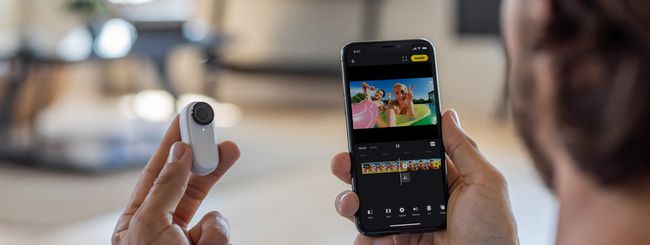
Insta360 lancia la nuova action cam Insta360 GO 2
I lockdown che a causa della pandemia vengono imposti ad intermittenza da una parte all’altra del Mondo e i limiti ai viaggi per milioni e milioni di cittadini non stanno affatto frenando le aziende produttrici delle action cam, che continuano ad aggiornare e migliorare i propri prodotti. Se GoPro ci ha abituato ormai ad un aggiornamento all’anno, in casa Insta360 stanno raddoppiando gli appuntamenti. A pochi mesi dal lancio di Insta360 ONE X2, oggi è stata svelata la nuova Insta360 GO 2.

Il lento addio di Microsoft a Cortana
Microsoft si prepara a mandare in pensione Cortana, l’assistente virtuale con cui l’azienda di Redmond era pronta a conquistare il mondo fino a pochi anni fa. Ne parlavamo pochi giorni fa, quando l’app ufficiale di Alexa è arrivata in grande stile su Xbox, ma oggi da Microsoft sono arrivati ulteriori segnali che indicano il lento e graduale addio dell’azienda a Cortana a sette anni di distanza dalla sua prima versione.
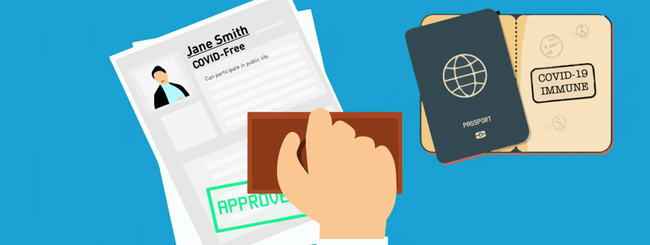
Coronavirus, la Cina lancia il primo passaporto vaccinale
Mentre in Europa e in Italia si discute (giustamente) sull’opportunità o meno di rendere “pubblica” l’informazione sullo stato personale di vaccinazione anti-Covid-19 come condizione per l’accesso a determinati locali o per la fruizione di alcuni servizi come aeroporti, hotel e palestre, in Cina viene lanciato il primo passaporto vaccinale. Si tratta di un certificato, disponibile sia in formato digitale che cartaceo, che mostra lo status vaccinale di un soggetto, con tutti i risultati dei test a cui si è sottoposto, richiedibile attraverso la piattaforma social WeChat.