
Asus ROG Swift PG32UQX: il monitor che ha tutto!
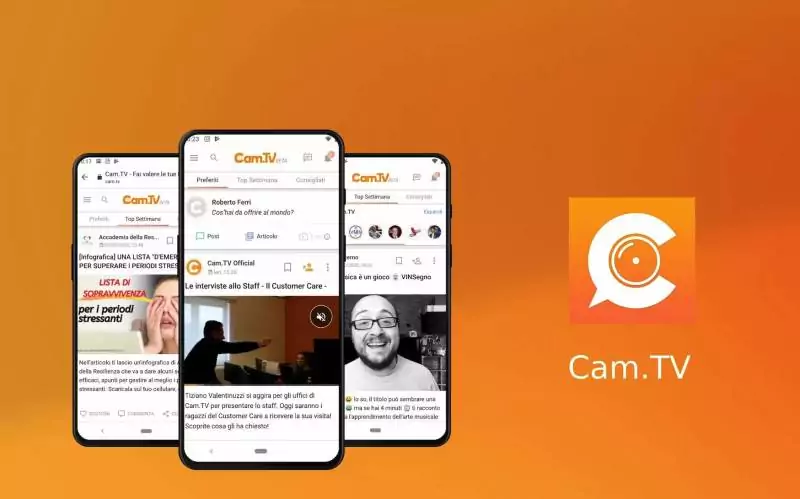
Guadagnare online condividendo contenuti digitali: la rivoluzione di Cam.TV
Guadagnare online in modo semplice e sicuro, semplicemente condividendo i propri contenuti digitali. Monetizzare le proprie passioni sfruttando le potenzialità di un social network e la grande visibilità che consente…
L’articolo Guadagnare online condividendo contenuti digitali: la rivoluzione di Cam.TV scritto da YOUR_DIGITAL_VOICE! proviene da Assodigitale.

Instagram inizia a tutelare i minori: annunciato il parental control

How photos can curb illegal deforestation in the Amazon
As of 2020, Brazil continues to lead the world in primary forest loss with an increase of 25% year over year. In the Amazon, the clear-cut deforestation rate is at its highest in over 10 years. Instituto Socioambiental (ISA) is a Brazilian nonprofit founded in 1994 to promote solutions to this crisis and other social and environmental issues. With a focus on the defense of the environment, cultural heritage, and human rights, ISA promotes solutions for indigenous peoples and other traditional communities in Brazil.
Watch this short documentary about their impact, how they use drone footage and Google Earth to prevent deforestation, and learn more about the role of indigenous communities in protecting local forests and biodiversity.

How Google and Gannett uncover new stories from archival photos
For golfer Tom Watson, seeing never-before published images of himself during the 1981 Masters brought back vivid memories of the important moments that led to his victory that year. For Gannett, being able to publish the video interview with Watson was part of a three-way editorial partnership between USA TODAY, Golfweek and the Augusta Chronicle, made possible with many never-before seen images that were curated from the Chronicle’s 30+ years of Masters photo archives.
All three titles are part of Gannett, which partnered with the Google News Initiative (GNI) to comb through their network archives for valuable but untapped visual assets to digitize and make available for present use through Iron Mountain Entertainment Services (IMES). Gannett mined the Masters images from the archives of the Augusta Chronicle, which were part of 40,000+ images IMES digitized from several properties across Gannett, including The Chronicle, Detroit Free Press, the Tennessean and USA TODAY. Gannett and GNI teamed up with IMES to securely transport the assets from multiple Gannett photo archives to IMES’s climate-controlled facility in Boyers, Pennsylvania. Once there, the IMES team digitized them using high-resolution image capture technology.
This project further extends a multi-dimensional partnership that has been in place for over a decade between Google and Gannett. One of the primary goals was to create new editorial content from recently digitized images unlocked from analog libraries, much of which has never been seen before. Gannett used this rediscovered editorial content to drive additional audience and subscribers to various publications. The material will also allow for expanded revenue through traffic-based advertising, sponsorship or syndication channels such as Gannett’s in-house image licensing team at Imagn.com.
One of our challenges, and one likely shared by many legacy publishers, was finding materials from the archives that were in good shape and had supporting research materials. We had to carefully select visual assets that survived mergers and physical building moves, while rejecting materials that were not preserved over time. Doing this due diligence before embarking on the digitization process is important to ensure efforts are being put towards material that will have value and organization.
The variety of archival material that was digitized in this project allowed Gannett to experiment with several different content strategies at various properties. As a publisher, Gannett is pushing towards a subscription-based model for all of its media outlets, with aggressive growth goals. The Masters archival material offered us the opportunity to examine readership trends in content at different properties, with some being subscription-based and others being free to the public. This digitized material also allows Gannett to respond quickly to news where it is relevant to current-day events. An example of where we used these archival images was the recent death of groundbreaking Black golfer Lee Elder, using images through a gallery in Elder’s obituary.
Lee Elder at the Augusta National Golf Course during the 1975 Masters. Elder was the first Black player to compete at the Masters. (File Photo -The Augusta Chronicle via USA TODAY NETWORK)
Early in their transition to a subscription model, the Detroit Free Press used a similar strategy of mixing subscriber-only content with some that was open to the broader public. They drew both significant traffic and drove consumer subscription conversions using this archival material. A story looking back at the details of Pope John Paul II’s visit to Detroit with some of the archival photos was published as a subscriber-only exclusive that drove new subscriptions. The broader gallery page of archival images was open to the public and drew more 100,000 page views. A reader survey conducted on existing subscribers showed that 37% had read the piece on the Free Press’ site, and more than 50% of those felt that they would enjoy seeing more content like this in the Free Press.

Caption: Pope John Paul II inside the Silverdome on September 19, 1987 in Detroit, Michigan. (Manny Crisostomo -The Detroit Free Press via USA TODAY NETWORK)
Our next steps involve identifying ongoing editorial opportunities where we can use this material. Gannett will also use artificial intelligence and machine learning technologies from Google Cloud Platform to uncover more opportunities to monetize content. The Masters material in particular offers a yearly opportunity to create “from the archives” types of content experiences where we can resurface rarely or never-before-seen images and develop new storylines. Within Gannett, this future content can be created and cross-promoted at local (Augusta), national (USA TODAY) and sports specialty (Golfweek) levels, giving this material far greater reach beyond that of any single publication.

Facebook testa funzione per condividere spese via Messenger
WhatsApp, nuove opzioni per i messaggi effimeri

Scoperta falla di sicurezza sui chip MediaTek di molti smartphone

Signal chiede l’aiuto dei suoi iscritti attraverso una donazione

Trump ha raccolto 1mld$ per la sua nuova piattaforma social

Processori Intel Core 12000 Alder Lake: quanto incidono gli E-Core?
5 ways to watch more for less with Google TV
There’s more streaming entertainment than ever — and if you want to watch it all, the cost of subscriptions can add up quickly. In fact, our research showed that 67% of TV streamers are concerned about how much they’ll pay for streaming in the future.
With Google TV, you don’t have to limit your watchlist — or break the bank. Just in time for the holidays, here are a few ways you can watch more, for less, with Google TV in the U.S.
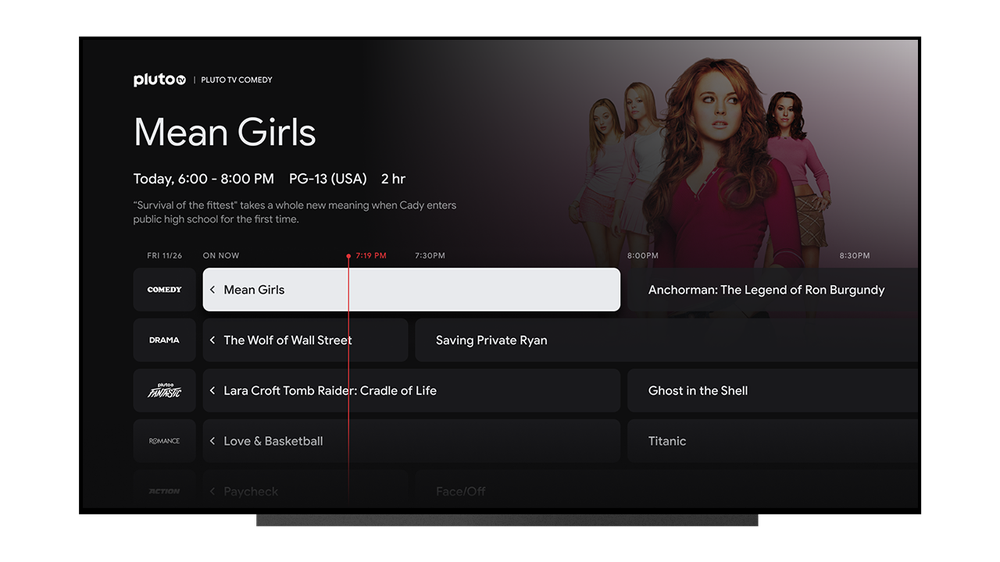
Free Live TV channels from Pluto TV now in the Google TV Live tab
- Watch free live, linear streaming TV channels on the Live tab. Starting today, we’re partnering with Pluto TV so you can access more than 300 free live TV channels on Google TV. Visit the Live tab to see what’s on now or check out the Free Live TV recommendations in the For You tab. This new integration with Pluto TV will be available on all Google TV devices in the coming weeks.
- Check out movies on YouTube. Access thousands of feature-length movies for free with ads from the Movies & Shows tab in the YouTube app. Don’t miss holiday favorites like “Jingle All The Way,” “Serendipity” and “Bridget Jones’s Diary.”
- Try out more free Google TV apps. Head on over to the Apps tab to find a row of “Free movies & TV” apps to download, including Tubi, Xumo and Red Bull TV.
- Enjoy six months of Peacock Premium, at no extra cost. For a limited time, when you activate a new Google TV (or other Android TV OS device) in the U.S., you can get Peacock Premium at no extra cost. (After that, it’s $4.99 a month plus tax, but you can cancel at any time — check out all the details for more information.) You’ll get everything Peacock has to offer — hit movies and shows, exclusive originals, WWE, live sports and more. Visit the For You or Apps tab after you set up your device to redeem the offer.
- Redeem Google Play Points for movies, shows, apps and more. If the movie or TV show you’re looking for isn’t available from your services or free providers, you can rent or buy over 200,000 movies and TV episodes directly from Google TV, starting at $2.99. Whether it’s a new release or an old favorite, just search for it with your voice and click “Rent.” And with the Play Points loyalty program, you can earn points for every dollar you spend and redeem them for free Play Credits, which you can use to buy more movies, shows, books, apps and games.
And in 2022, we’ll be bringing you more ways to watch for free. In the meantime, kick back with free live TV, premium shows from Peacock and on demand movies on your Chromecast with Google TV and TVs from Sony andTCL.
Snap faster, hear better and do more with your Pixel
One of the sweet things about being a Pixel user is that your phone continues to get a boost of helpfulness with Feature Drops. Whether you want to quickly tap to access Snapchat from your Pixel lock screen or control the bass levels on your Pixel Buds A-Series, we’ve got an update you’ll love.
This latest Feature Drop will roll out to users over the next few weeks, starting today with relevant updates coming to Pixel 3a through Pixel 5a (5G) devices – see g.co/pixel/updates for details. Pixel 6 and Pixel 6 Pro devices will begin receiving their updates next week.
Snapchat, digital car key and ultra-wideband help Pixel do more
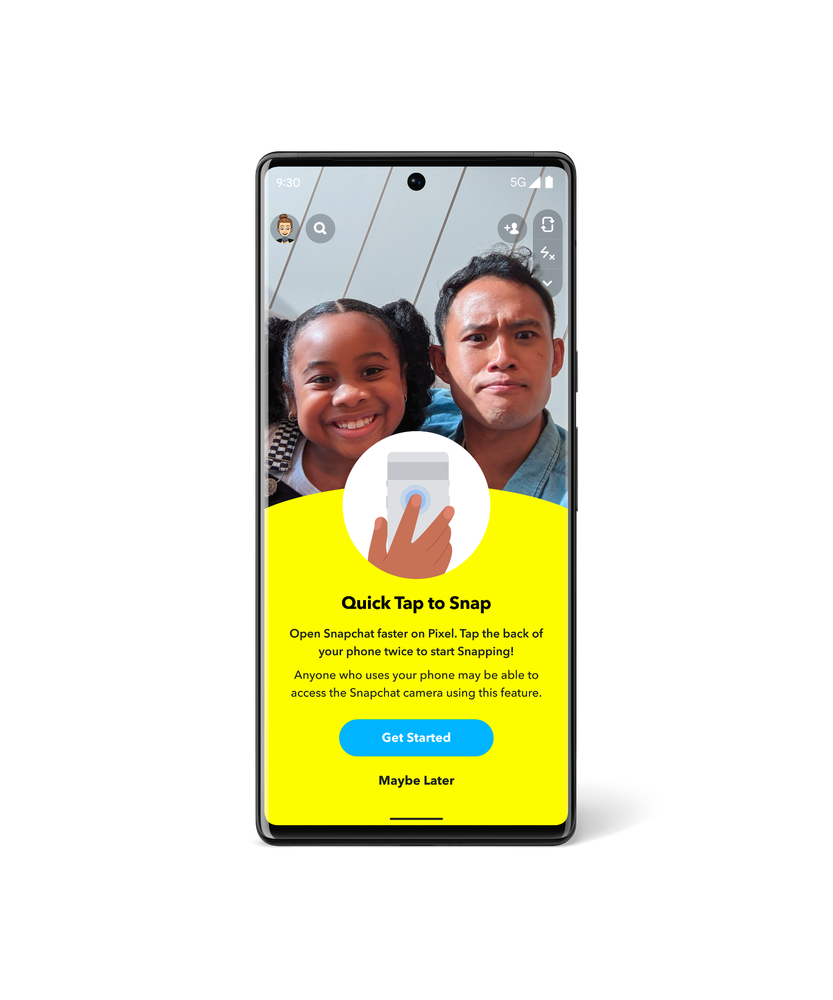
You can already customize the actions your Pixel takes when you use Quick Tap, from taking a screenshot to playing music. With Quick Tap to Snap, you can access Snapchat directly from your lock screen, making Pixel the fastest phone to make a Snap. Quick Tap to Snap is available to all Pixel 4a with 5G or newer Pixel phones. Plus, starting this month, you’ll be able to add a new Pixel-exclusive Lens – Pixel Face – to your Snaps. Look out for more Pixel-exclusive Lenses in future Feature Drops.
As you saw from our friends at Android, we’ve partnered with BMW to enable digital car key for Pixel 6 and Pixel 6 Pro. On select 2020-2022 BMW models in certain countries, you can now unlock and lock your car by tapping your phone on the door handle, and you can start your car by placing your Pixel on the interior key reader and pressing the engine start button.
And ultra-wideband is now enabled on Pixel 6 Pro. This technology improves Nearby Share so you can quickly and securely send files, videos, map locations and more to other ultra-wideband devices nearby.
Personalize your devices
Conversation mode, an early-stage accessibility feature in the Sound Amplifier app, is now available in beta first on Pixel. This feature uses on-device machine learning to help anyone better hear conversations in loud environments by tuning into their conversation partner and tuning out competing noise. While Google Research continues to work on conversation mode you can get a sneak peek as an early tester and help make it better for everyone.

Have you ever heard a catchy new track, but have no idea what it is? We’ve updated the Now Playing experience on Pixel to help you find your next favorite song. As always, Now Playing’s automatic recognition is done entirely on-device. If Now Playing hasn’t automatically identified a song playing nearby, turn on the new search button and tap to let Pixel find it for you (available on Pixel 4 or newer Pixel phones). And if you’re really digging it, smash that music note icon next to the track’s recognition on your lock screen to save it as a favorite.
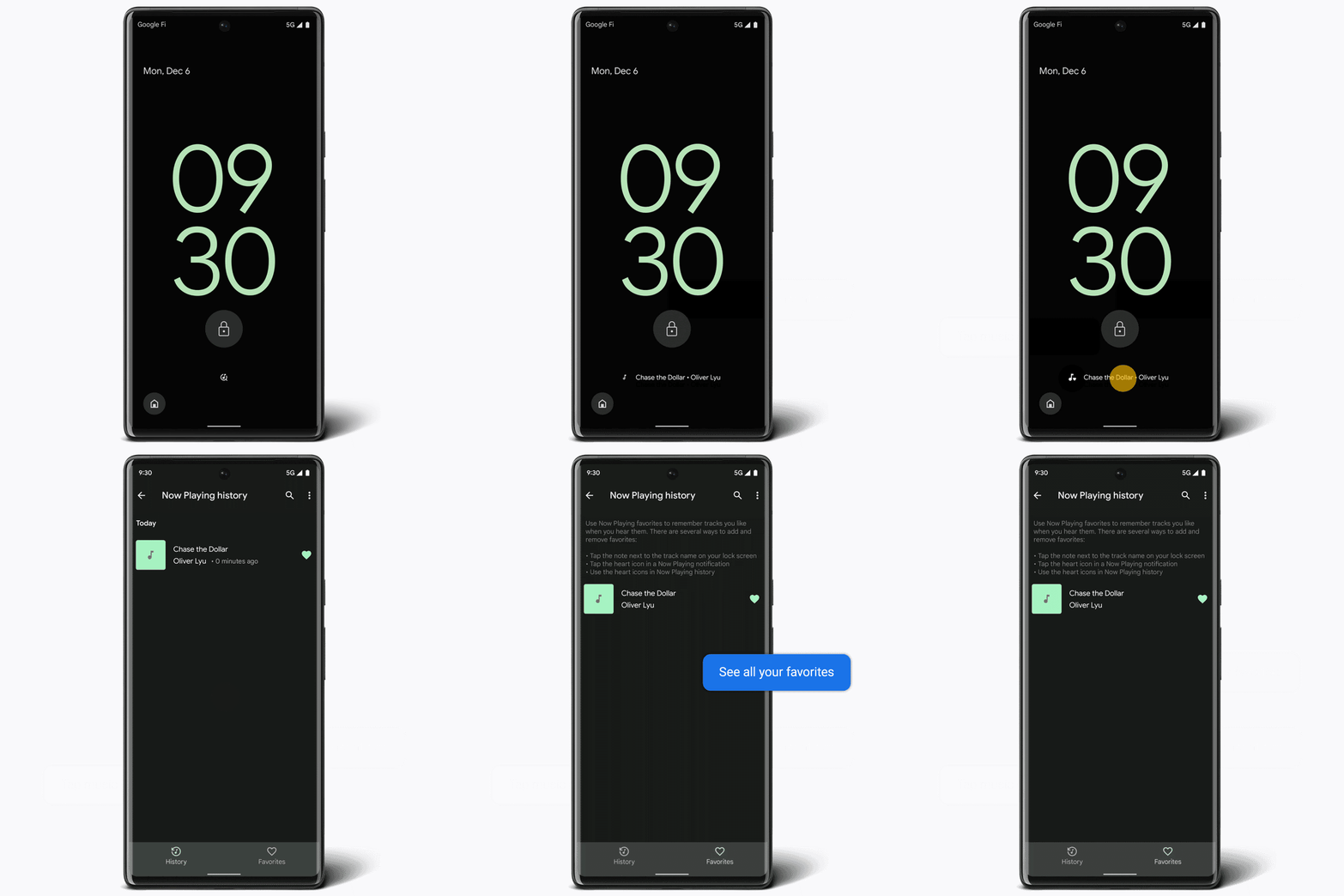
On-screen experience is simulated for illustrative purposes. Now Playing may not recognize every song.
Speaking of music: We’re also introducing improved bass-level control for the Pixel Buds A-Series. With any Android 6.0+ device, you can now open the Pixel Buds app and use a slider to adjust bass from -1 to +4, giving you twice the bass range you currently have.
We’ve also added to our wallpapers. In celebration of International Day of Persons with Disabilities, we collaborated with Dana Kearly, a disabled multidisciplinary artist from Vancouver B.C., to create three beautiful new wallpapers for the Curated Culture collection.
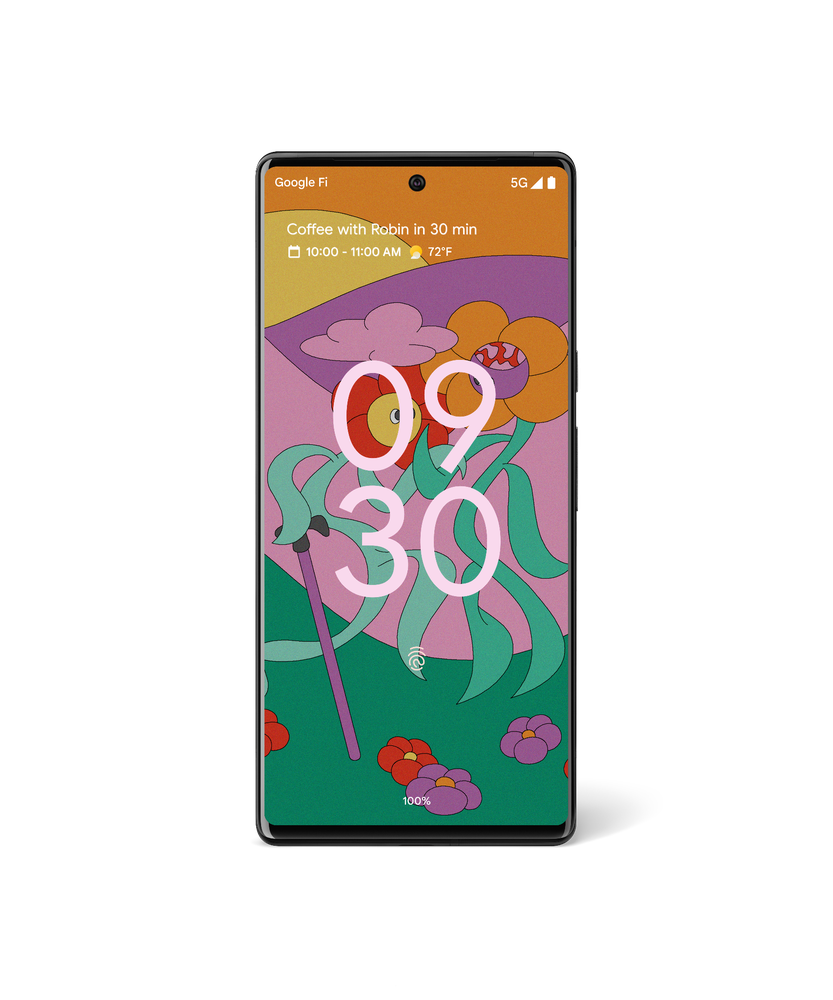
Wallpaper by Dana Kearly.
Car crash detection and Recorder
Car crash detection is now supported in Taiwan, Italy and France, in addition to Spain, Ireland, Japan, the U.K., Australia, Singapore and the U.S. When car crash detection is turned on in the Personal Safety app, your Pixel 3, Pixel 4 or newer Pixel phone can help detect if you’ve been in a severe car accident. If a crash is detected, your phone will check in with you to see if you’re OK. If there’s no response, Pixel can share your location and other relevant details with emergency responders. (This feature is dependent upon network connectivity and other factors and may not be reliable for emergency communications or available in all areas.)
And while car crash detection is expanding to new countries, we’re also enabling new languages for transcription in the Recorder app. These include Japanese, French and German on Pixel 3 and newer Pixel phones.
If you want to learn more about these updates visit our Pixel forum. Otherwise, that’s all for now — until our next Feature Drop!

7 apps we couldn’t live without in 2021
As 2021 draws to a close, our Chromebook Apps team is taking the time to reflect on all the ways Chromebooks have helped us tackle another year of doing just about everything from home. This year, we’re starting a new tradition: sharing a few of the many apps we couldn’t live without, from our team to you.
Designing holiday cards
Pixlr. ‘Tis the season to create memories that bring smiles to friends and family. But capturing a photo of my family of five, including toddlers, is no small feat. Pixlr lets you edit photos and create great designs right in your browser. I combined a few photos into one to give the appearance of a calm and serene group, while giving the background a perfect blur. – Maria Lundahl Schmidt, Chrome OS Apps Partnerships
Maria’s family holiday card created with Pixlr
Staying entertained with Cloud gaming
Stadia. Gaming played a crucial role in keeping me entertained (and sane!) in 2021. This year I have been all about cloud-gaming and Celeste is the first game that sold me. Latency was my main hesitation with cloud gaming, so I put it to the test with a pixel-perfect platformer. I had played Celeste locally, so I knew that any delay in responsiveness would render one of my favorite indie games unplayable. To my delight, I didn’t notice any lag when playing on Stadia. –Sam Richard, Chrome OS Developer Advocate
Nvidia GeForce NOW. And for those looking for a new game that can show off the graphical capabilities of cloud-gaming, be sure to check out Marvel’s Guardians of the Galaxy on NVIDIA GeForce NOW. RTX support means it can be played with beautifully ray traced graphics (available on Chromebooks that support 4K), turning your Chromebook into the ultimate high-fidelity gaming rig! – Greg Nemeth, Chrome OS Games Partnerships
Painting with my kids during shelter in place
Krita. Sheltering in place in a cabin outside of Sweden has given my family some extra time to embrace our creative side. Krita – which is in beta – has been an amazing tool for us, and we have been able to create a plethora of princesses, unicorns and cat-like creatures. Krita is designed primarily for digital painting and 2D animation; it is open source and completely free of charge. The name “Krita” is inspired by the Swedish words krita, meaning “crayon,” and rita, which means “to draw,” so it made perfect sense for us to use this wonderful tool for digital artists. – Maria Lundahl Schmidt, Chrome OS Apps Partnerships
Connecting virtually with family and friends
Rave. When my kids are asleep, I use Rave, a watch party app, with my friends to text and voice message while binging Netflix and watching YouTube videos together. We even hosted a few karaoke nights with our friends who live outside of California. It became the weekend highlight for us. – Sanj Nathwani, Chrome OS Product Manager
Zoom. Making sure my 2 and 4-year-olds and I can spend virtual time with our loved ones has been important for my family. Zoom’s new progressive web app (PWA) for Chromebooks makes it incredibly easy to join any call with a single click. It works in Chrome browser on any operating system — so I never need to worry about whether my friends or family will be able to access a group meeting. – James Wagner, Chrome OS Apps Program Manager
Unleashing my creative side
Sumo. One of my resolutions this year was to get into painting again. When I started using the web-based app Sumopaint, it was impossible to miss the other tools they have — like making music, 3D modeling, coding or editing photos and videos. My favorite part: how easy everything was to learn, and how you can share assets between apps in the suite through a common asset library. – Neel Kshetramade, Chrome OS Apps Program Manager
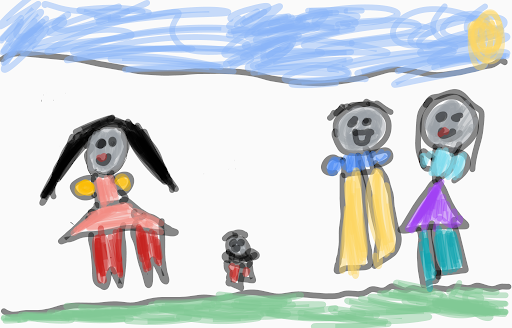
Painting by Neel’s daughter, created using Sumopaint
Hopefully you’ll have some down-time over the holidays. Some of the ways my team plans to spend that time is watching their favorite holiday movies — like Home Alone or The Nightmare Before Christmas on Disney+, or learning to code as a family with Piper Make, or making music with Cubasis 3’s custom Chromebooks app.
We hope you and your family enjoy these apps as much as we do. Give them a spin during the holidays. Be sure to check out the Perks page to find special offers on some great apps — created exclusively for Chromebooks.