It’s Saturday morning and my son is pointing at the TV, cheerful as ever. The “You’re Welcome” music video from Disney’s “Moana” is playing for the tenth time. As a new father, I’m always thinking about the role technology will play in my children’s lives. From Google Kids Space on select Android tablets to teacher-approved apps in Google Play, we’ve already made a lot of progress in helping our kids explore online, but the work isn’t over.
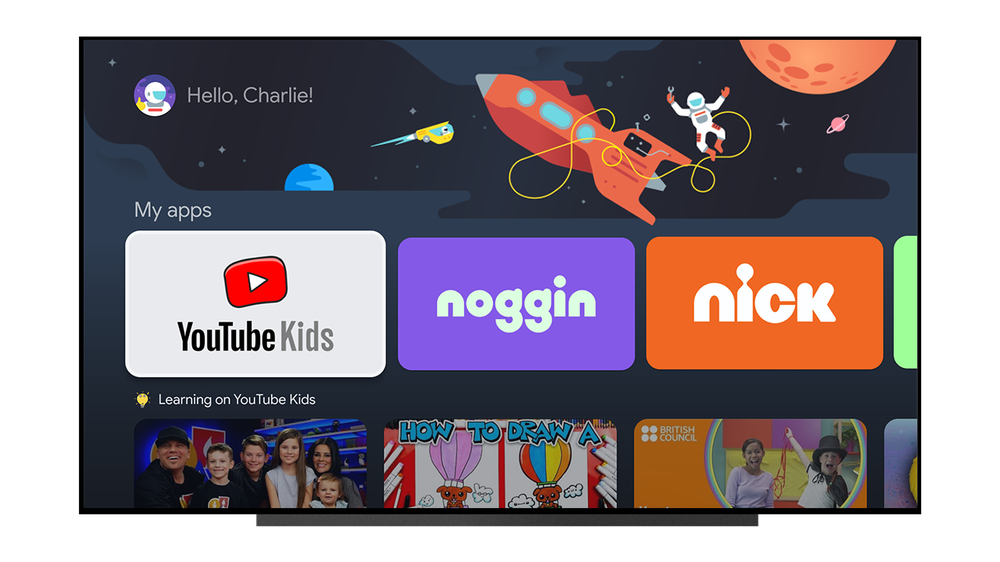
That’s why today, we’re taking our first step in delivering family features on Google TV with the introduction of kids profiles. Setting up a profile for each of your kids is easy: You can add an existing Google account for a child or create a new profile with just their name and age.
With Google TV, we thought about what families need from the biggest screen in the house. I personally want to be able to find my shows and movies, without being overwhelmed by my kids’ content. At the same time, I want to be able to manage my kids’ screen time and know that what they’re watching is appropriate for them. Read on for some of my favorite features of kids profiles.
TV — for you and your kids
Parents will be able to pick which apps to add to their child’s profile. Kids profiles will feature rows with recommendations from kid-friendly apps, so your kids can easily find what to watch. And with Google Play Family Library, you can share access to TV shows and movies you’ve already purchased on other devices (“Moana” on repeat is absolutely an option).